
Preface
IDEA comments support multiple tags. The ones people use most are TODO or FIXME. As long as you type FIXME/TODO in a comment (case-insensitive by default), IDEA will turn that comment into the corresponding tag.
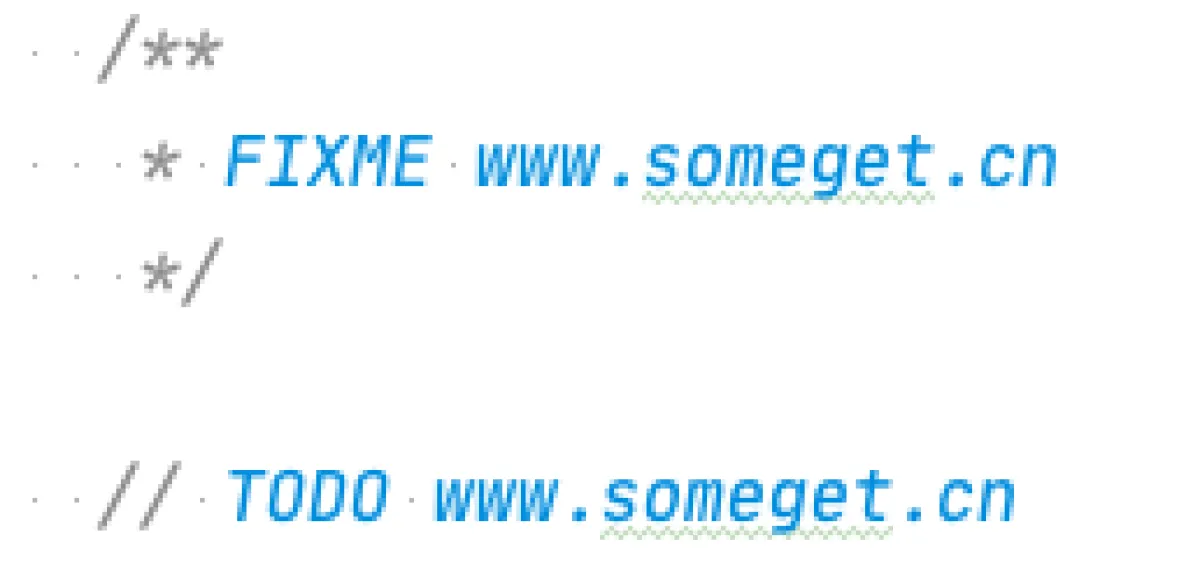
This tagging feature is super handy. For example, with TODO, you can jot down logic that isn’t ready yet but needs to be written or changed next time. After you add it, IDEA will remind you in multiple places, and you can also aggregate all TODOs into a single list inside IDEA. That way, it’s very obvious what you need to do next—and you can jump right to that line.
Recently I went through the TODOs in my project. After removing ancient TODOs and a bunch of meaningless tags, I realized that with such a messy pile of TODOs, they’ve basically lost their value. Because everyone writes TODOs—aside from a small portion meant to remind the whole team, most are written for yourself. If everyone uses TODO, you have to sift through a ton of TODOs to find your own. And some coworkers write a TODO and then there is no “later” at all. So is there a filtering feature? After digging through the official IDEA docs, I found that it’s doable—and the comment tag feature is way more powerful than I expected—so I’m writing this down to share.
TODOList
To judge whether a project’s code is maintainable, just do a global search for the synchronized keyword and you’ll have a pretty good idea. To judge whether a team is reliable, just open IDEA’s TODO List and look at the count—you’ll basically know.
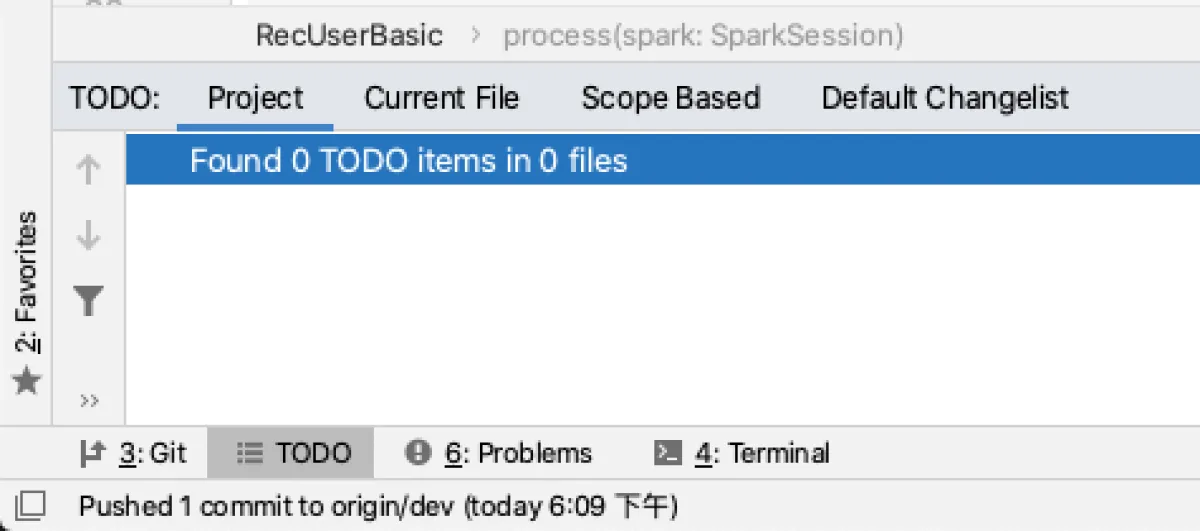
- Click TODO under IntelliJ to open the TODO List. It supports multiple viewing modes.
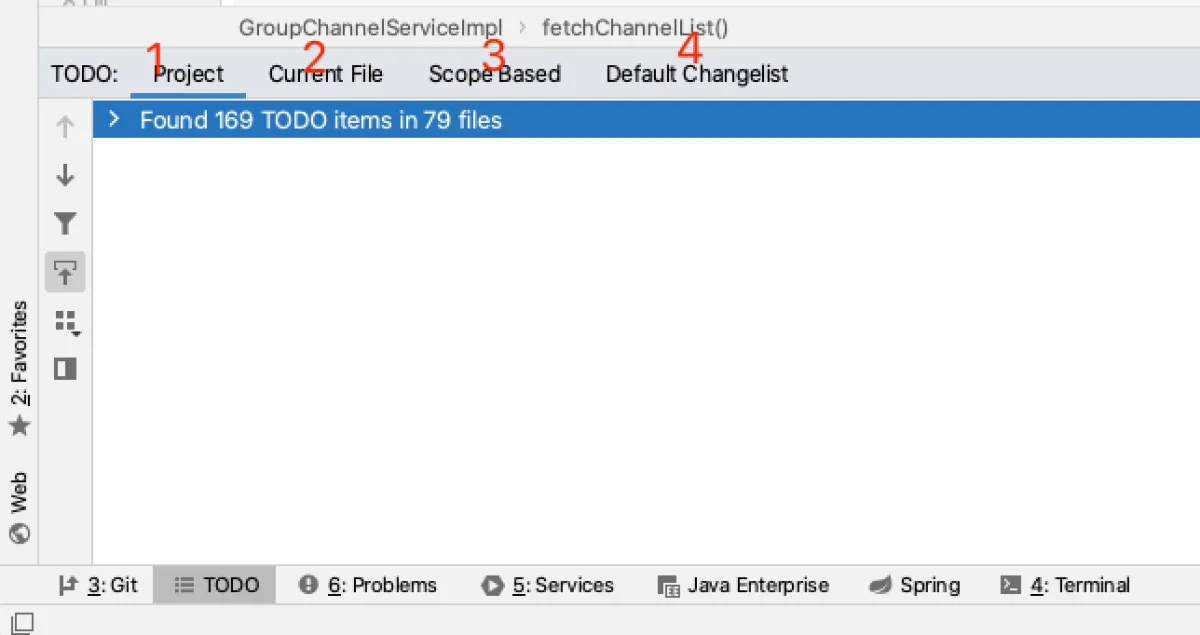
- project - all TODOs in the project
- current file - TODOs in the currently opened file
- scope based - more scope options
- default caangelist - TODOs in all modified files managed by Git
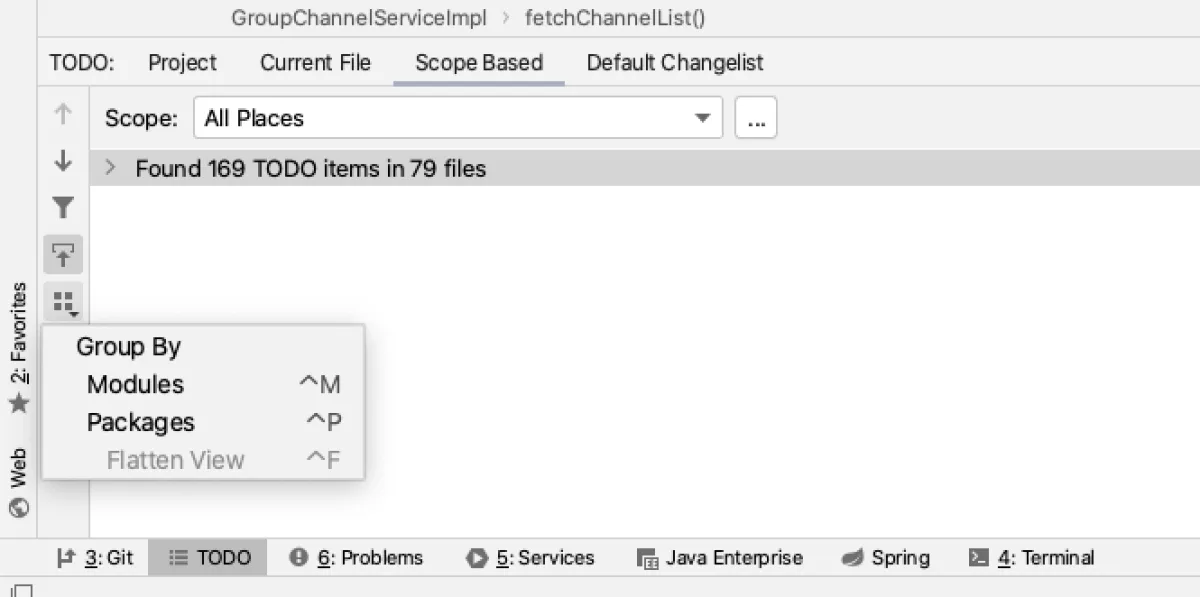
- Group by module or package
TODO List tag filtering
Everything above is the standard, obvious stuff you can see in IDEA. But IDEA also lets you define your own TODO tags and provides a filtering feature.
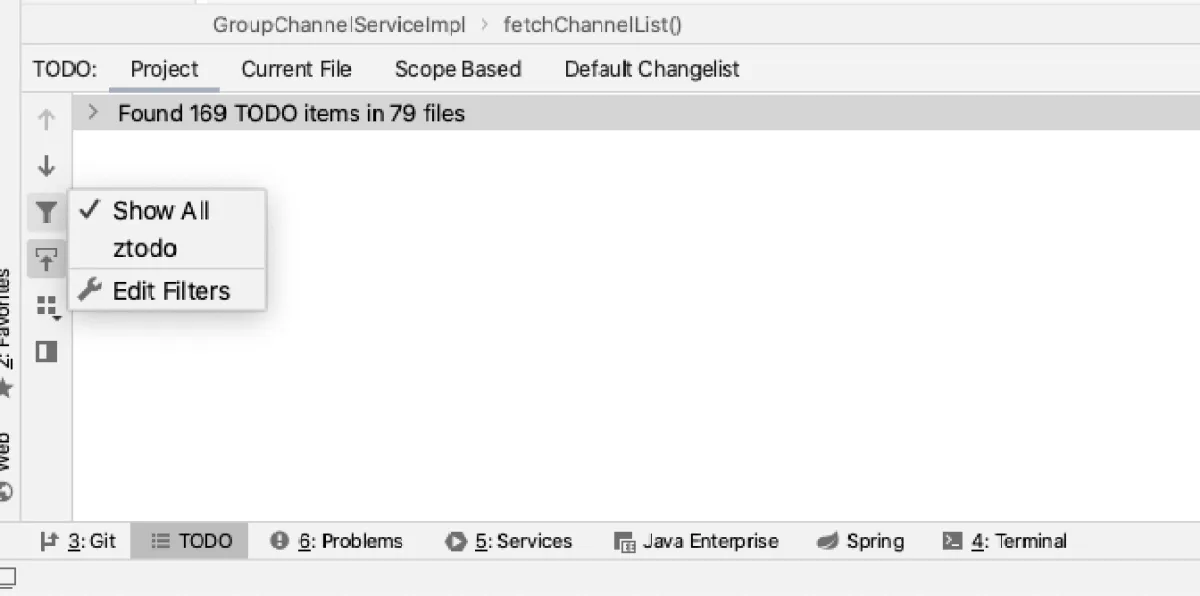
Click edit filters, then in filters you can add filter types. For example, in this screenshot I added a ztodo.
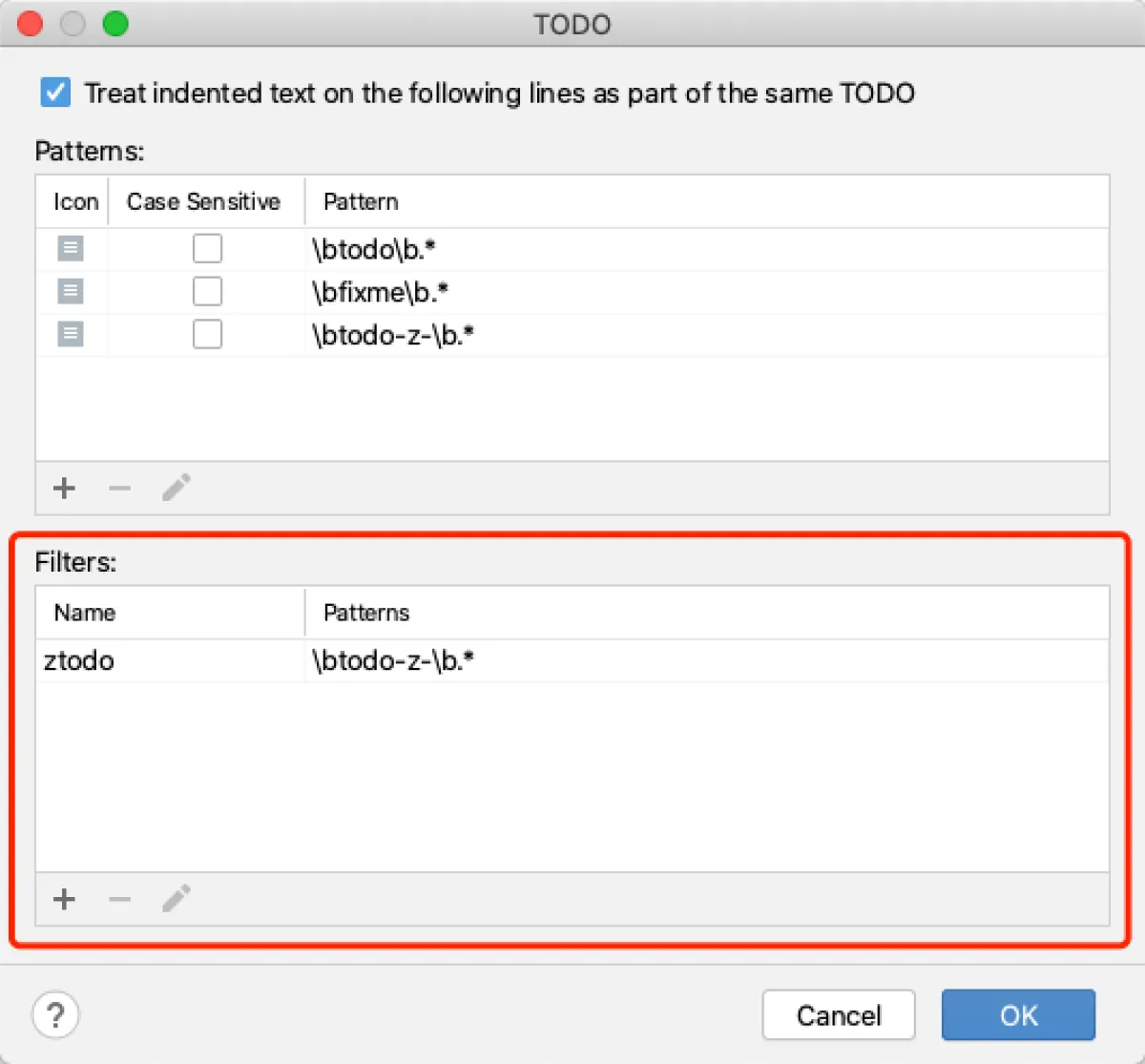
Set your own TODO tags
Above I talked about filtering, but not how to set comment tags to enable that filtering. In the edit filters screenshot, the box at the top is where you define your tag patterns. You can see that, besides the last one I added, the first two (TODO and FIXME) are built into IDEA. As long as we follow the same rules, we can add our own comment tags, and then configure filters below.
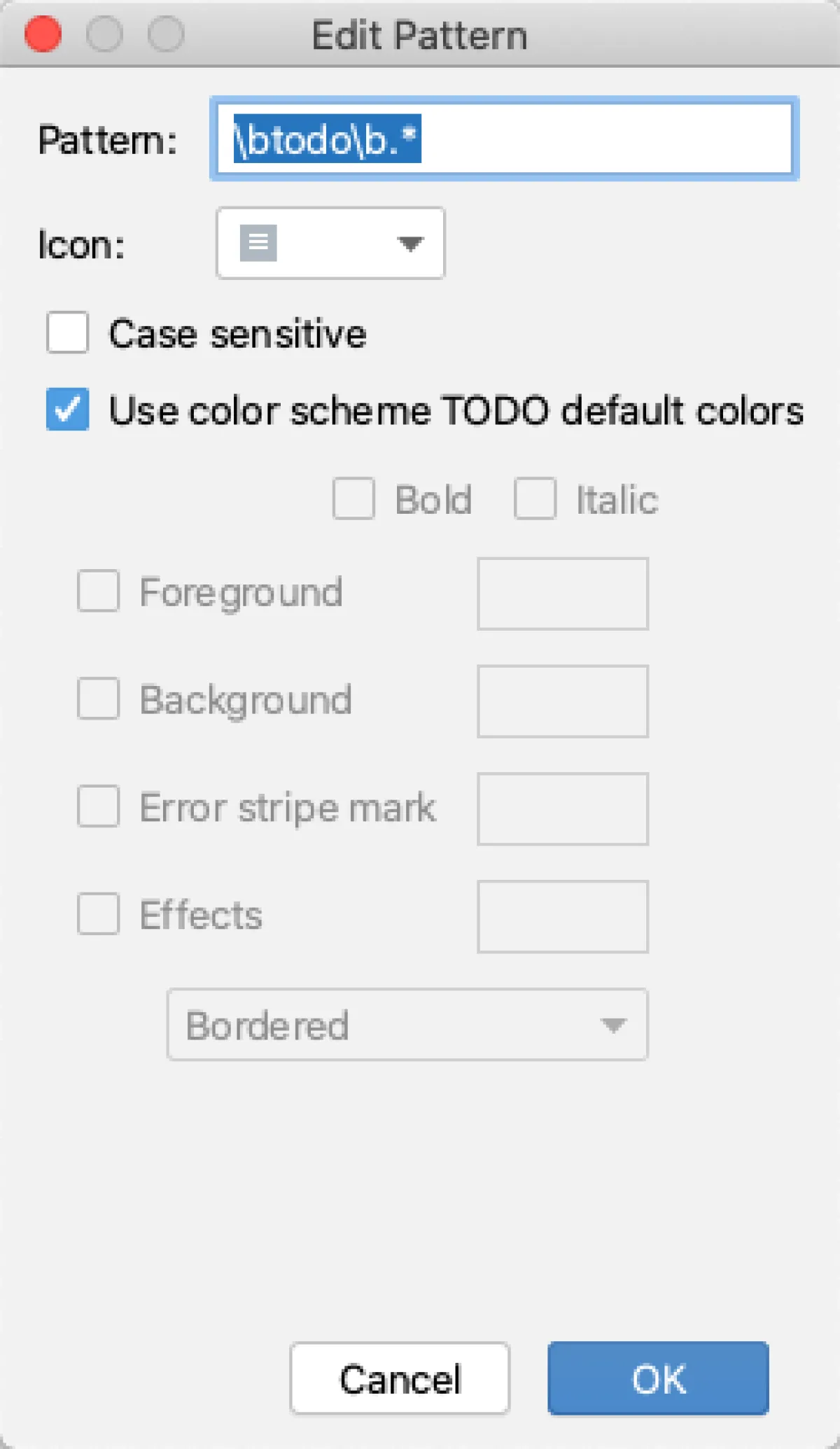
This is the regex: \btodo\b.*
\b is an implicit boundary placeholder; before and after todo it means the text should contain the word todo
todo is the text to match
.* means 0 or infinitely many characters
\btodo-z-\b.*
Above is my custom todo. This regex will extract comment text containing todo-z- and highlight it.
The options after that are case sensitivity and custom color (checking it means using the default color; the default is blue).
Here, z is my personal marker, and the trailing - is so I can append a log later using a live template, which makes it easier to organize afterward.

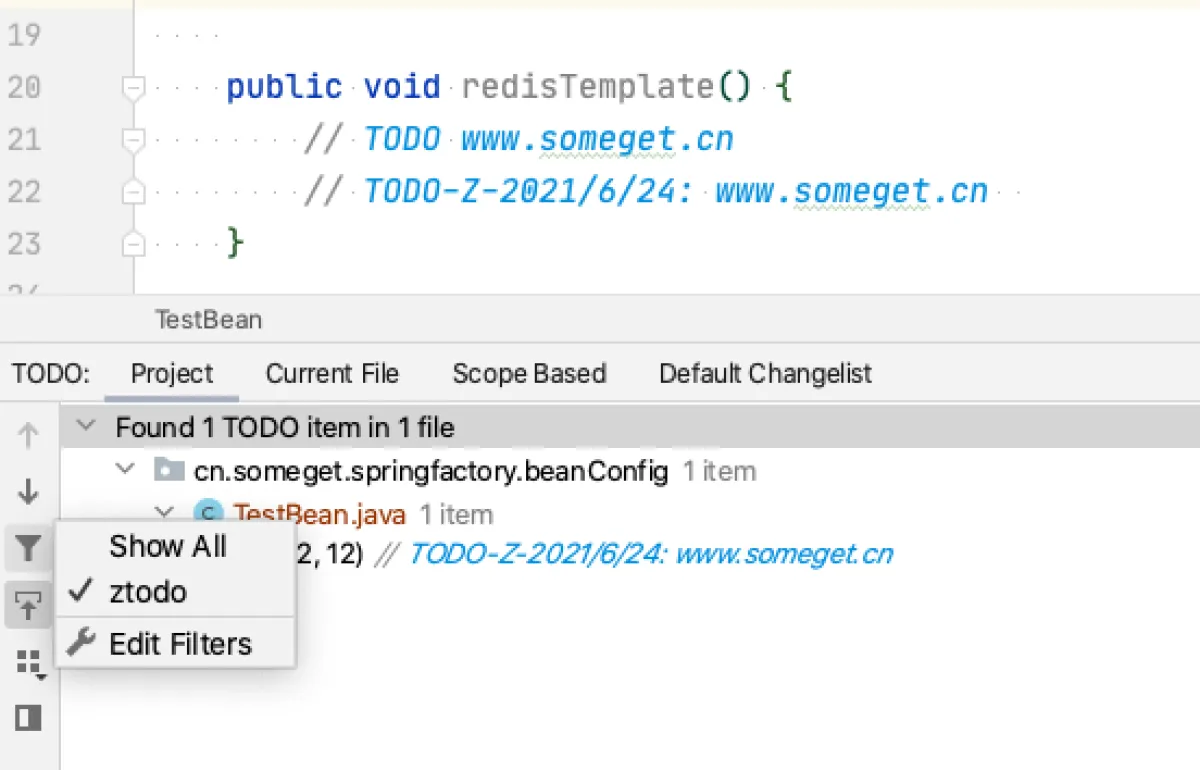
Finally, I wrote two TODOs: one normal TODO and one custom-tag TODO, then enabled filtering.
References
All articles in this blog, unless otherwise stated, are licensed under @Oreoft . Please indicate the source when reprinting!