
Preface
Note: the newer versions of Postman have some UI changes. This post uses Postman 8.4.0 for Mac. The UI is a bit different, but the functionality hasn’t changed.
Postman is a tool for API debugging/testing. If you’re doing backend development, you’ll definitely test your own APIs—whether it’s to inspect the response or to hit breakpoints in your IDE. Sure, we can also access a URL directly in the browser, but the downsides are obvious: plain URL access can’t send non-GET requests, and it’s terrible for managing APIs—no naming, no grouping, no proper organization.
Honestly, Postman probably doesn’t need an introduction. What I want to share today is Postman’s environment variables feature. Imagine this scenario: you’ve finished an API. Locally, the path is /hello, the host is localhost, so the URL is localhost/hello. When you switch to the test environment, the path stays the same, but the host becomes testhost, so the URL becomes testhost/hello… then as the project moves on, you get staging, canary, production… and eventually your Postman ends up looking like this:
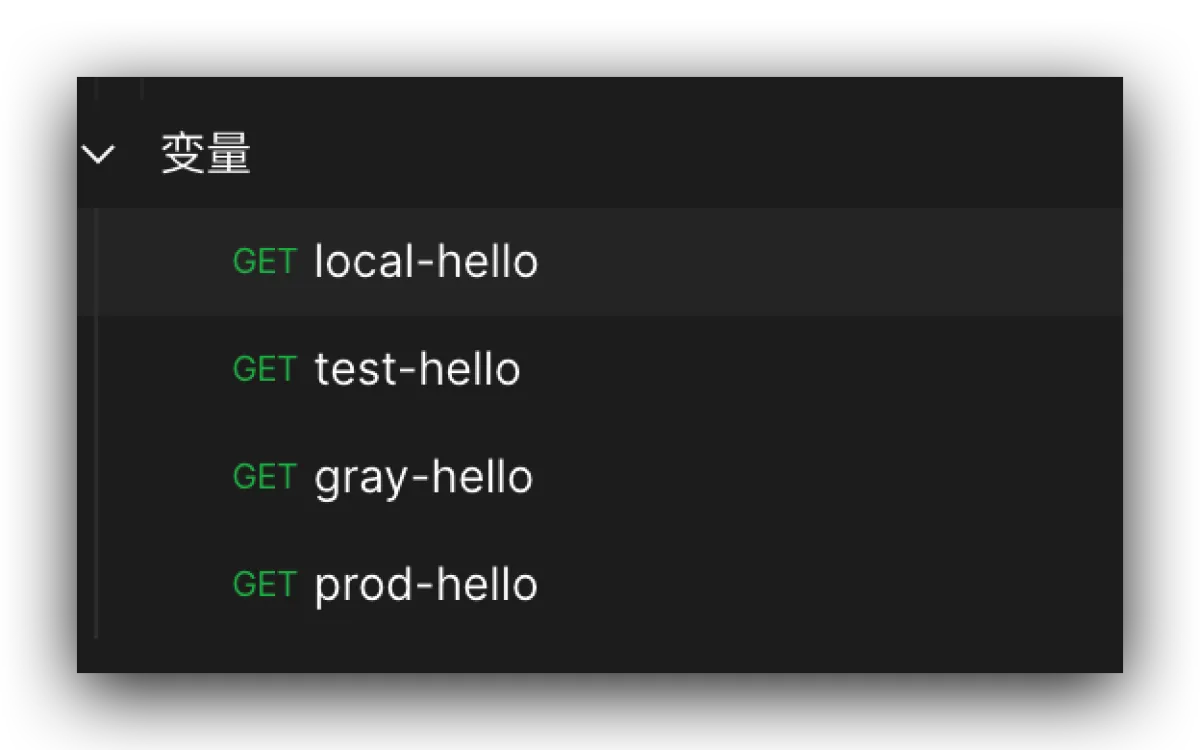
What environment variables are for
Heads up: the screenshot above is just saving one API. In reality, a single version can easily have dozens of endpoints, and you might also have changes to legacy endpoints. Maintaining that is a huge pain—and not elegant at all.
Postman provides a global environment variable substitution mechanism. You can define a variable whose value differs across environments. For example, we can define the host as such a variable. Then when the project reaches canary/staging integration testing, you only need to switch the environment—no need to change anything in the requests.
Environment variable setup
Reminder again: this is Postman 8.4.0 on Mac.
-
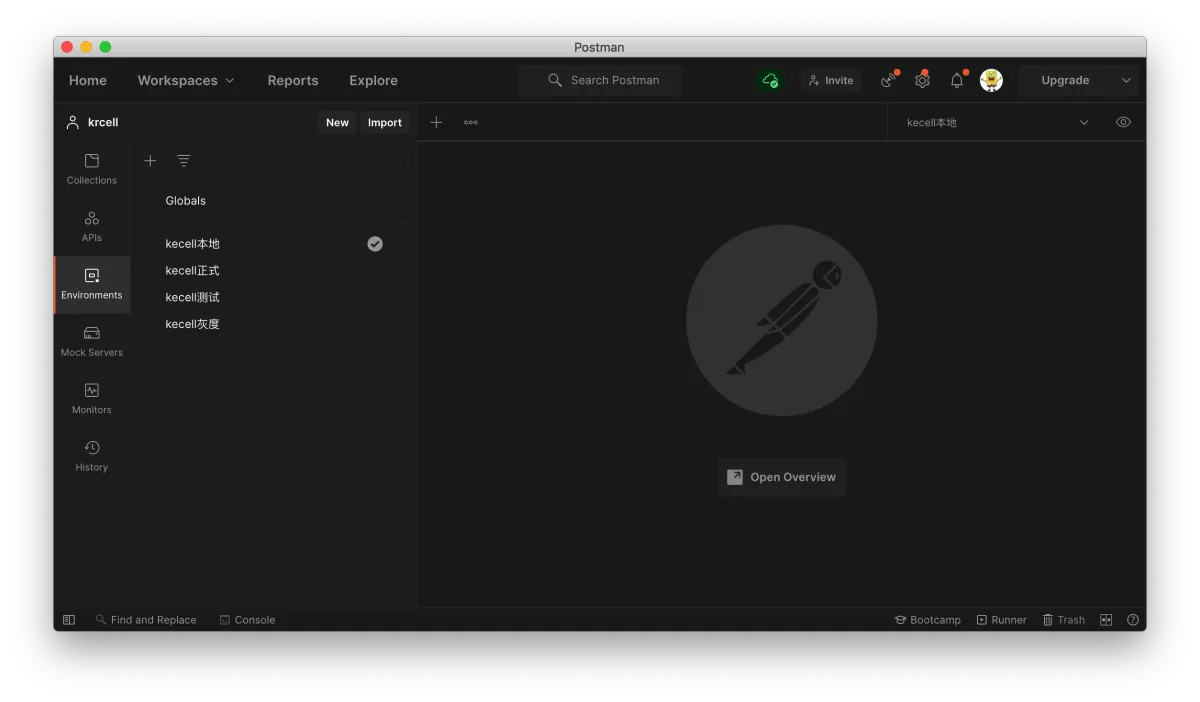
Switch to the Environments module
-
Add the environments you need

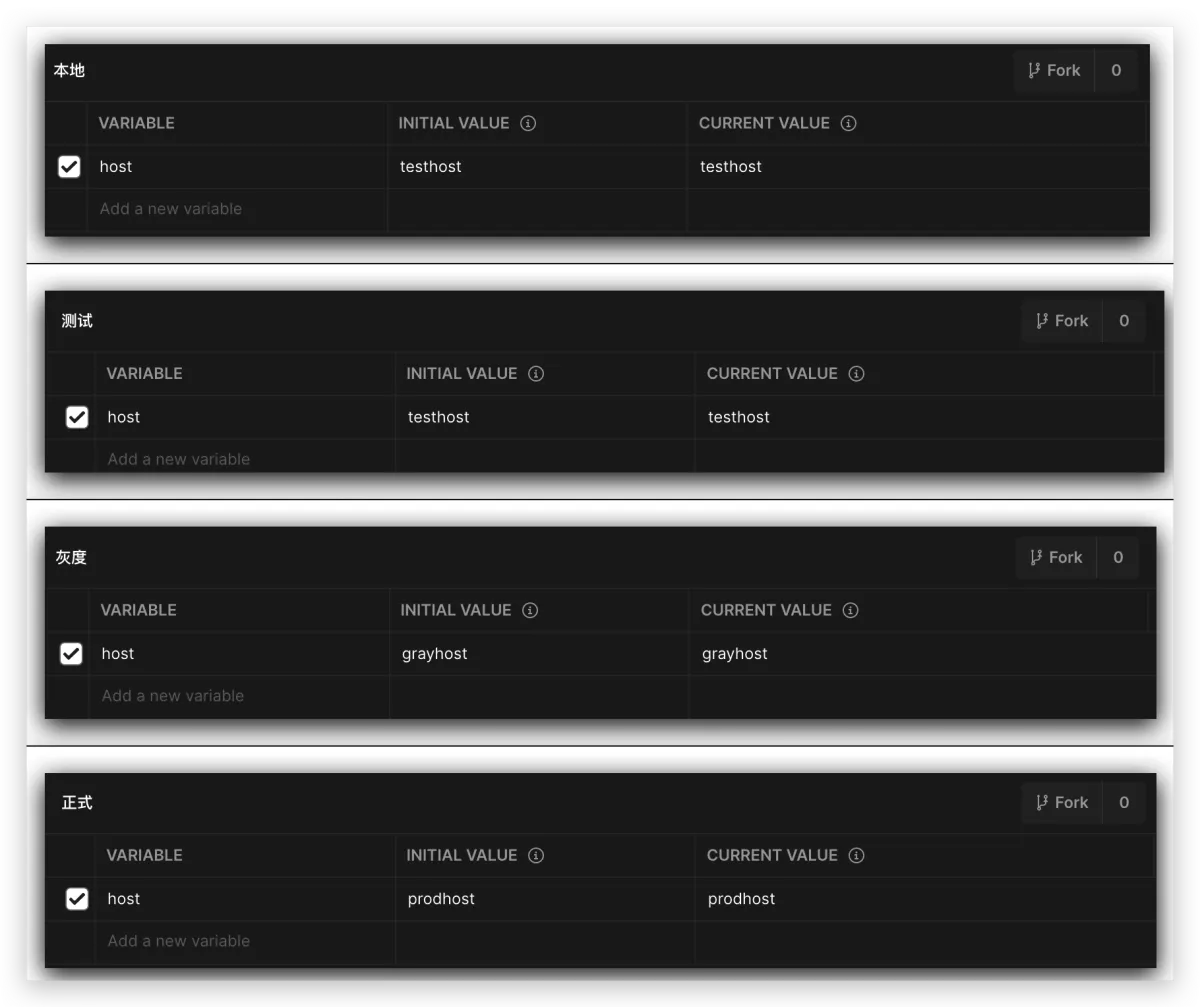
- Add variables inside the environment. The first field is the variable name. The second is the value that will be used if you share this environment. The third is the local value. Usually you can just set the second and third to the same value.


-
Set up every environment
Using environment variables
Switching environments
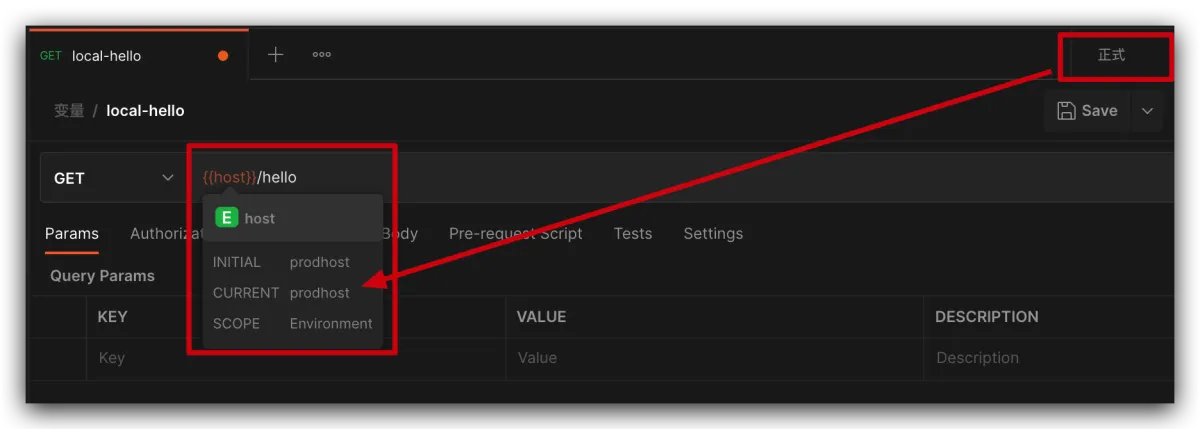
Once you’ve set them up, you can start using them. The environment switcher is in the top-right corner.

Referencing variables
Variables can be used in a lot of places: in the URL, or as request parameters. The syntax is
For example, using our custom host:
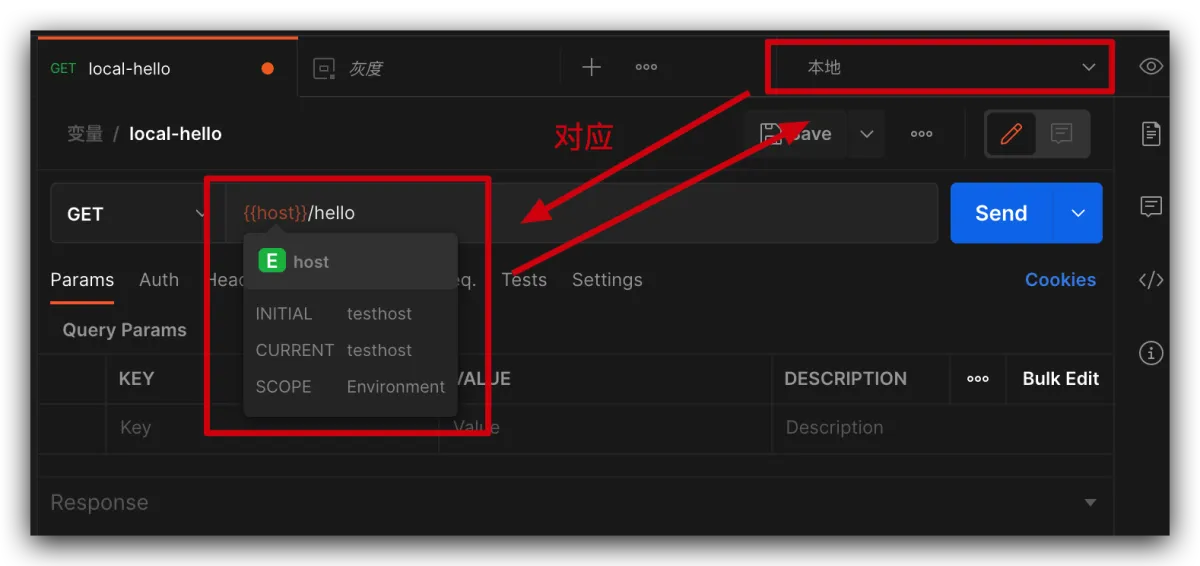
When we switch environments, the variable value changes accordingly. Say we switch to production:
Afterword
That’s basically it for the simple usage. You can extend it however you like. These variables aren’t just for URLs—they can also be used for parameters. For example, you can define a global cookie, a global user userKey, etc. Then you only need to change it in one place, and every API can use it.
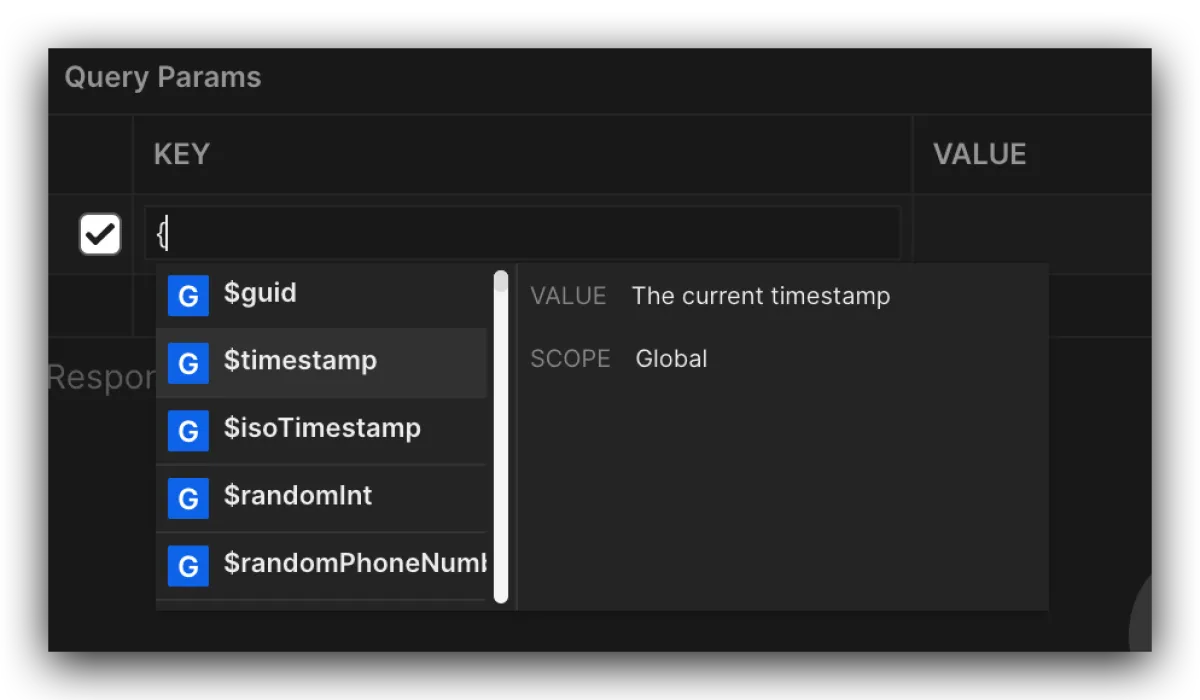
Also, Postman comes with some built-in variables. You can try typing a { and waiting for Postman to autocomplete—those suggestions are built-in variables, and they come with pretty detailed descriptions.
All articles in this blog, unless otherwise stated, are licensed under @Oreoft . Please indicate the source when reprinting!