
Preface
Today I want to share a super handy little feature in IntelliJ — code favorites (bookmarks). Not sure if you’ve ever had this kind of headache: you take over a new project, and for historical reasons some common operations were never abstracted into shared methods, so every time you need them you end up digging through the code for ages; or you spot some insanely slick code a teammate wrote and think, “This idea might help my own work later,” and you mentally note it… but when you actually need it, you’ve forgotten where it was; or when reading source code there’s a spot you need to revisit over and over — compare it, read it back and forth, etc.
In these situations, jumping around is honestly pretty annoying, especially after some time passes… and then your mind just goes blank. So I’m sharing IntelliJ’s code favorites feature — it’s actually very simple. I also included the official JetBrains tutorial in the references.
Code Favorites
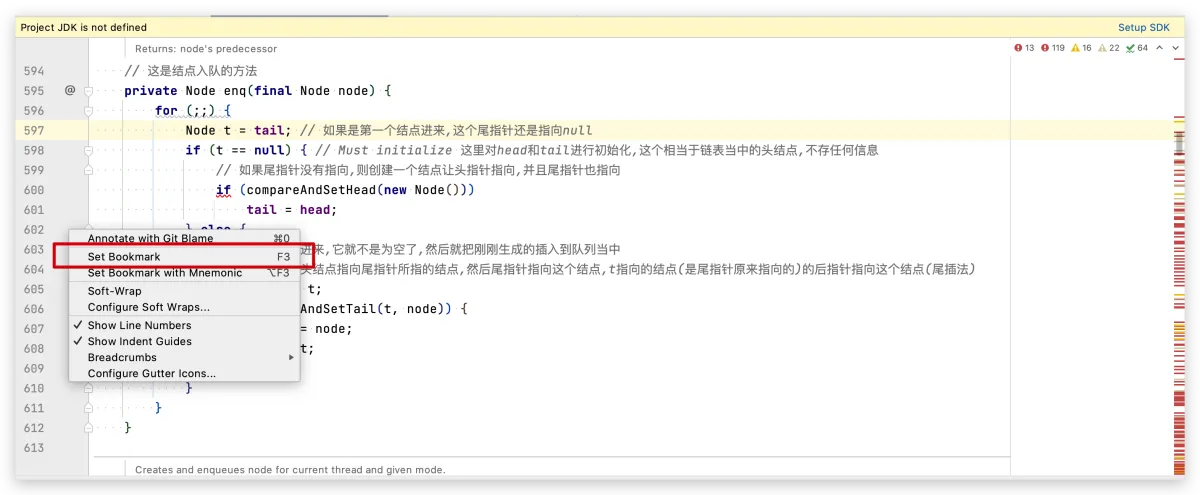
- Right-click on the line number gutter in the editor, then choose to set a bookmark to favorite that piece of code (I set the shortcut to F3).
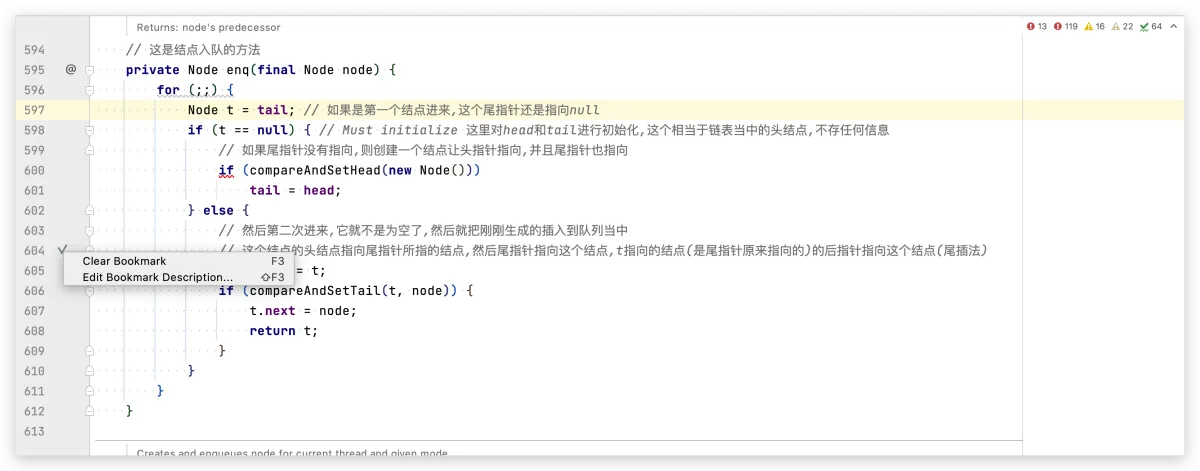
- Add a note/description to the favorited code. After favoriting, it turns into a little check mark. Right-click that check mark and you’ll see “Edit Description” (I set the shortcut to Shift+F3).
- To view your favorites: on the side panel in IDEA, find
favorites. Inside, you can see the code you just favorited. By default it’s under Bookmarks, and you can also create your own groups for favorites — super convenient. (I set the shortcut to cmd+2)
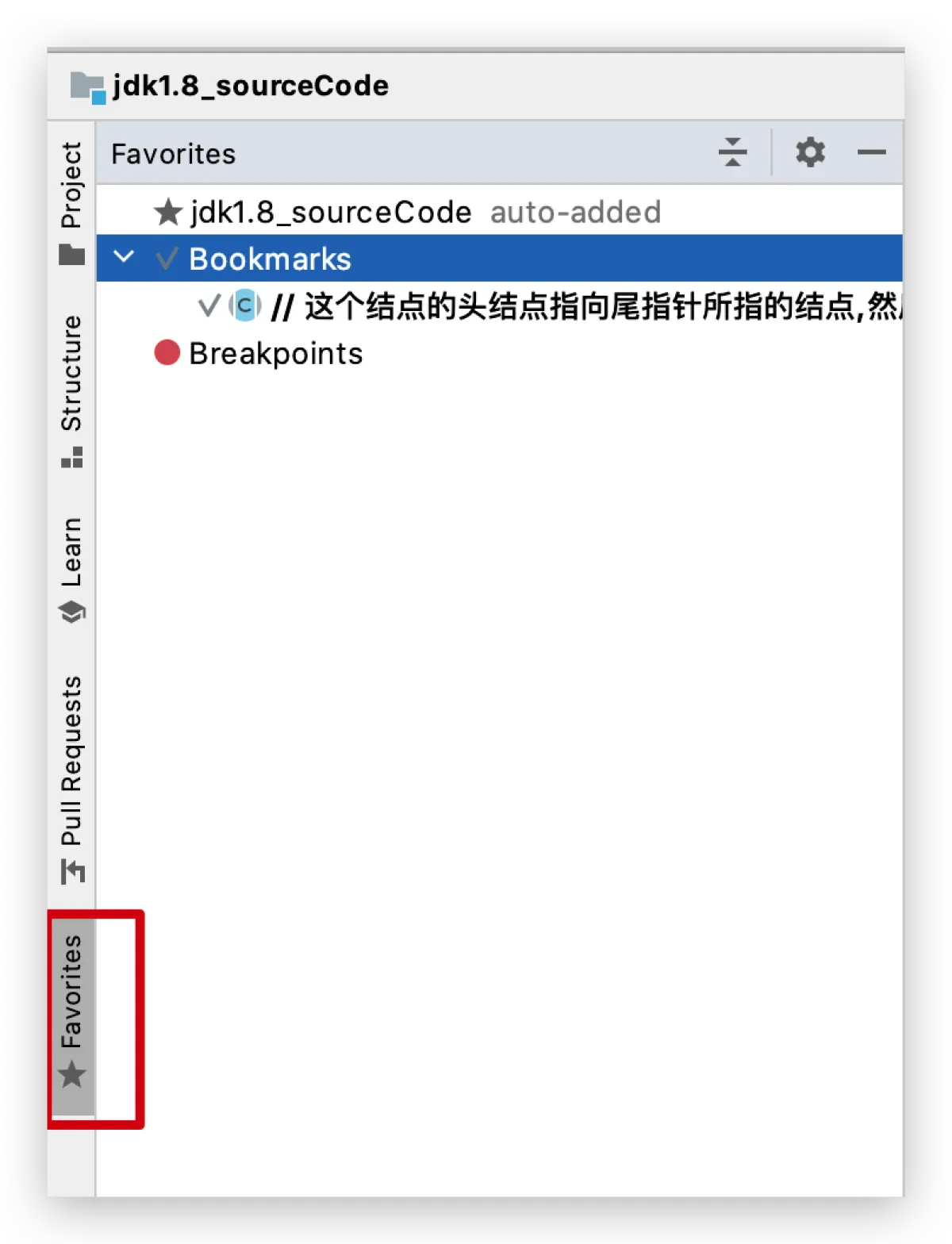
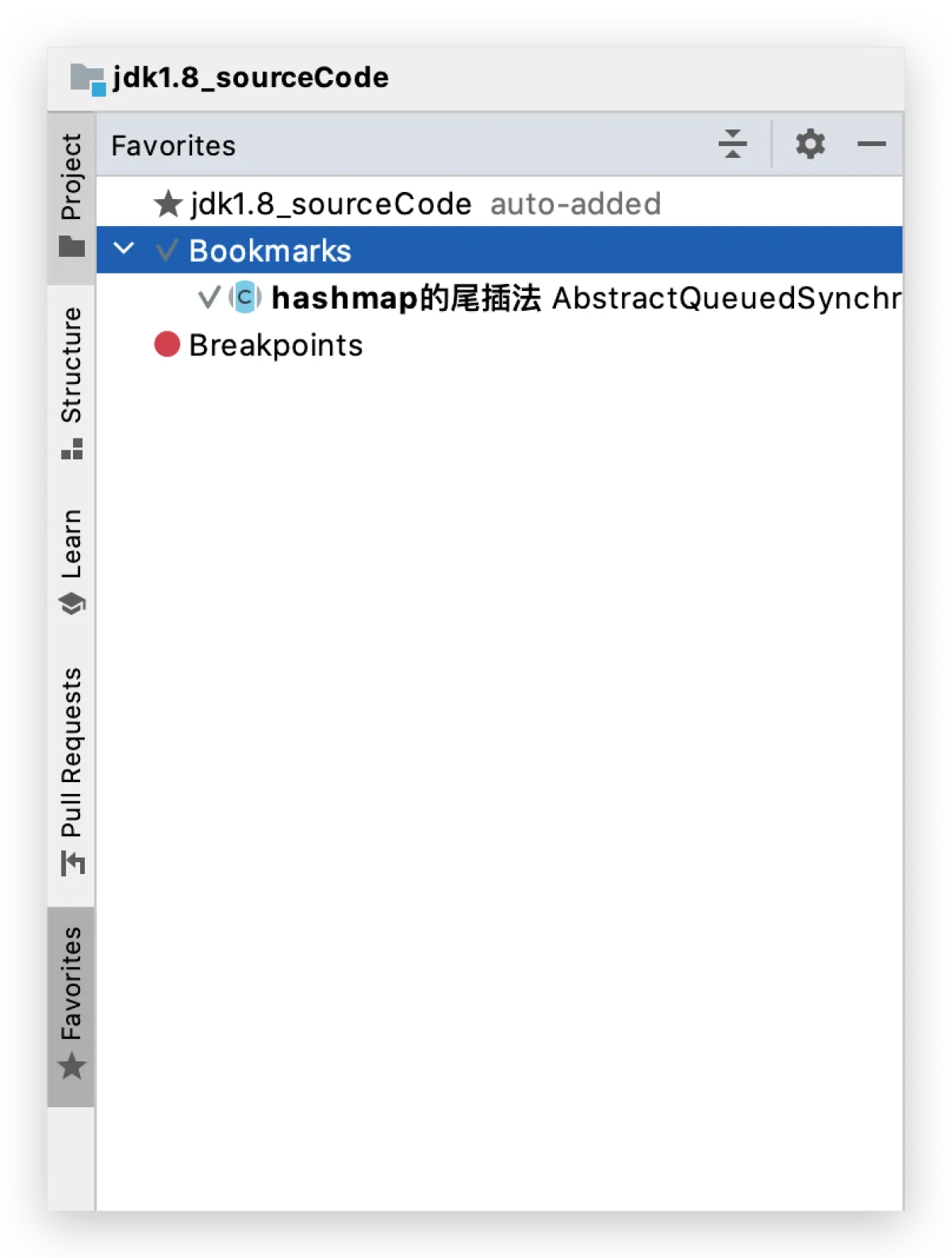
- As you can see above, IDEA is already pretty smart. Just now I didn’t set a note, and it automatically extracted my annotation as the description. Now I’ll set a note and take another look.
References
- https://www.jetbrains.com/help/idea/2021.1/managing-your-project-favorites.htm
All articles in this blog, unless otherwise stated, are licensed under @Oreoft . Please indicate the source when reprinting!