
Preface
It’s already been two months since I started at my new company—time flies in a scary way. My main job is refactoring the project, so there wasn’t really an “onboarding period”; I didn’t need to read the legacy codebase. As this new project moves forward and we discuss its rationality, landing DDD still needs Spring Cloud to do service/domain boundaries. Since my previous company used SpringCloud-Alibaba and I’m pretty familiar with that ecosystem, after some discussion we decided to integrate it gradually.
The first step is wiring up the registry (Nacos) and the gateway (Gateway), then the RPC calling framework between services (OpenFeign). Honestly, the Spring Boot ecosystem is already quite plug-and-play, but I still ran into a few small issues during integration—especially with Gateway, where I wasted an entire afternoon for no reason. Looking back, it’s basically just “add the dependency + configure routes”. So I’m writing this down to help you avoid the same pitfalls.
I wrote a simple QuickStart and put the project on Github
Project Structure
- quickstart-gateway (outer parent project)
- demo-gateway (gateway project)
- demo-service (service project, accessed via Gateway)
The structure is as above. Here I’m only demonstrating calling a service app through Gateway. Once this works, copying it into your real project should be pretty close. I won’t go into too much detail about writing the pom files.
pom Coordinates
Set the Spring Boot version (in the parent module)
<parent>
  <groupId>org.springframework.boot</groupId>
  <artifactId>spring-boot-starter-parent</artifactId>
  <version>2.3.4.RELEASE</version>
</parent>
Set dependencyManagement (in the parent module, defining the matching versions of Cloud and Spring Boot)
  <properties>
    <spring-cloud.version>Hoxton.SR10</spring-cloud.version>
  </properties>
<dependencyManagement>
    <!-- 指定cloud的版本 -->
    <dependency>
      <groupId>org.springframework.cloud</groupId>
      <artifactId>spring-cloud-dependencies</artifactId>
      <version>${spring-cloud.version}</version>
      <type>pom</type>
      <scope>import</scope>
    </dependency>
  </dependencies>
</dependencyManagement>
The Gateway version I chose (only in the demo-gateway module; in the code I use dependencyManagement to manage sub-module versions)
<dependency>
  <groupId>org.springframework.cloud</groupId>
  <artifactId>spring-cloud-starter-gateway</artifactId>
  <version>2.2.7.RELEASE</version>
</dependency>
The Nacos version I chose (both demo-gateway and demo-service need it; in the code I use dependencyManagement to manage sub-module versions)
  <dependency>
    <groupId>org.springframework.cloud</groupId>
    <artifactId>spring-cloud-starter-alibaba-nacos-discovery</artifactId>
    <version>0.9.0.RELEASE</version>
  </dependency>
Configuration Files
Config file for the demo-gateway module
server:
  port: 8081

spring:
  application:
    name: demo-gateway
  cloud:
    # nacos的配置(这个nacos.host,请换成自己的nacos地址)
    nacos:
      discovery:
        server-addr: nacos.host:8848
    # gateway的配置
    gateway:
      # 开启从注册中心动态创建路由的功能,利用微服务名进行路由
      discovery:
        locator:
          enabled: false
      routes:
      # 路由组名
      - id: service
        # lb负载均衡访问, 后面是模块的application.name
        uri: lb://demo-service
        # 匹配规则, 最好api-模块名的规范匹配
        predicates:
        - Path=/api-service/**
        # 截取访问路径的前缀
#        routes:
#          filters:
#            -StripPrefix=1
Config file for demo-service
server:
  port: 8082

spring:
  # 在各注册中心中显示服务的名字
  application:
    name: demo-service
  cloud:
    # nacos的设置(这个nacos.host,请换成自己的nacos地址)
    nacos:
      discovery:
        server-addr: nacos.host:8848
Testing
After configuring the above, Gateway can actually start now. You can configure Gateway in code (e.g., complex filters, etc.), or you can do simple predicate/filter configuration in the config file.
Then in the demo-service module, write a hello endpoint:
@RestController
@RequestMapping("/api-service")
public class DemoController {

  @GetMapping("/hello")
  public String judgeOk() {
    return "ok";
  }

}
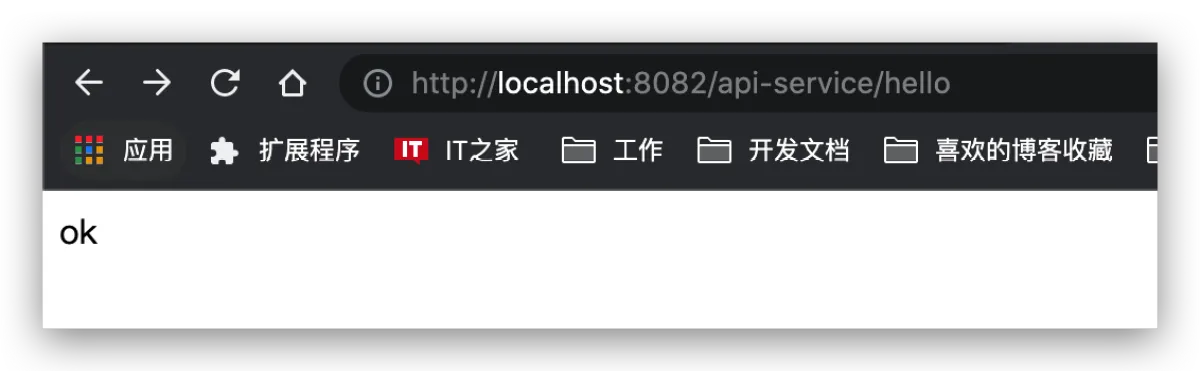
Quick Checklist of Possible Issues
At this point the integration is successful. These components are packaged pretty well; in theory they should be usable out of the box. Here are some issues I ran into.
- java.lang.NoSuchMethodError: reactor.netty.http.client.HttpClient.chunkedTransfer(Z)Lreactor/netty/http/client/HttpClient;
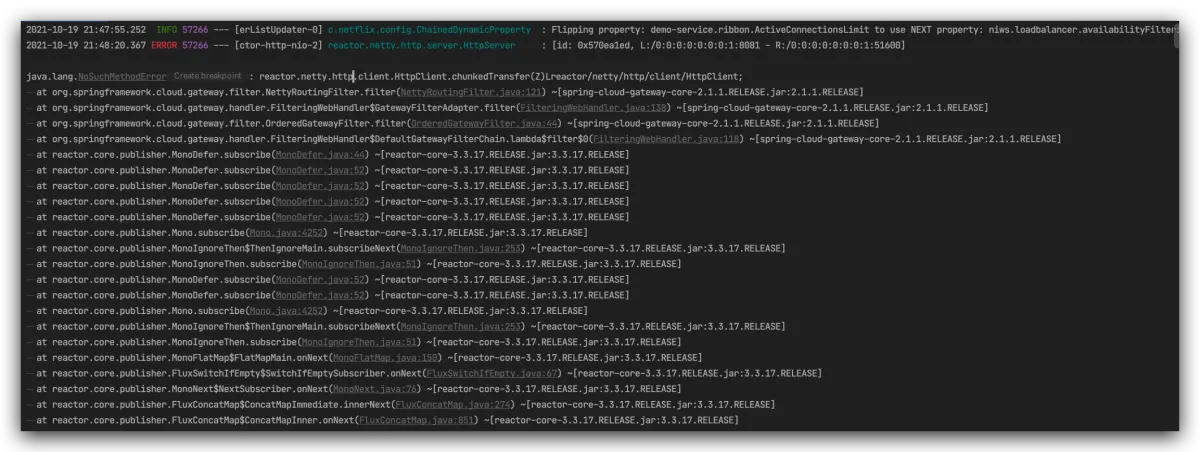
My guess: version issue (Spring Boot version is too high). You can try switching to 2.1.6.RELEASE.
- java.lang.IllegalStateException: Error processing condition on org.springframework.cloud.gateway.config.GatewayAutoConfiguration$NettyConfiguration.gatewayHttpClient
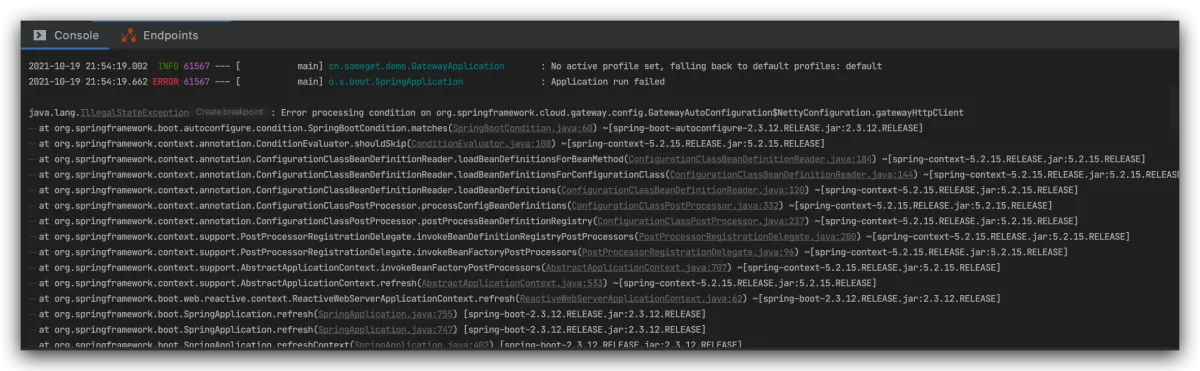
My guess: version issue (Gateway version is too high). You can try switching to 2.1.1.RELEASE.
- Parameter 0 of method modifyRequestBodyGatewayFilterFactory in org.springframework.cloud.gateway.config.GatewayAutoConfiguration required a bean of type ‘org.springframework.http.codec.ServerCodecConfigurer’ that could not be found.
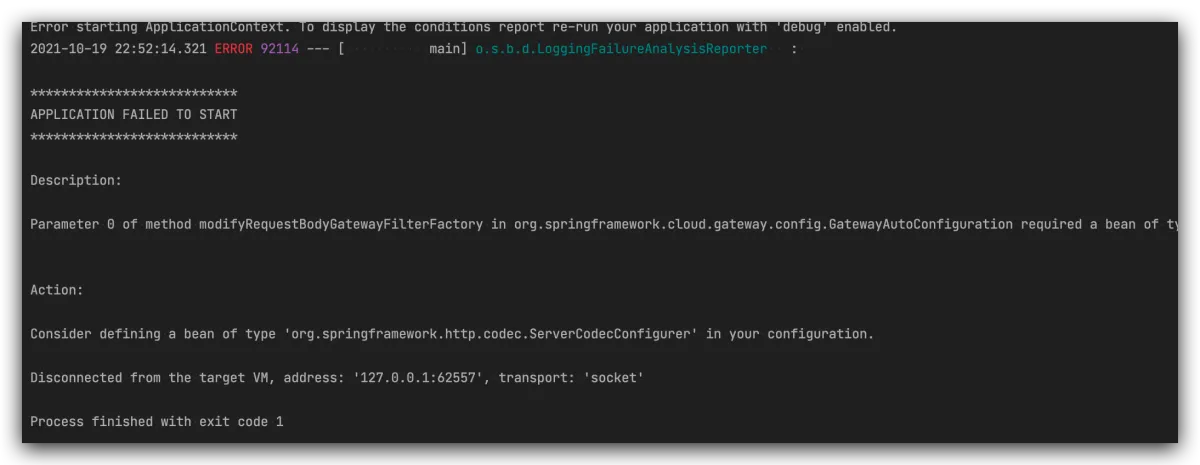
For the version issue above, I strongly recommend using dependencyManagement to manage versions. Find the Cloud version that matches your Spring Boot version on the official site, like in the screenshot below:
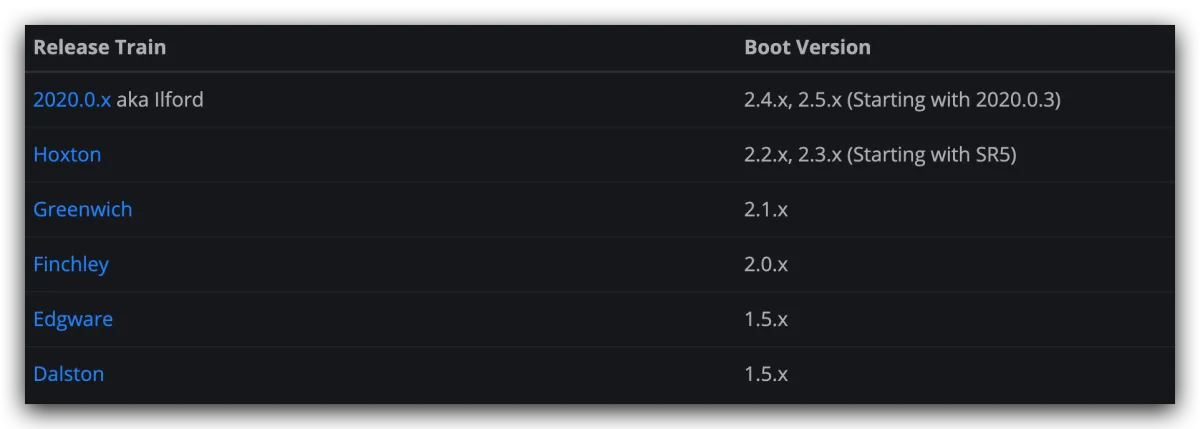
For example, I’m using Boot 2.3.4. In Hoxton it tells me that Boot 2.3.x should use the following component versions:
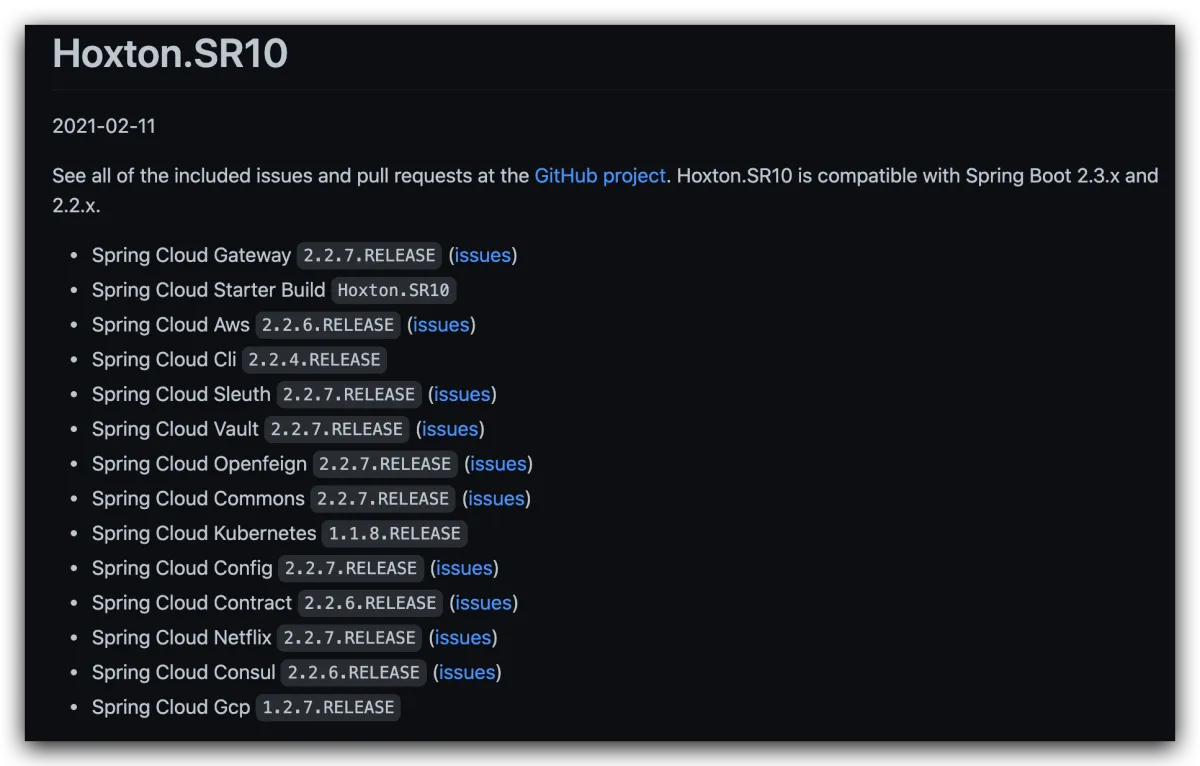
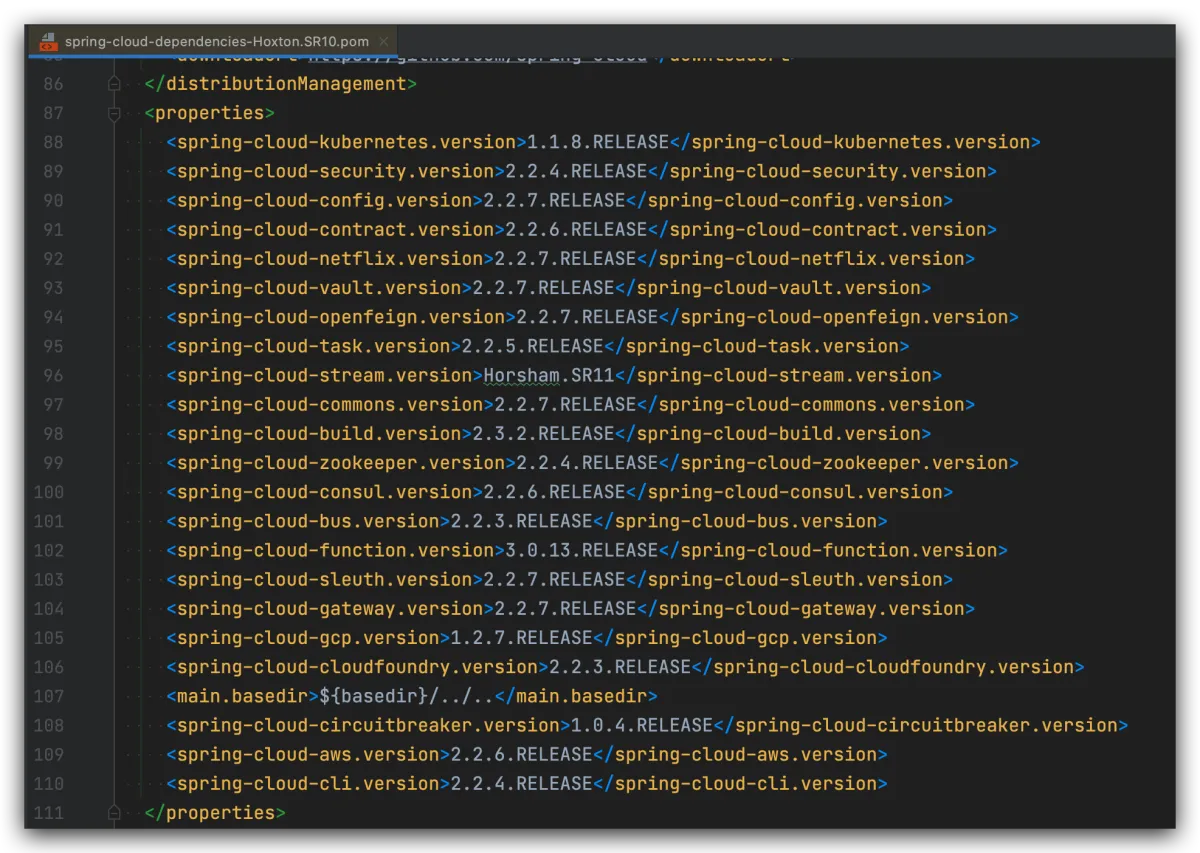
Then set dependencyManagement in your pom. It will manage versions like below for you—you just import dependencies and don’t need to care about the version numbers.
- Service starts successfully, but requests return 404
My guess: conflict between web and webflux dependencies
     <!-- web依赖 -->
		<dependency>
      <groupId>org.springframework.boot</groupId>
      <artifactId>spring-boot-starter-web</artifactId>
      <version>${springboot.version}</version>
    </dependency>
     <!-- webflux依赖 -->
   <dependency>
      <groupId>org.springframework.boot</groupId>
      <artifactId>spring-boot-starter-webflux</artifactId>
      <version>${springboot.version}</version>
    </dependency>
I tested this multiple times—this is indeed a conflict between web and webflux. Gateway uses WebFlux. If you also bring in the Web dependency in the Gateway project, or (most likely) it’s introduced by the parent pom, you’ll hit this issue. The fix is to remove spring-boot-starter-web. But if it’s coming from the parent, you can consider moving that parent dependency down into the modules that actually need it. After all, modules that don’t serve web endpoints don’t need it. If you’ve already split things by granularity and really want to exclude it, you can take a “workaround” approach: add the following to the Gateway pom.
Re-import the web module in the sub-module and make it only effective for test. This way the compiler will filter it out. If you want to exclude it, this is basically the only way. I tried excluding web via exclusions and found it didn’t work. The reason is that exclusions can only be used inside a dependency declaration; it excludes transitive dependencies of that dependency, and cannot exclude dependencies coming from your project’s parent.
    <!-- 特殊处理,不引入父类lib -->
    <dependency>
      <groupId>org.springframework.boot</groupId>
      <artifactId>spring-boot-starter-web</artifactId>
      <scope>test</scope>
    </dependency>
- Service starts successfully, but requests return 503
After ruling out the case where the service just started and you hit it too quickly (causing a 503):
- Nacos might not have the target application registered—check Nacos status and the
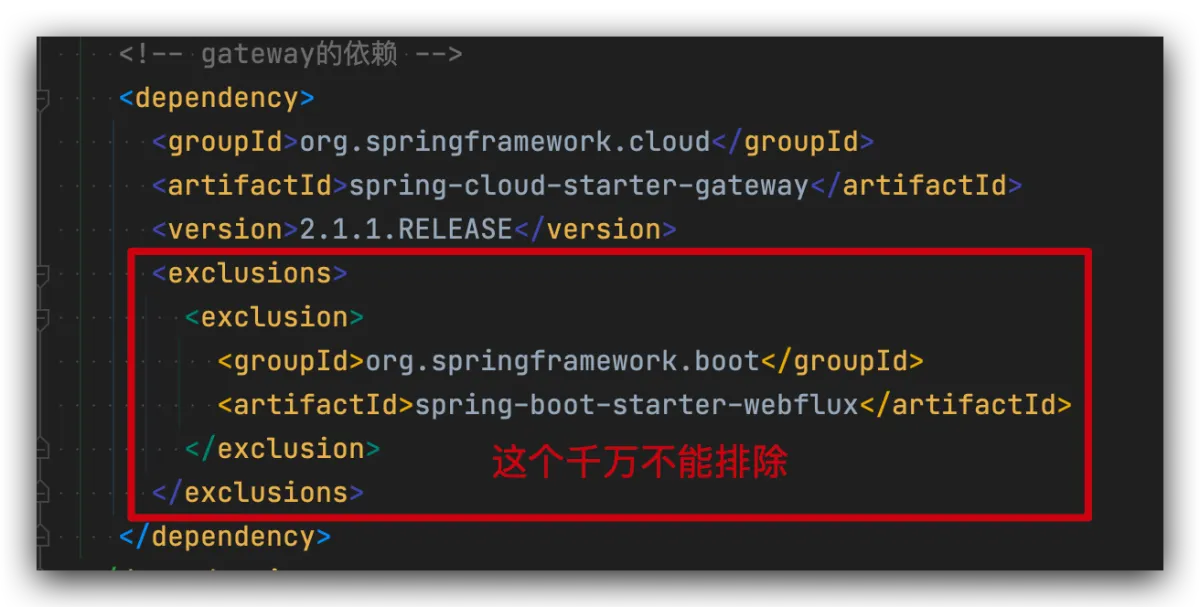
namein your config. - Check whether Gateway dependencies excluded WebFlux—this must not be excluded.
- Service starts successfully, but requests return 404
- Check the config file
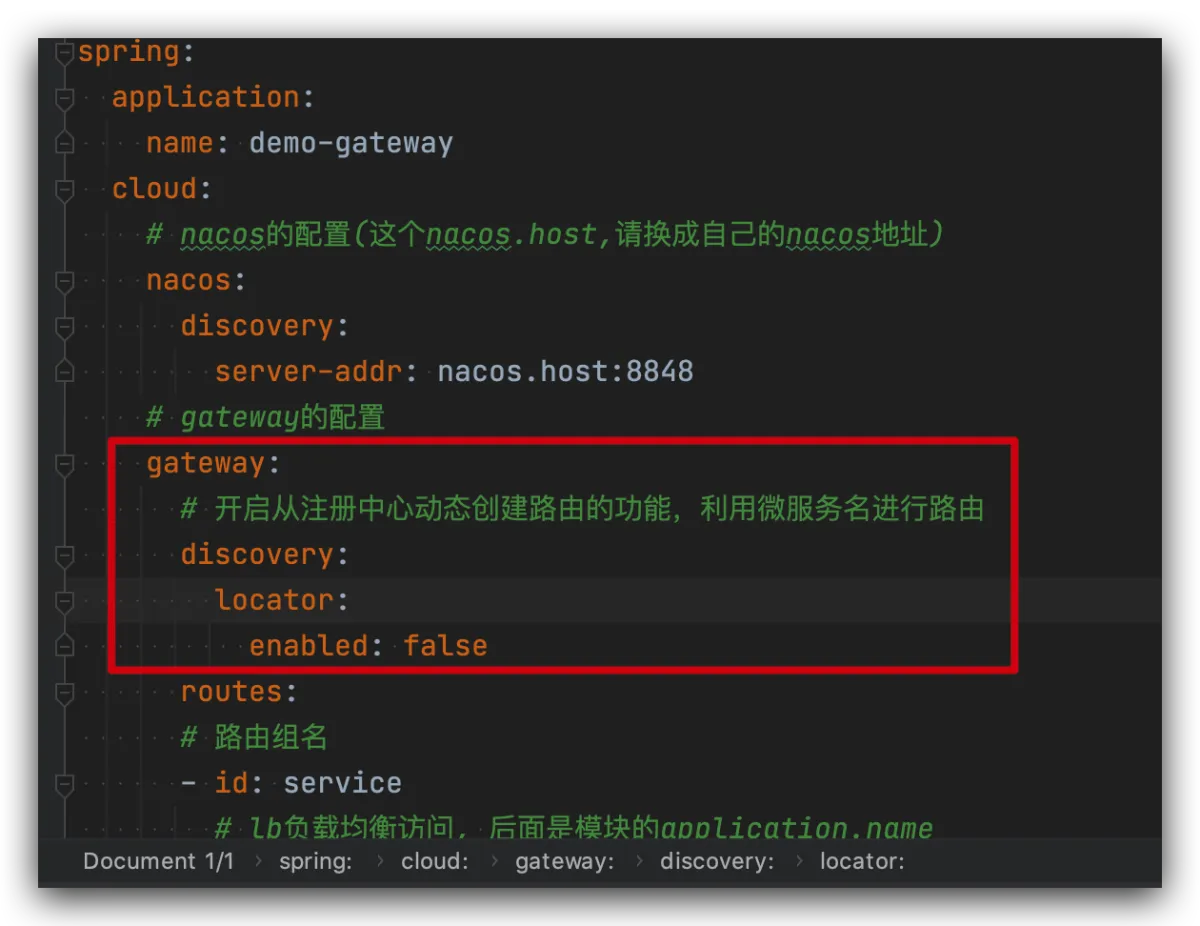
 gateway:
      # 开启从注册中心动态创建路由的功能,利用微服务名进行路由
      discovery:
        locator:
          enabled: false
- If it still doesn’t work, check the
predicatesconfiguration. One thing to note: adding the config below will strip the first N path segments. Meaning: ifpredicates: -Path=/api-service/**, and you set N to 1, when you access/api-service/hello, the target service will only receivehello.
routes:
	filters:
		-StripPrefix=N(这个N是数字)
All articles in this blog, unless otherwise stated, are licensed under @Oreoft . Please indicate the source when reprinting!