
Preface
I’ve genuinely learned a lot from interviews lately, and I’ve also met a bunch of really kind interviewers. Some open-ended questions during interviews exposed places where my answers were underthought or not mature enough—stuff that’s worth reflecting on for a long time afterward. I’ve also bumped into a few knowledge blind spots, like the Spring Boot Runner interfaces I want to share today.
This came up as a small question in one interview: the interviewer asked how to add some logic that runs automatically after Spring Boot starts up. I couldn’t answer it. This is probably something they use a lot in their business, so they turned it into an interview question to evaluate candidates. Fair enough—I really hadn’t used it in real development, and I didn’t know much about it.
Afterward I looked it up and found that the Runner interfaces can do exactly this kind of thing. Knowledge really does accumulate over time. I think this feature is pretty nice—next time I have a similar requirement, I’ll know how to handle it. Running some logic automatically after startup is pretty common, like initialization logic. In my own projects, I’ve had cases where I needed to preload data into JVM memory at startup, but I used afterPropertiesSet on a Bean or constructor initialization. Honestly, this could also be handled in a unified way here.
Runner Classes
Under the org.springframework.boot package there are two Runner interfaces. Both have a run method, and the usage is super simple: just have your bean implement one of these Runner interfaces and implement run.
Let me introduce these two Runner interfaces in detail. There’s basically nothing inside them, and they’re both functional interfaces (remember this—there’s an easter egg later).
The first one is ApplicationRunner
The second one is CommandLineRunner
@FunctionalInterface
public interface CommandLineRunner {

   /**
    * Callback used to run the bean.
    * @param args incoming main method arguments
    * @throws Exception on error
    */
   void run(String... args) throws Exception;

}

@FunctionalInterface
public interface ApplicationRunner {

	/**
	 * Callback used to run the bean.
	 * @param args incoming application arguments
	 * @throws Exception on error
	 */
	void run(ApplicationArguments args) throws Exception;

}
The Difference Between Them
The first difference is the run method parameter:
ApplicationRunner takes a String. CommandLineRunner takes a varargs String (basically an array). So it’s kind of the difference between one and many. These parameters are the arguments passed when starting a Java program via java -jar. So if you pass multiple arguments, you should use CommandLineRunner. If you only pass one argument, either one works. From my experience, most people use Java mainly for backend work nowadays, and passing args via the command line probably isn’t that common.
Let’s look at the source code to explain it. Starting from Spring Boot’s entry point SpringApplication.run, if you follow it down to the implementation’s run method, you can see that starting at line 322 it begins executing all Runner instances:
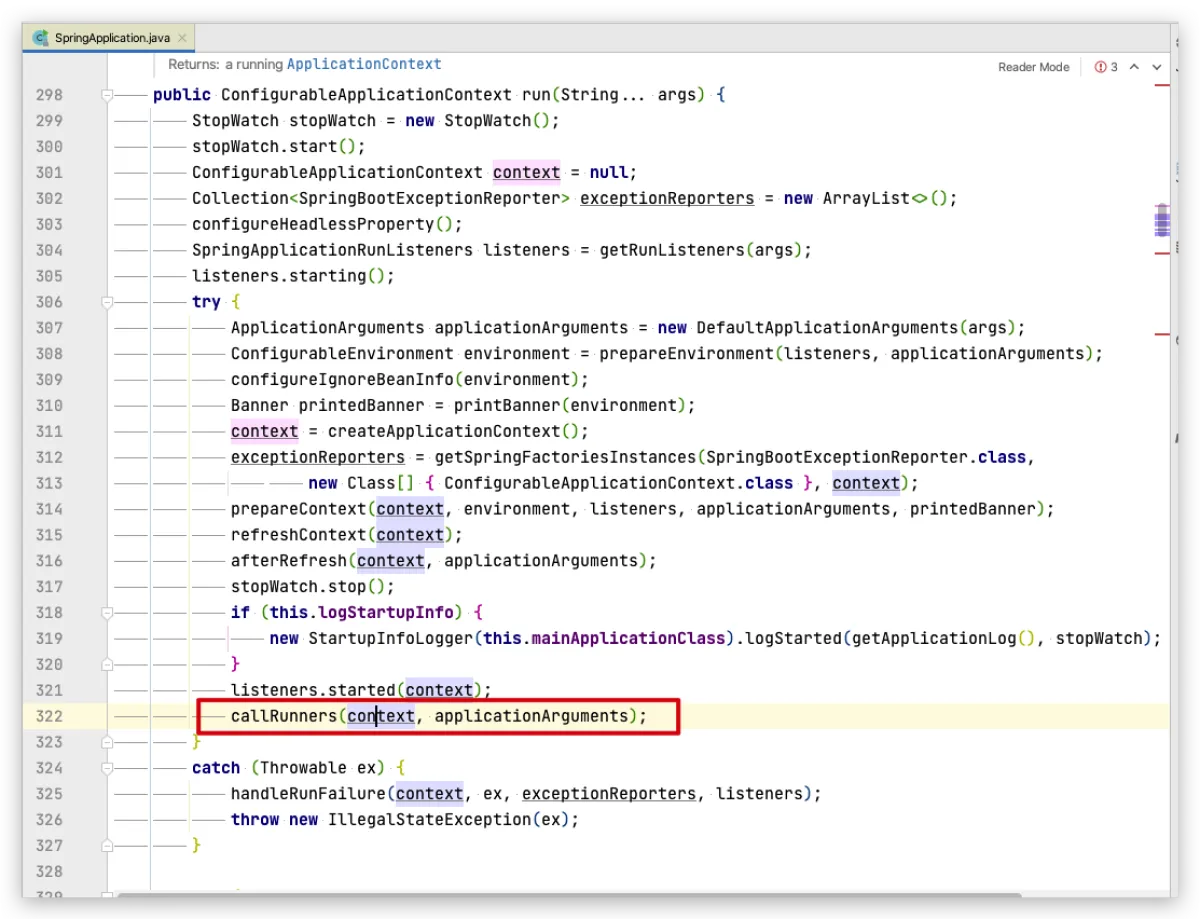
And this method is very short, so I’ll just paste it directly:
private void callRunners(ApplicationContext context, ApplicationArguments args) {
   List<Object> runners = new ArrayList<>();
   // 这里是添加的ApplicationRunner
   runners.addAll(context.getBeansOfType(ApplicationRunner.class).values());
   // 然后串行添加CommandLineRunner
   runners.addAll(context.getBeansOfType(CommandLineRunner.class).values());
  // 这里会排个顺序,但是默认的话是按照添加顺序
   AnnotationAwareOrderComparator.sort(runners);
   for (Object runner : new LinkedHashSet<>(runners)) {
     // 注意,这里的args就是外层run方法的args,也就是java-jar传入的参数

      if (runner instanceof ApplicationRunner) {
         callRunner((ApplicationRunner) runner, args);
      }
      if (runner instanceof CommandLineRunner) {
         callRunner((CommandLineRunner) runner, args);
      }
   }
}
So the second difference is execution order: it adds ApplicationRunner first, then adds CommandLineRunner. If you don’t set any priority, the default behavior is that ApplicationRunner runs first.
Hands-on Code
- Let’s implement
ApplicationRunnerandCommandLineRunnerseparately and see the effect.
Test the output separately first
No more talk—just create a new class, implement ApplicationRunner, implement run, and inside run just print a line. Let’s see whether it prints after Spring Boot starts. One thing to note: you must register this class into the Spring container, meaning you need @Component, otherwise it won’t take effect.
@Component
public class MyRunner01 implements ApplicationRunner {
    @Override
    public void run(ApplicationArguments args) throws Exception {
        System.out.println("我是ApplicationRunner");
    }
}
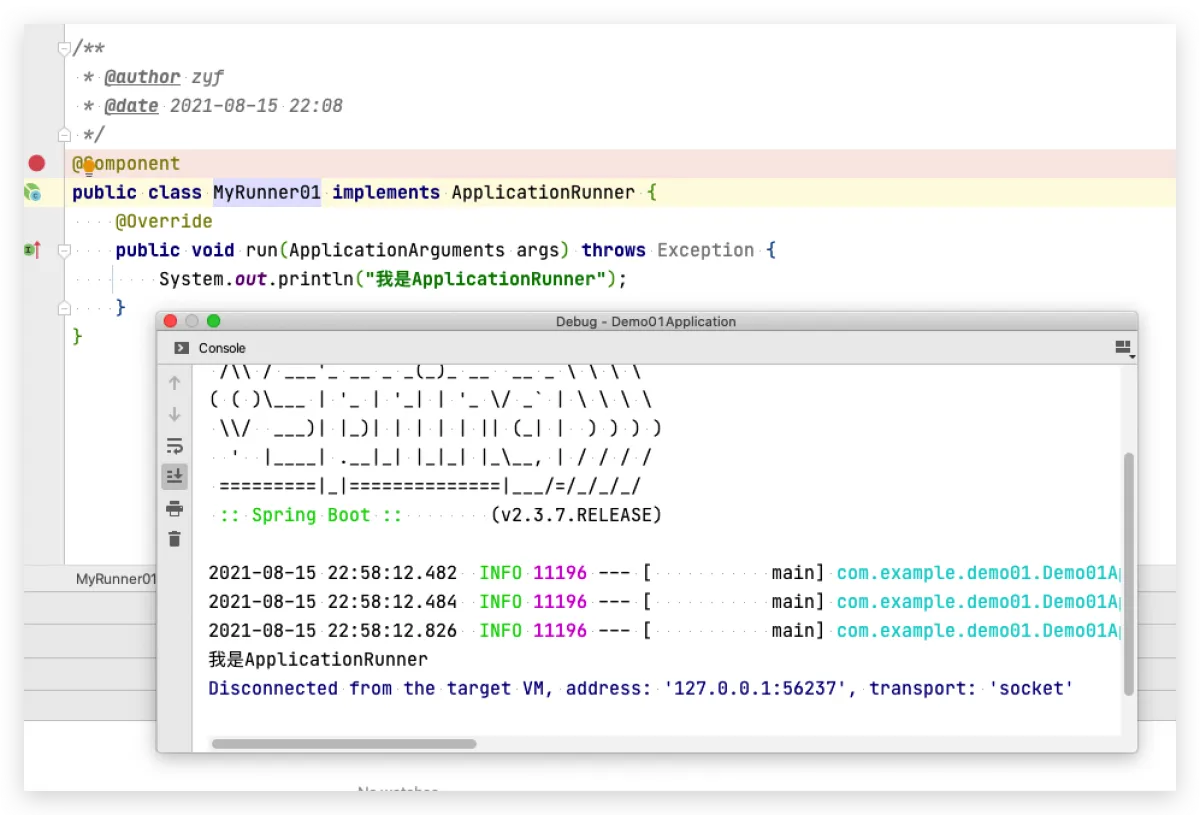
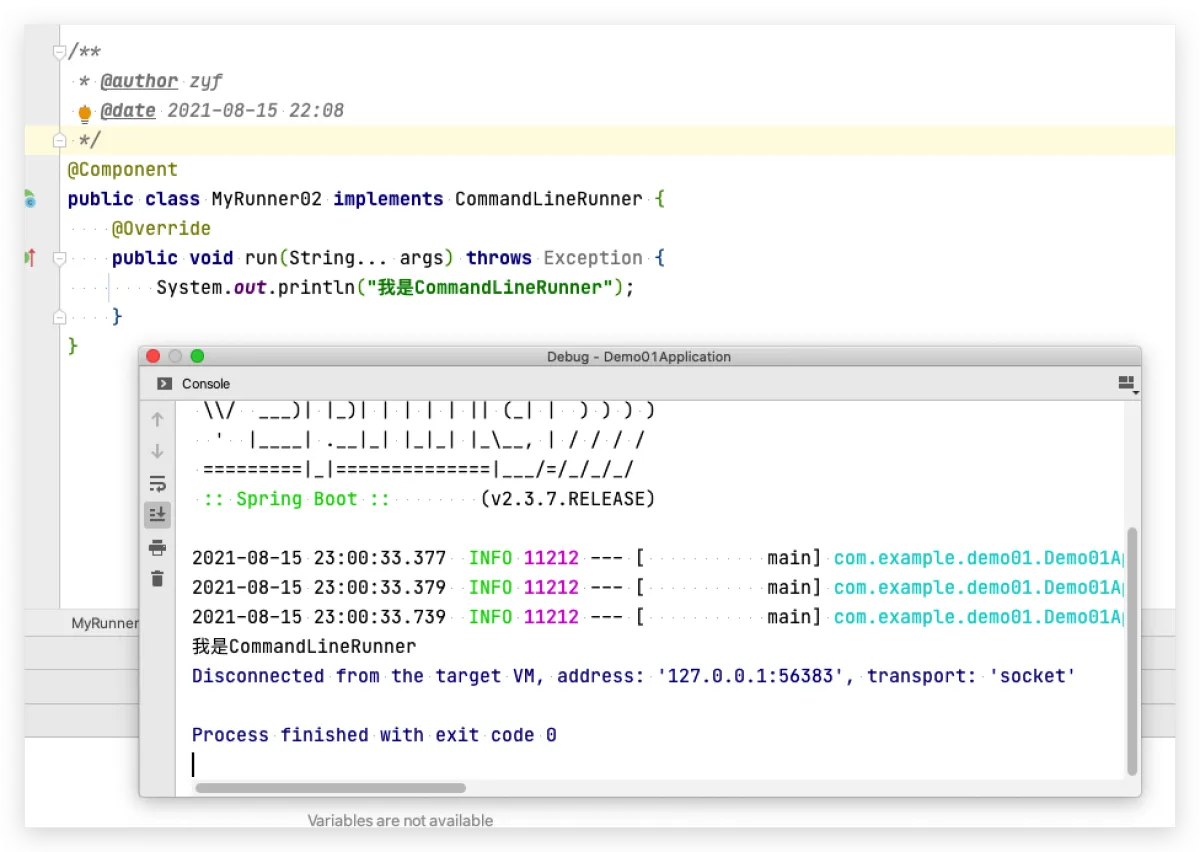
Now let’s try CommandLineRunner. Nothing changes—just copy the previous one and tweak it.
@Component
public class MyRunner02 implements CommandLineRunner {
    @Override
    public void run(String... args) throws Exception {
        System.out.println("我是CommandLineRunner");
    }
}
Enable both and execute together
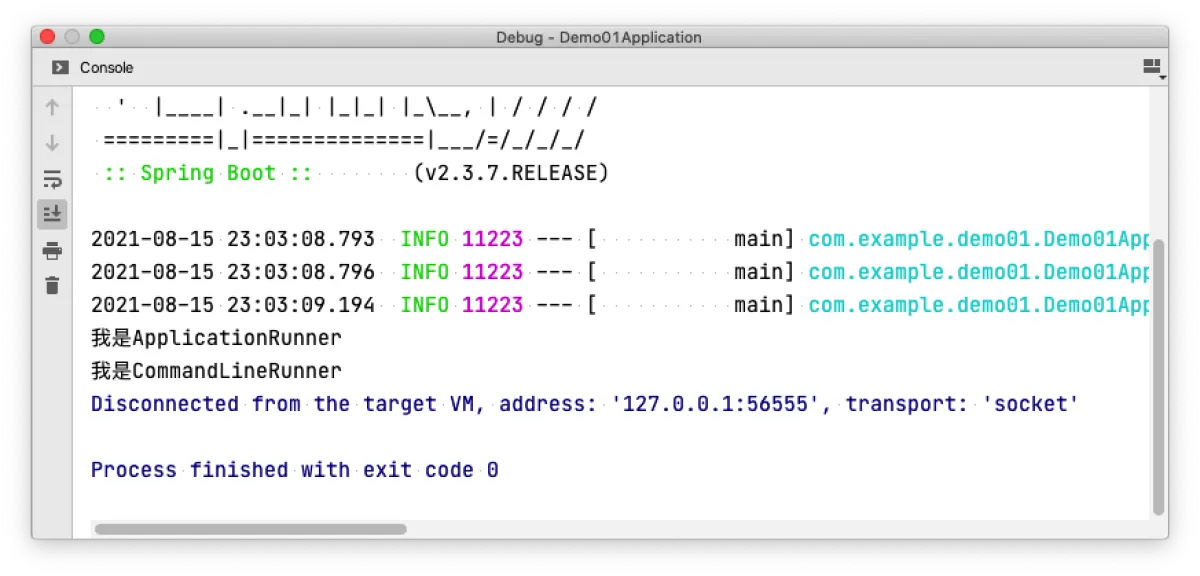
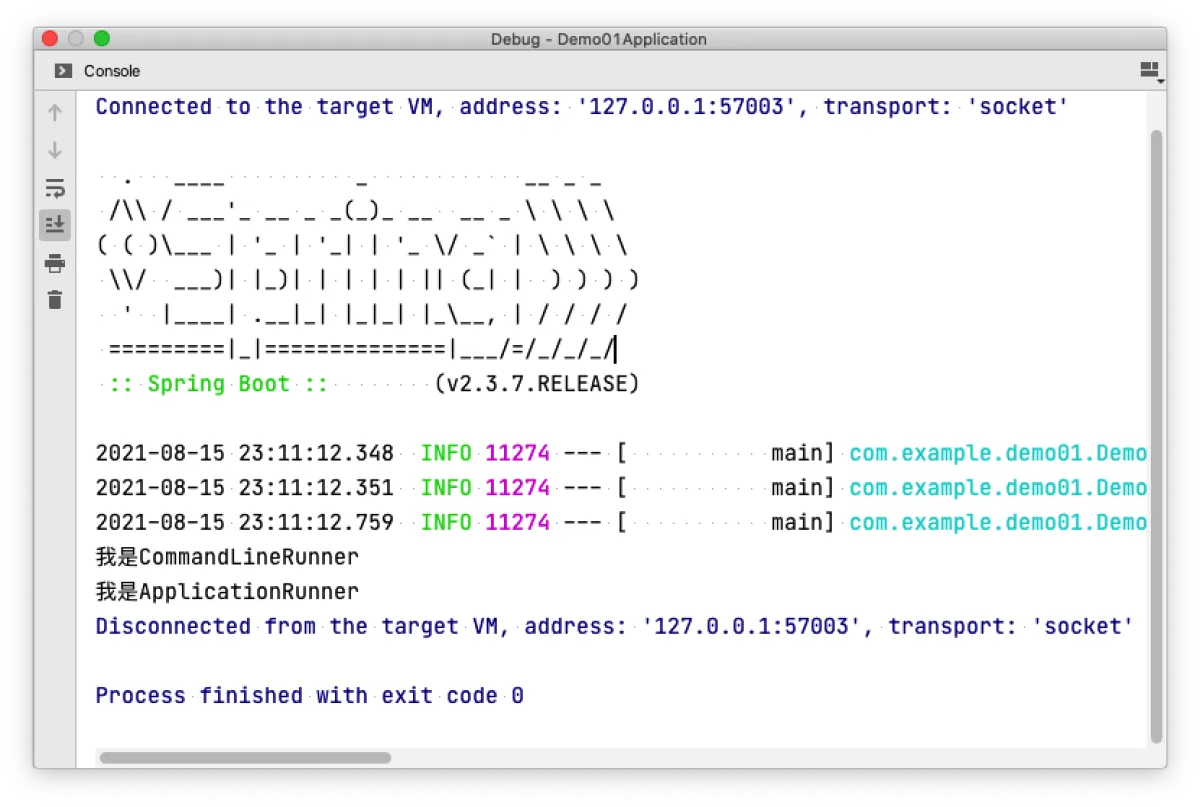
With two classes, they can both print, and ApplicationRunner comes first. As I mentioned above, the addAll order puts ApplicationRunner first, so it executes first.
@Component
public class MyRunner01 implements ApplicationRunner {
    @Override
    public void run(ApplicationArguments args) throws Exception {
        System.out.println("我是ApplicationRunner");
    }
}

@Component
public class MyRunner02 implements CommandLineRunner {
    @Override
    public void run(String... args) throws Exception {
        System.out.println("我是CommandLineRunner");
    }
}
How to set priority
A very common scenario is: I want CommandLineRunner to print first because I have lots of command-line args to process. Or I have multiple ApplicationRunners and the order matters for my business logic, so I need them to run in a chain. We also saw in the startup source code that Spring sorts them by priority.
There are two ways: implement the Ordered interface, or use the @Order annotation. Of course, life is short—I choose the annotation.
@Retention(RetentionPolicy.RUNTIME)
@Target({ElementType.TYPE, ElementType.METHOD, ElementType.FIELD})
@Documented
public @interface Order {

   /**
    * The order value.
    * <p>Default is {@link Ordered#LOWEST_PRECEDENCE}.
    * @see Ordered#getOrder()
    */
   int value() default Ordered.LOWEST_PRECEDENCE;

}
The annotation has one attribute: value, which is an int. This number determines the priority order: the smaller it is, the earlier it runs (the default is Integer’s max value). For example, using the two classes above, I set the CommandLineRunner class order to 1 and the ApplicationRunner class order to 2.
The result is that the smaller order executes first. So if you have multiple Runners, you can use this approach to run them serially in the order you want.
@Component
@Order(2)
public class MyRunner01 implements ApplicationRunner {
    @Override
    public void run(ApplicationArguments args) throws Exception {
        System.out.println("我是ApplicationRunner");
    }
}

@Component
@Order(1)
public class MyRunner02 implements CommandLineRunner {
    @Override
    public void run(String... args) throws Exception {
        System.out.println("我是CommandLineRunner");
    }
}
Advanced Easter Egg
Everything above is basically how online articles write it. Blogs copy each other anyway—you can read other blogs and understand it too. I’m just a bit more verbose and talked a bit more with the source code.
But would you really write it like this in a real project? Implementing it class by class is fine for demos, but in real projects you might put them under a single @Component.
Meaning: under one @Component, use methods to return beans and register them into the IoC container, instead of having each class implement a Runner interface and then injecting it as a @Component into the IoC container. The benefit is unified management in one class. Of course, I’m not saying this is always better—this approach fits business logic that’s relatively small. Here’s the code:
@Component
public class MyRunner03 {
    @Bean
    public ApplicationRunner app01() {
        return e -> System.out.println("我是app01");
    }

    @Bean
    public ApplicationRunner app02() {
        return e -> System.out.println("我是app02");
    }

    @Bean
    public CommandLineRunner cmd01() {
        return e -> System.out.println("我是cmd01");
    }

    @Bean
    public CommandLineRunner cmd02() {
        return e -> System.out.println("我是cmd02");
    }

}
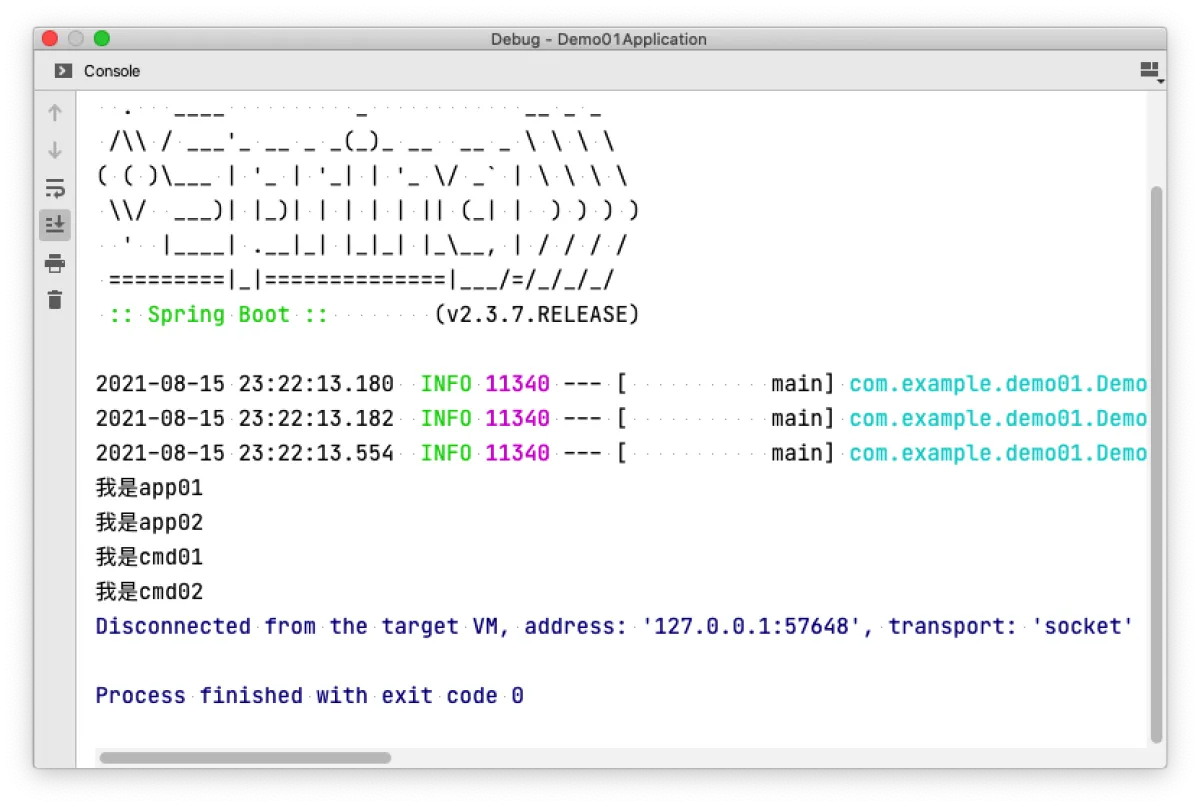
You can also use @Order on @Bean methods to control the order. This makes it easier to manage overall, and it looks more concise because it uses lambda functional interfaces—this is also what I mentioned at the beginning: both Runner interfaces are functional interfaces, so using lambdas can be more convenient than implementing classes.
Afterword
Knowledge blind spot -1
All articles in this blog, unless otherwise stated, are licensed under @Oreoft . Please indicate the source when reprinting!