
Preface
Today is my last day at Timing. Looking back on these days, I’m honestly a bit reluctant to leave. Even though I’m choosing to go because of some personal reasons, I’m still really grateful that Timing gave me the chance to grow and the space to actually do my thing. To be real, I hadn’t done any big microservices projects at my internship company—other than being kinda slick with Java syntactic sugar, maybe all I really had was pure passion.
At Timing, with coworkers keeping me company (read: long working hours, hhhhhh) and the business grinding me up (read: annoying PMs, 23333), the progress I could feel in myself was super obvious. Sure, I’d complain about the company sometimes, but deep down I was genuinely grateful.
Even after I leave, I still have an emotional bond with Timing. I look at Timing like my own kid—every feature has more or less my fingerprints on it (though the revamps and A/B tests are happening so often that I suspect next month I won’t even be able to find them anymore, hhhhhh). Every time we shipped a version and I saw user feedback, I felt really proud.
Even though it’s renamed to “Timi” now, I still like calling it Timing. No matter where I work, I’ll always be a Timing user.
Recommendation
On the last day, there’s basically no work—just waiting for the time to pass, get signatures, and leave. So I’m using this time to recommend the Timing app to everyone. Timing is currently transforming: it used to focus on K12 learning, and now it’s expanding scenarios to everything. The slogan also changed from 开挂从这里开始 to 连线搞一切. So now you don’t have to come to Timing just to study—chatting, singing, gaming, recording life, sharing work… all of that works on Timing.
Next, let me introduce the main features of Timing~
Home
After several major revamps, the UI probably won’t change much in the near future. From the very beginning when you entered and it was a waterfall feed info page (my API back then, hhhh), to later borrowing from Clubhouse where everything was tucked into secondary entries and the home became a chat channel page.
Now there are three tabs at the bottom: Discover, Personal Channel, Messages
Messages
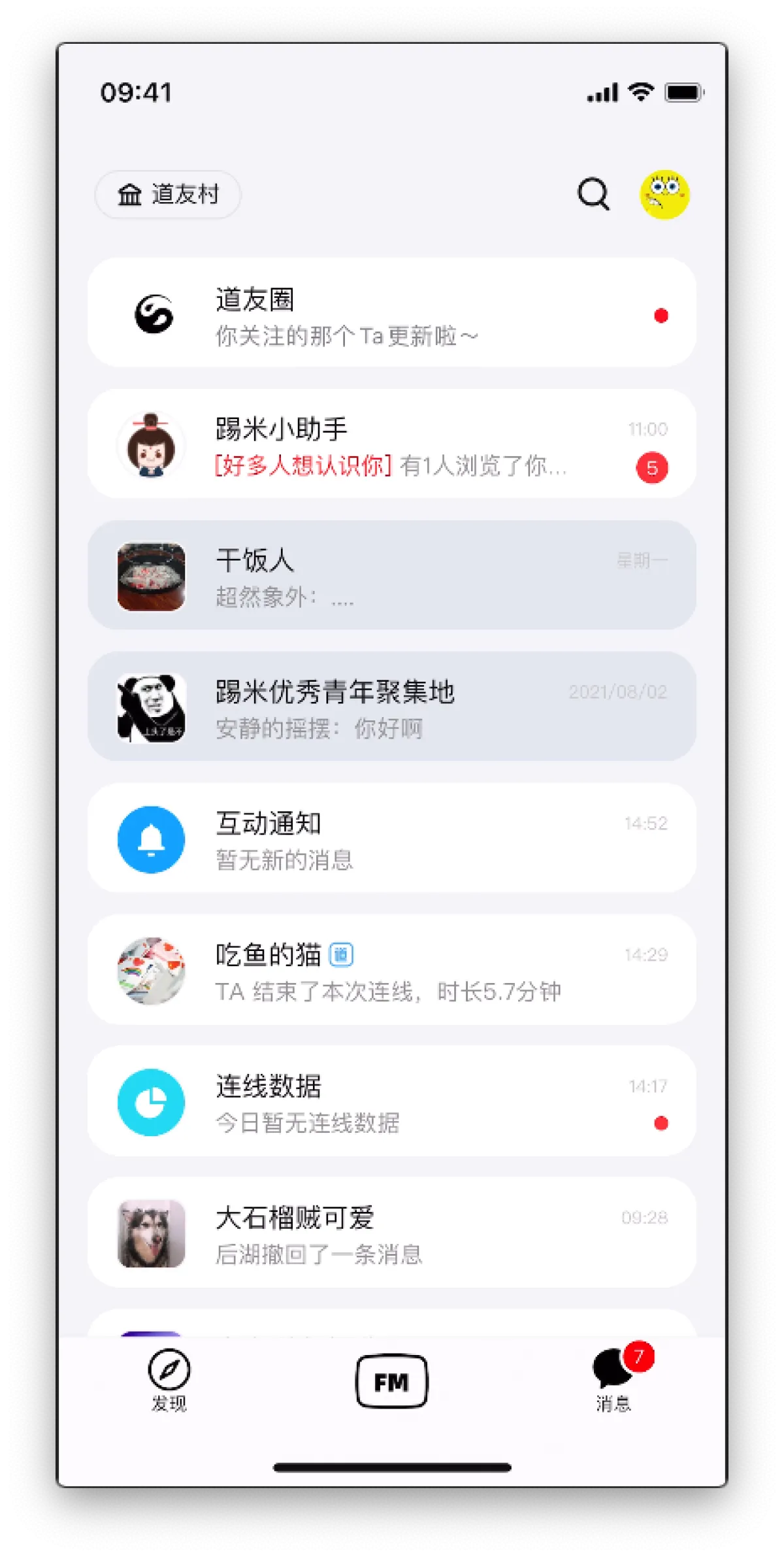
A lot of the content on the Messages page was handled by me. For example, the banners for reminders and recommendations above the “DaoYou Circle”, the data updates for the “LianXian Data” channel, various red-dot notifications, etc.
From Messages you can enter group chats and chat with DaoYou (DaoYou is like WeChat friends). You can also enter DaoYou Circle. The magnifying glass in the top-right takes you to user search and the Top Users list. Tapping your own avatar takes you to your profile and other settings.
Personal Channel
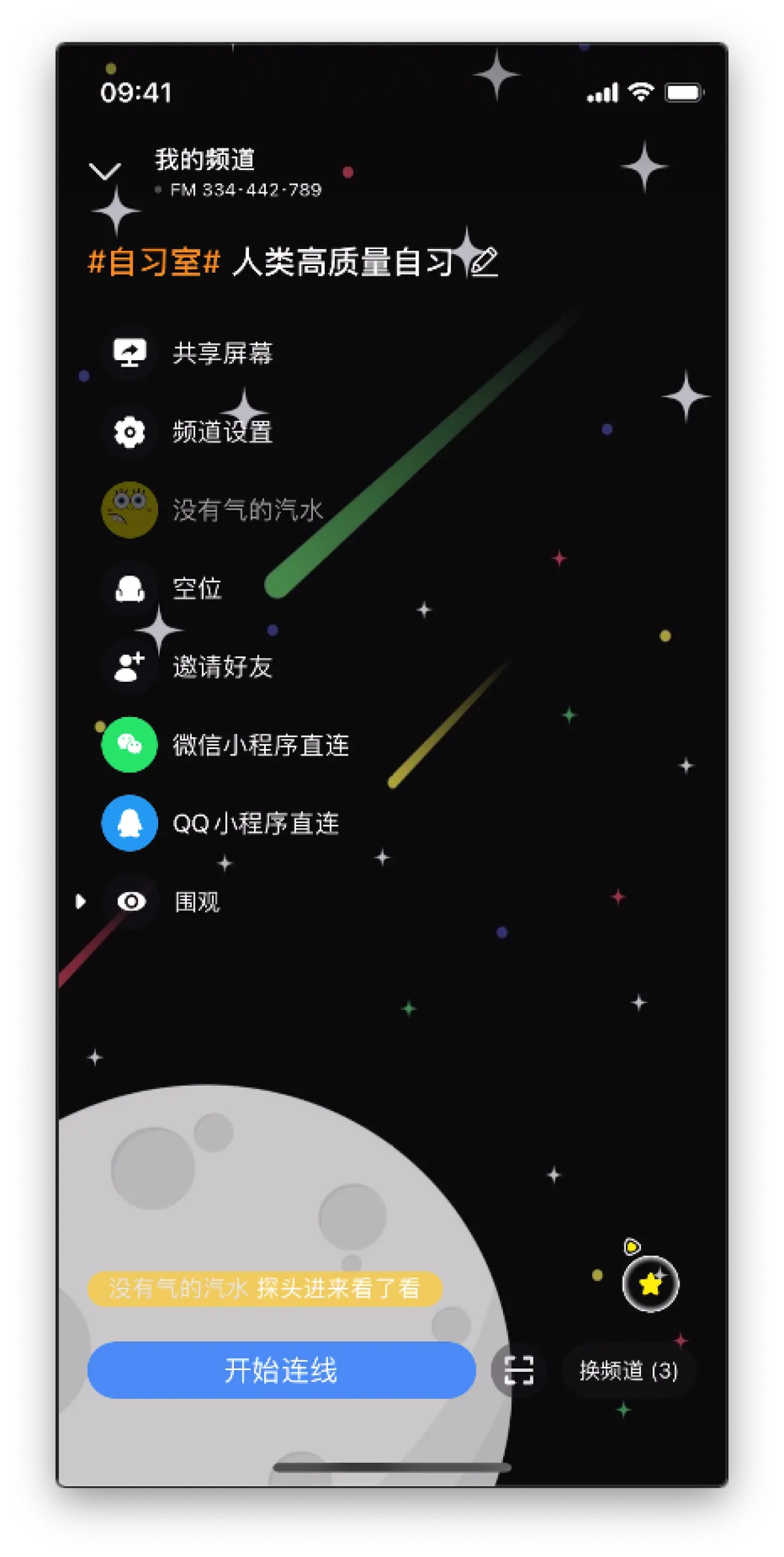
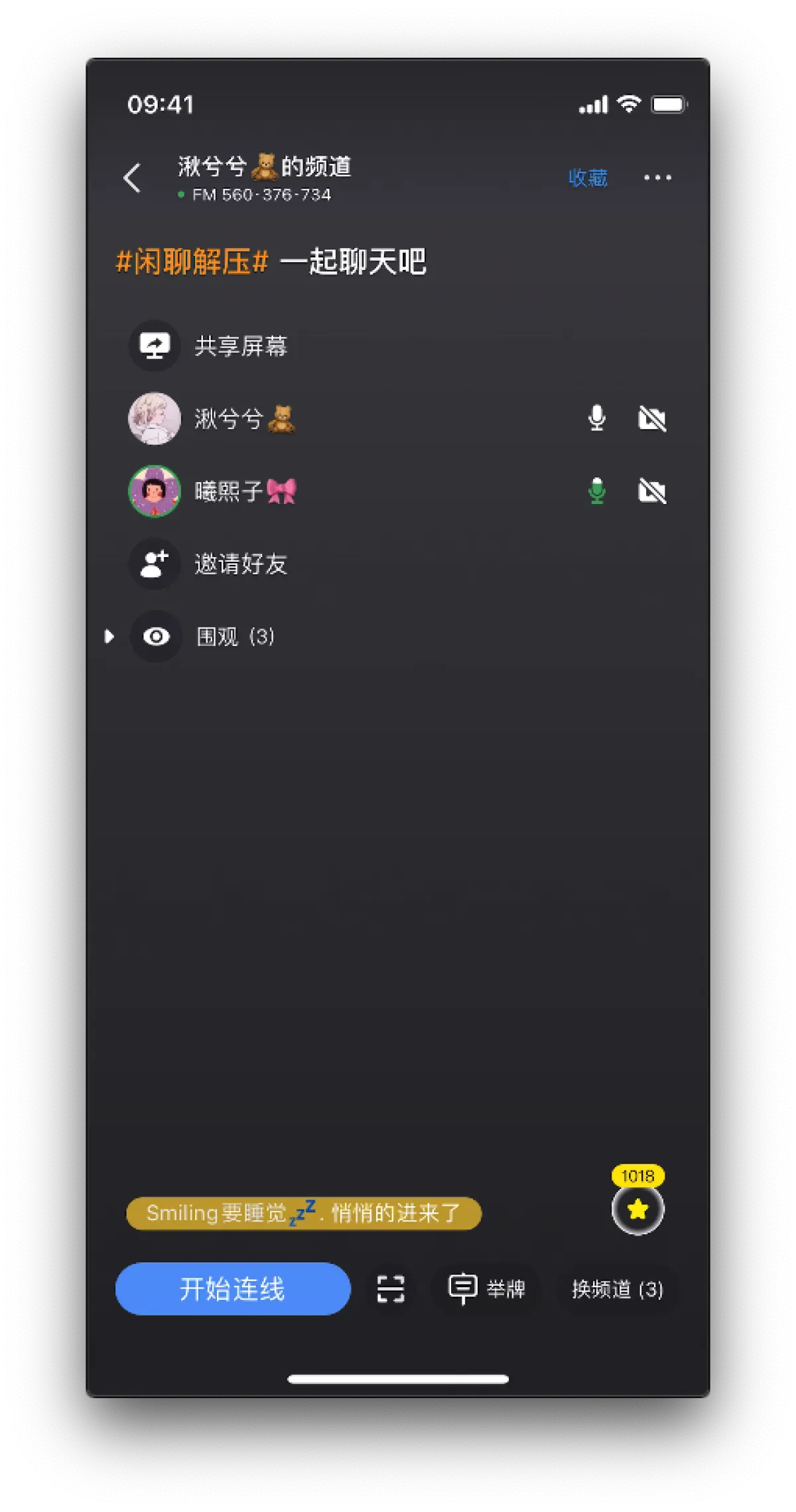
Tap that big FM icon and you’ll jump here. There are no tabs here—it’s like you’re directly in the state of a live room. You can set tags and a title for your live room. For example, I set the tag to “Study Room”, and my title is “High-Quality Human Self-Study”. If people find your title interesting, they’ll come into your room and study with you. Studying can be: silently going on mic, going on mic just to occupy a seat, or turning on camera, mic, and screen sharing to study.
Of course, it’s not just for studying. You can create a casual chat room and talk with others on mic. You can screen share and be a game streamer for a bit. You can also turn on camera and share something interesting. In Personal Channel settings you can also prevent others from going on mic or disable recommendations—then you can treat it as a tool to connect with close friends, even though our PM doesn’t want you to do that, hhhhhhhhh
Discover
Exit Personal Channel and you’re back to the home with three tabs. Tap the first tab, Discover, and you’ll see recommended personal channels. Everyone’s personal channel has a chance to appear here. With exposure, your personal channel gets more and more lively, and more people doing the same thing will gather. Others can also favorite your personal channel—so when you go live, they can jump in immediately.
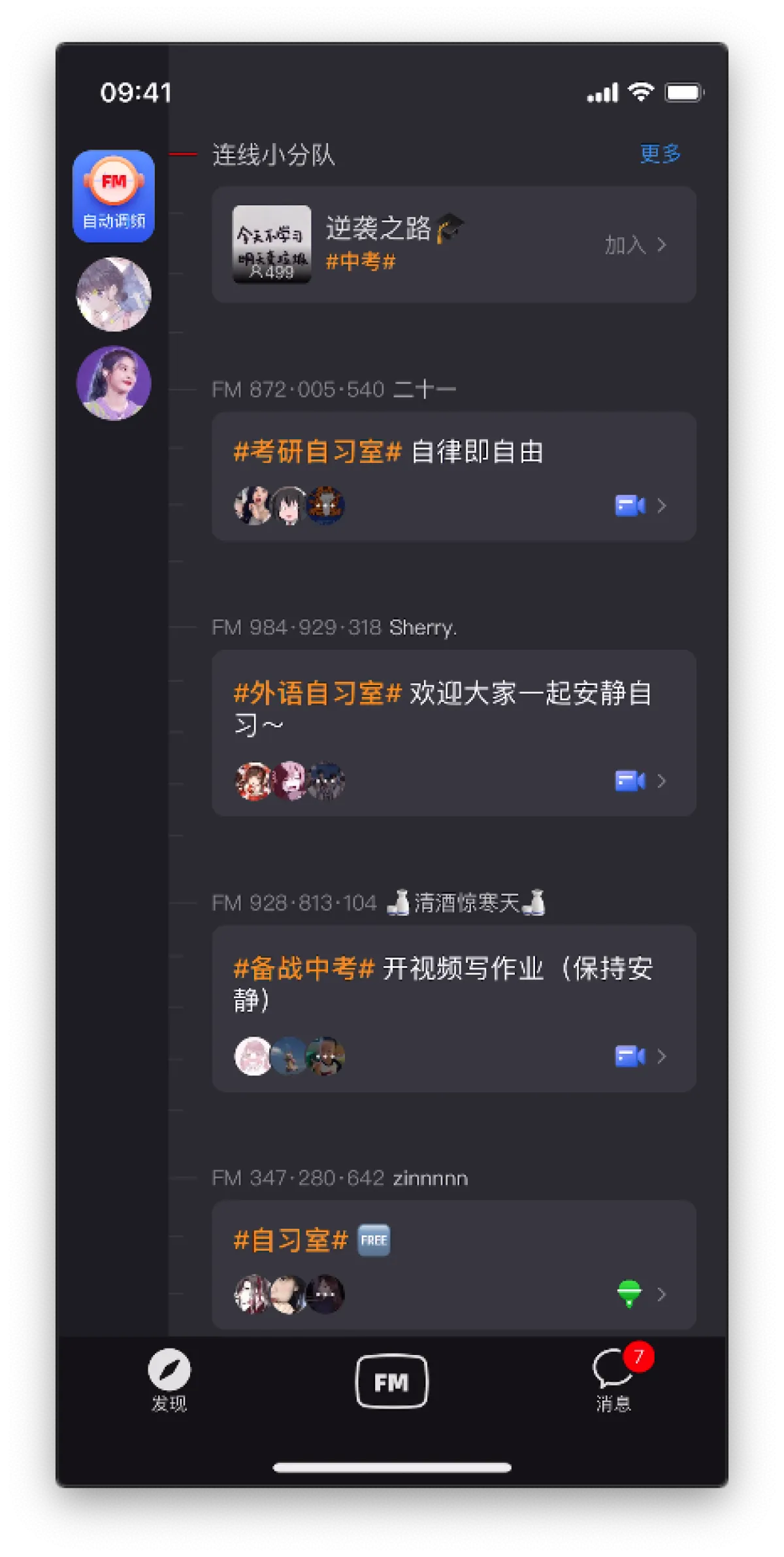
On the far left of Discover there’s Auto Tuning. Below Auto Tuning are the personal channels you’ve favorited. If someone is live, their avatar shows a “breathing light” (a green ring that keeps expanding and shrinking).
Tap Auto Tuning and it will automatically drop you into a popular personal channel. Maybe people are chatting, maybe everyone’s studying, or maybe they’re just hanging there while doing other things.
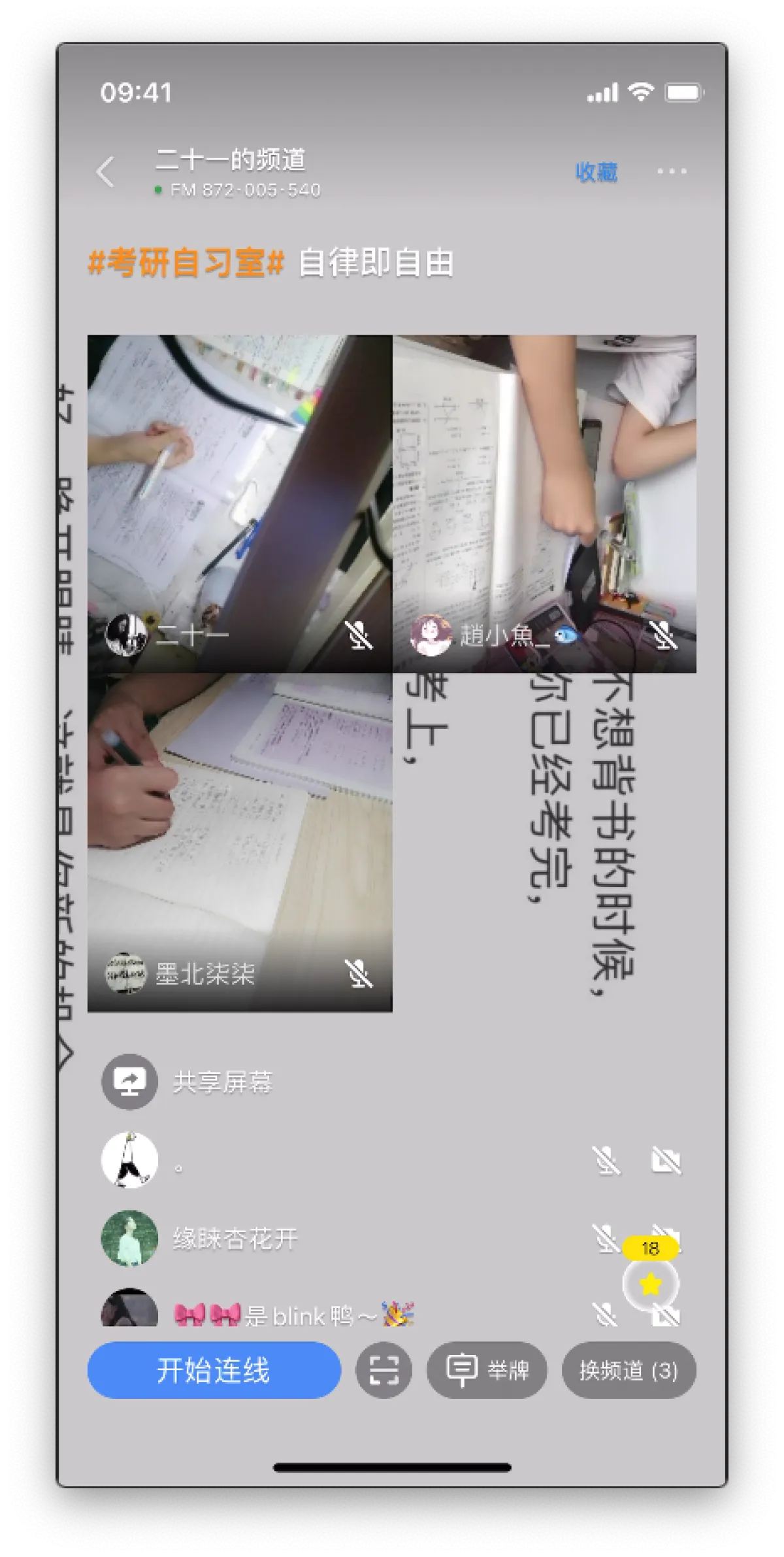
Inside a channel, you can also go on mic and study with others. Of course, you can also send a “placard” to chat with others, and you can tap the little star to encourage users who are working hard.

Group Channels
Team-Up Lobby
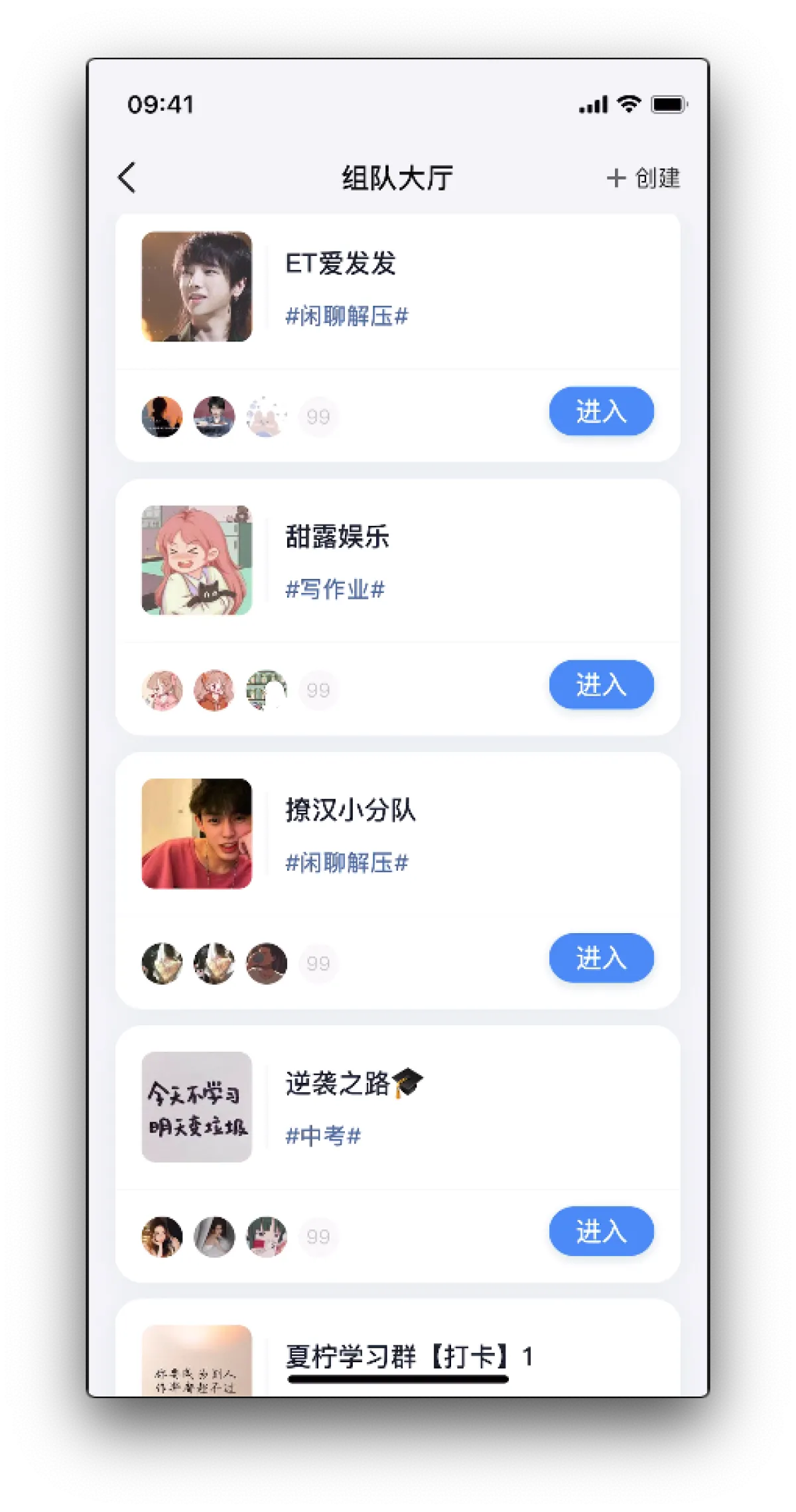
At the top of Discover there’s a rotating banner called “LianXian Squad”. Tap the banner to enter the corresponding group channel. Tap “More” in the top-right to go to the Team-Up Lobby (which has more group channels). The recommendation data inside and outside the banner was all done by me. Also, all group channel features were implemented by me and my teammate together.
Group Channel
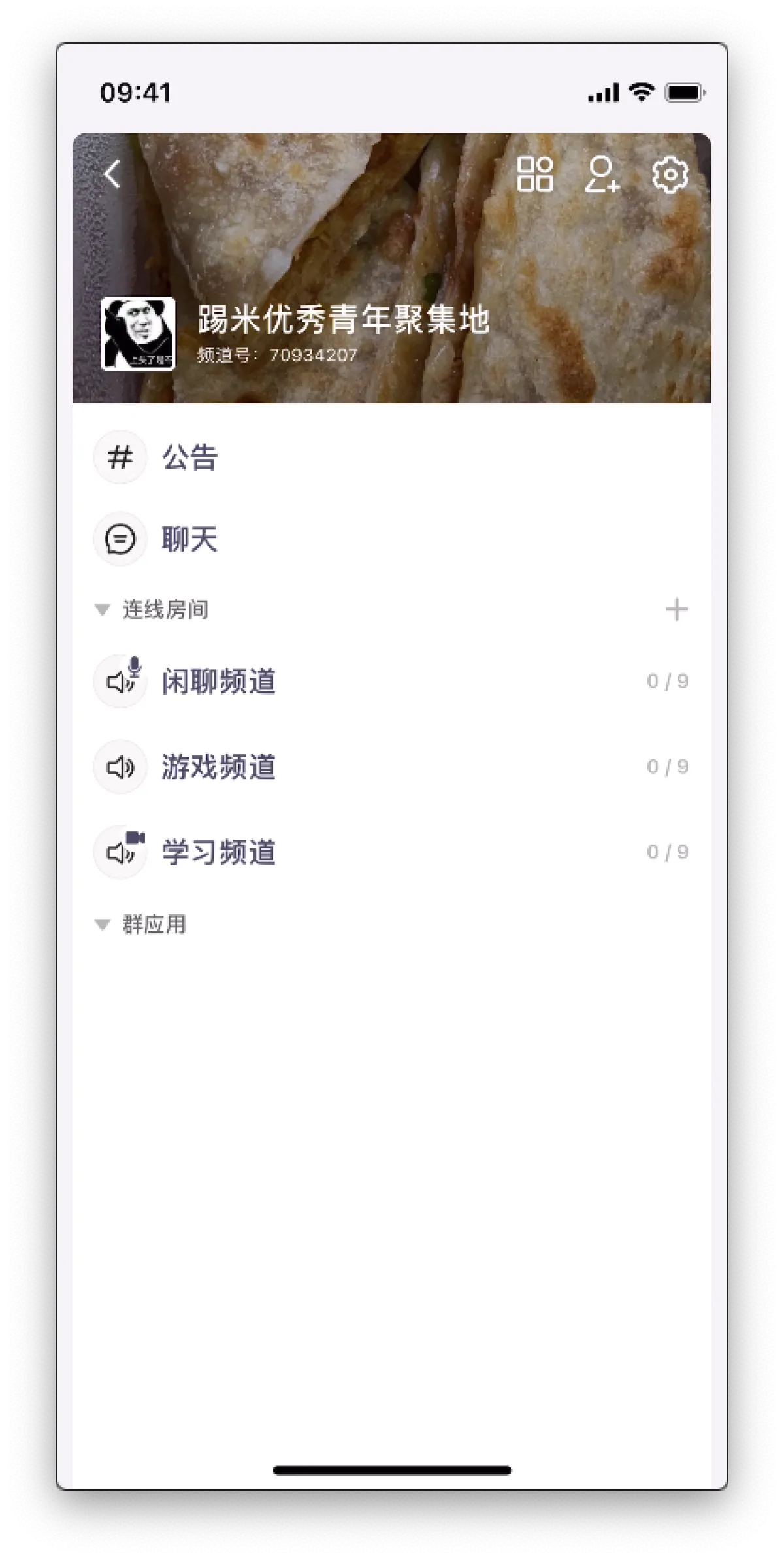
The difference between a group channel and a personal channel is that a group channel has the concept of a “group”. That means it has many other attributes, like announcements, chat, group apps, etc. People in the group can go on mic in the group’s LianXian rooms—basically Group Channel = group features + lots of personal channels
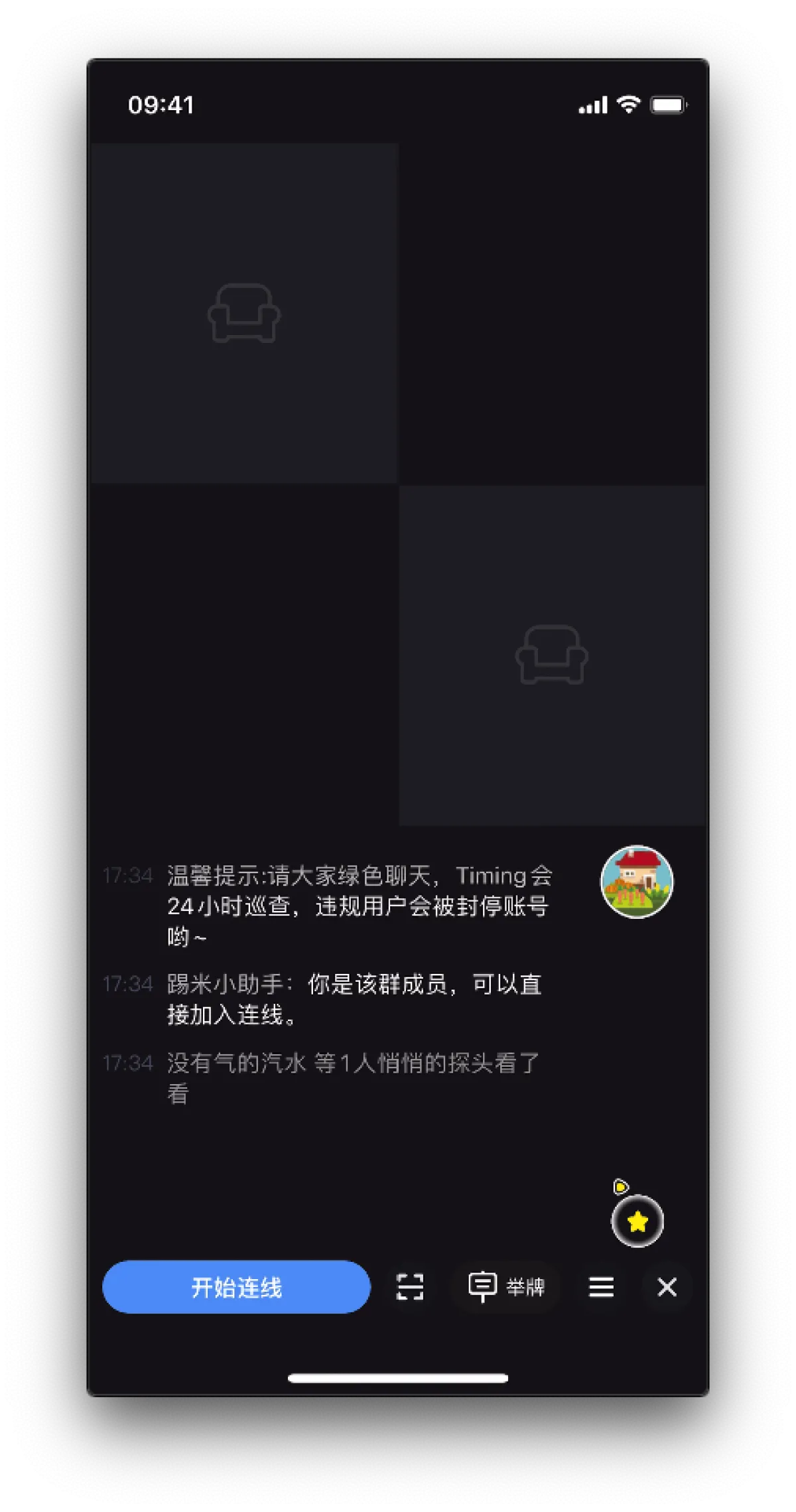
The LianXian room in a group channel isn’t as fancy as a personal channel—just a few empty seats waiting for people to go on mic.
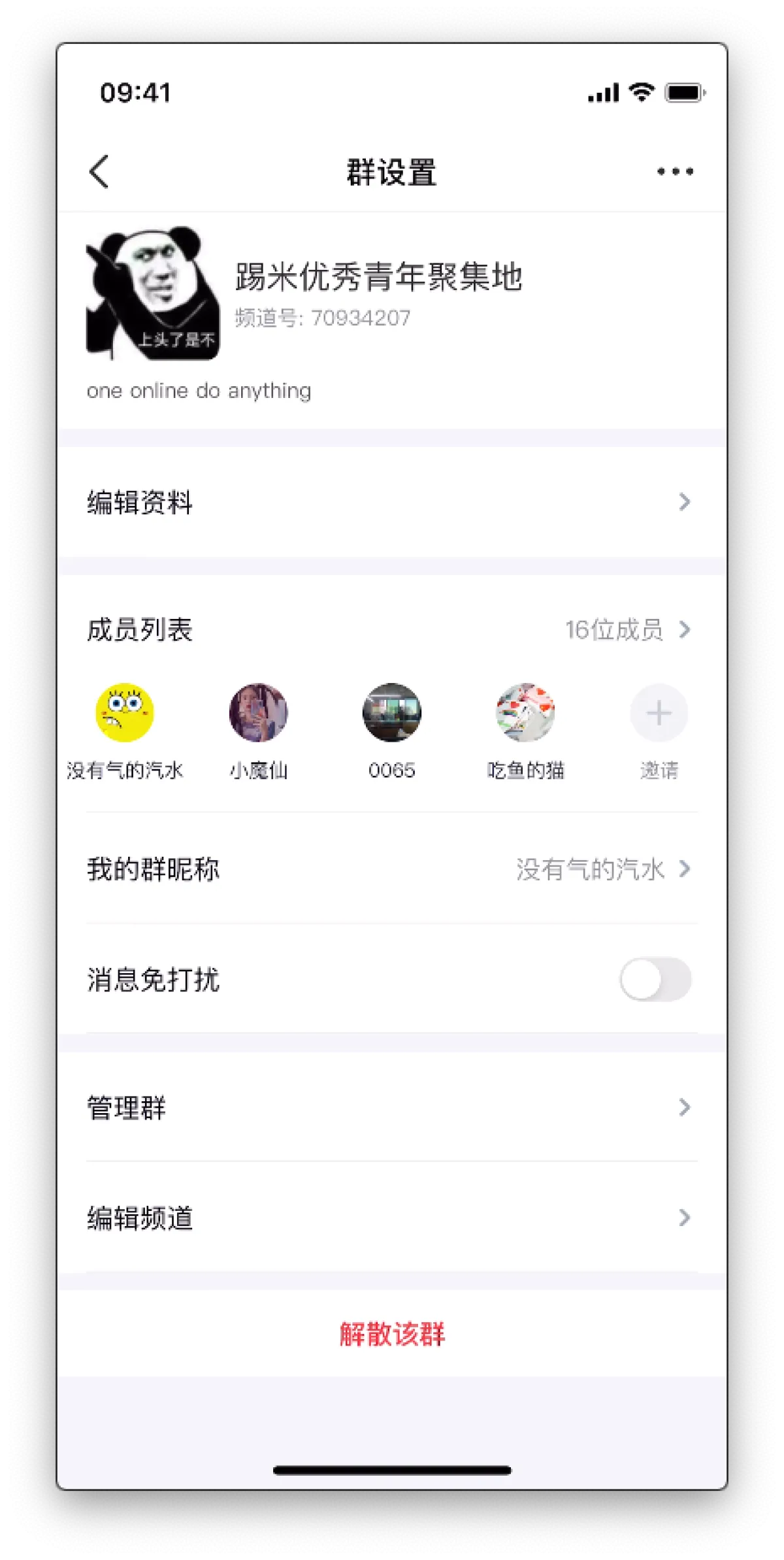
Group Settings
If you ignore the LianXian room, it’s basically the same as a normal app’s group: member management, announcements, group apps, etc.
others
DaoYou Circle
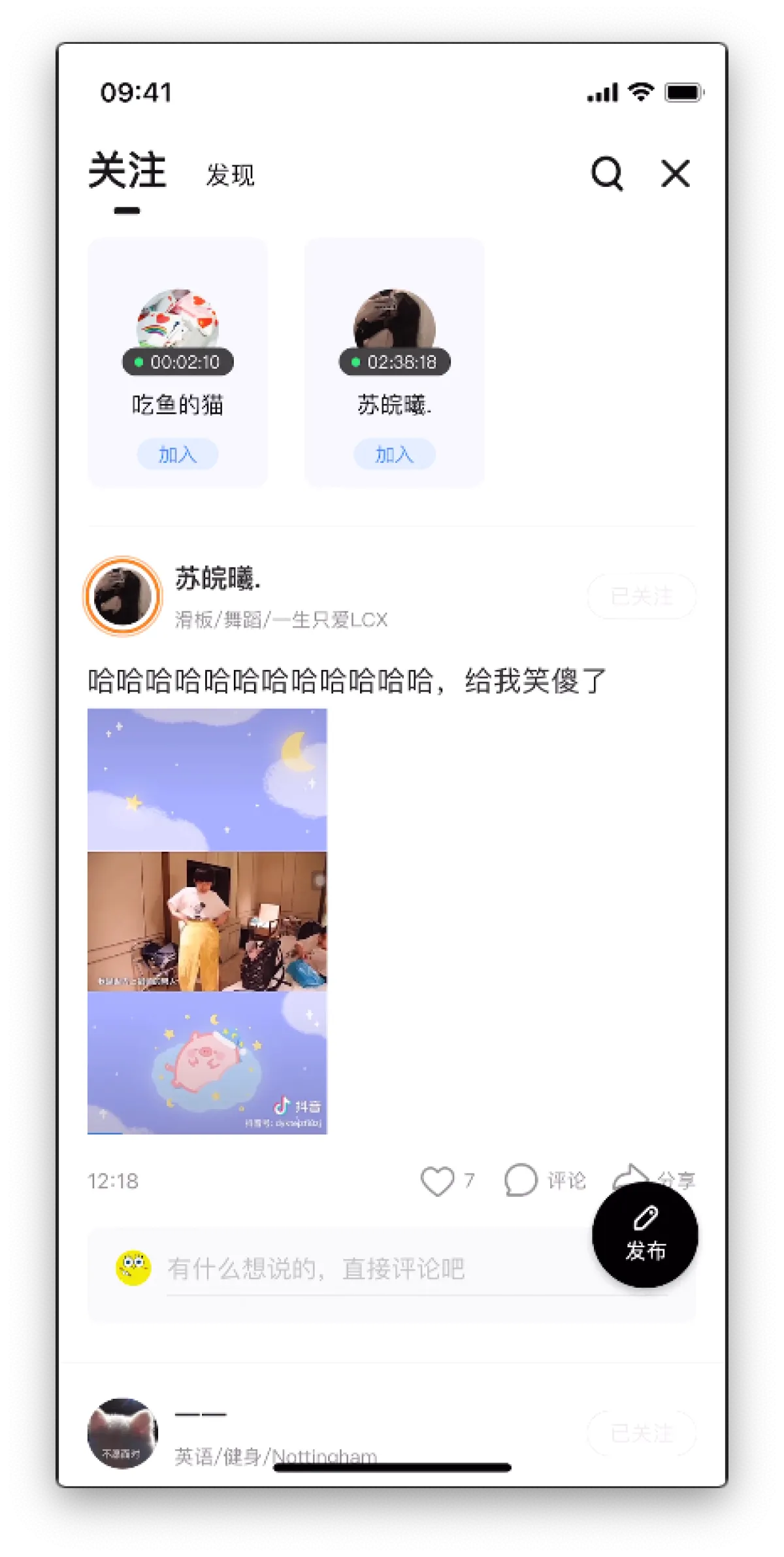
Let’s go back to DaoYou Circle on the Messages page. By default, it shows the statuses and updates from users you follow. At the top are some statuses about them being on mic in channels; below are posts users publish (we call these posts “diaries”).
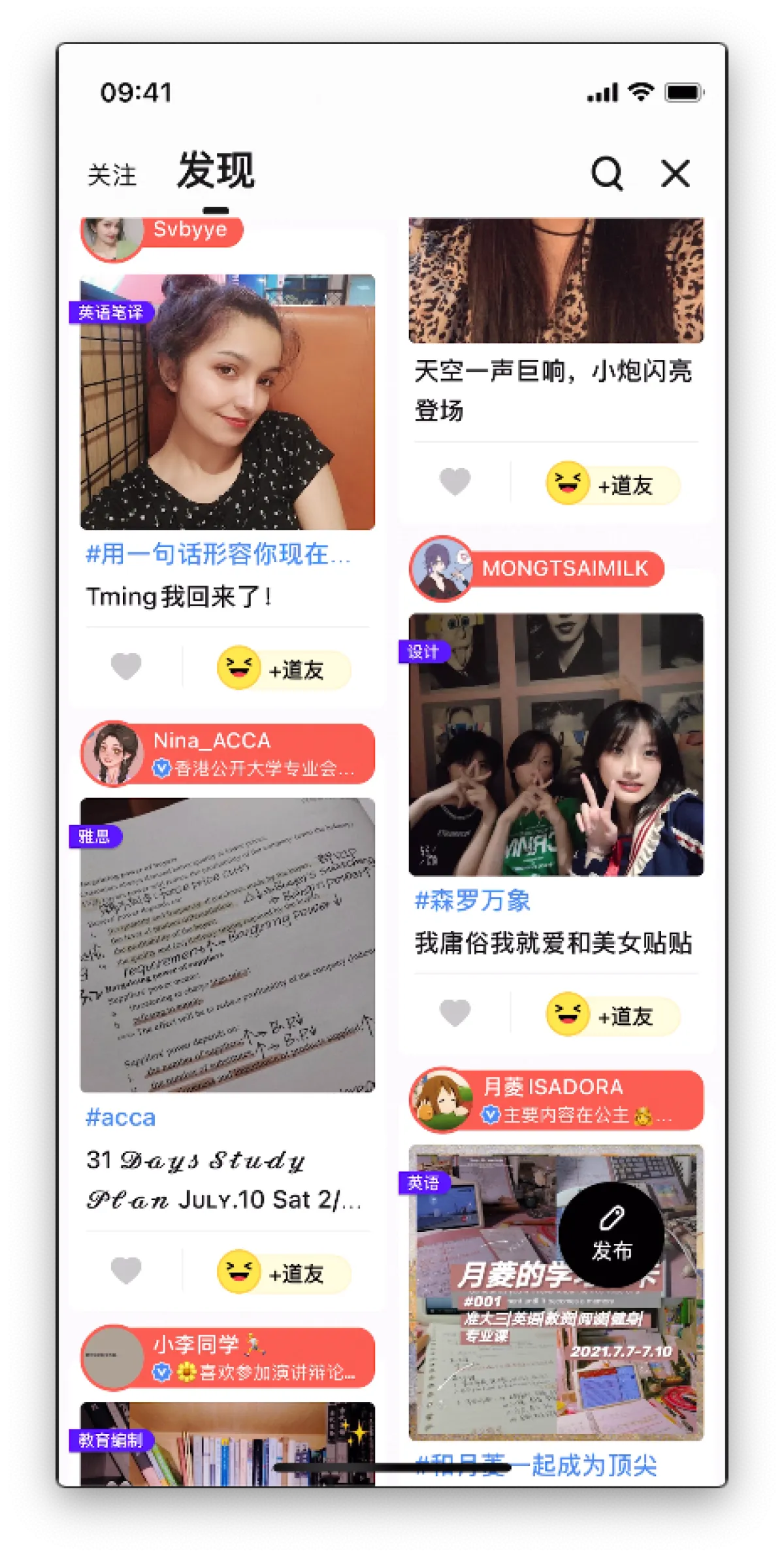
Swipe left to the second Discover tab—this API content was all provided by me. This is also the API I’m most proud of: it computes curated diaries and then recommends them to users based on some algorithms (rules). This used to be the home feed API that showed you pretty girls and handsome guys as soon as you opened the app 😏. Pretty awesome, right? It involved ELT work on both tracking data and business data, plus providing recommendation services upstream. I used to carry the traffic for that entry point for a long time, so to this day I’m extra cautious and respectful toward production, and I have an indescribable feeling toward Timing.
Top Users
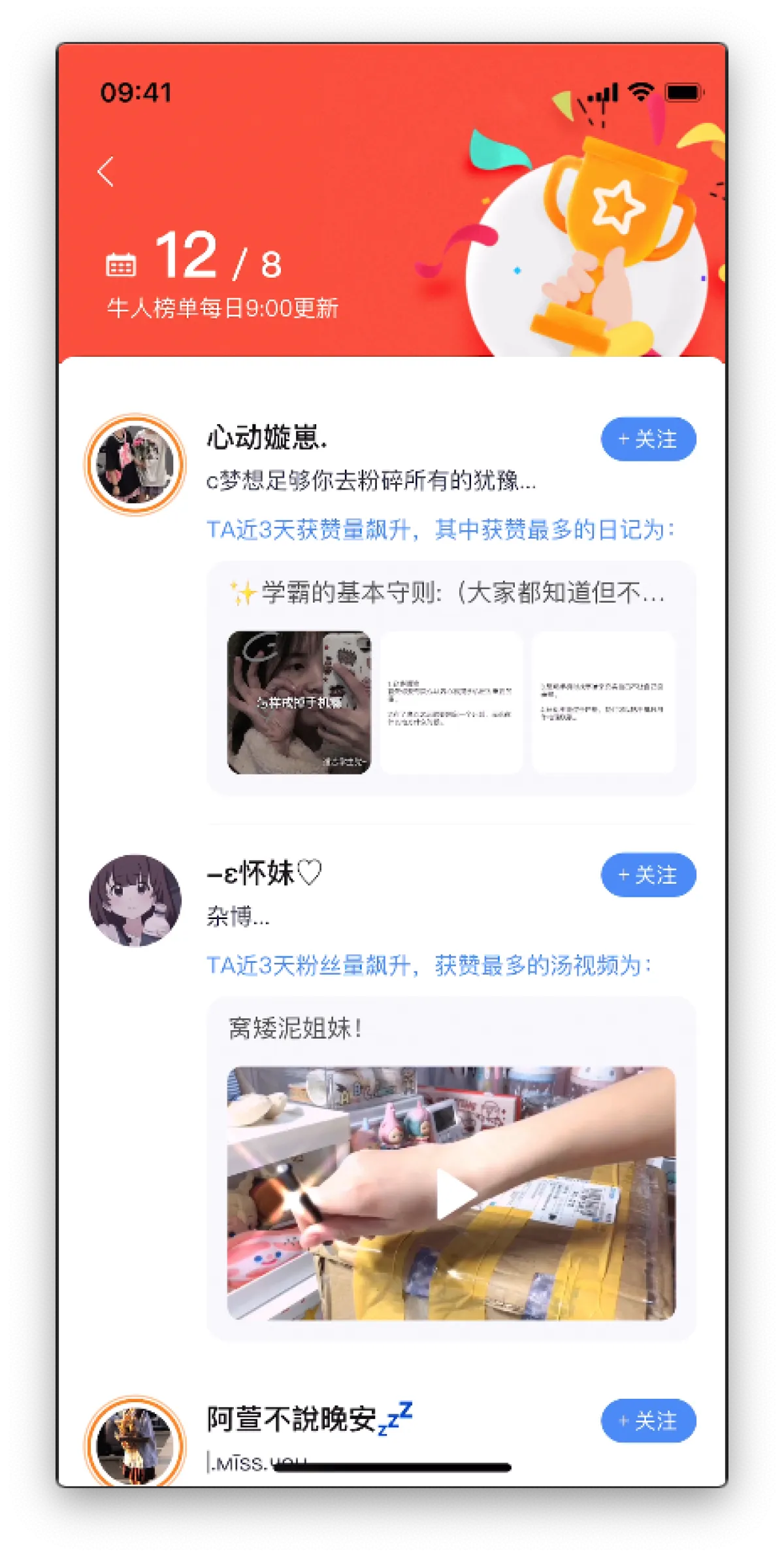
There’s a magnifying glass on the Messages page. Inside it there’s a Top Users list, which curates content from top users across some “hot” dimensions over the past three days.
Seeing this page makes me emotional, because this was the first big requirement I did at Timing. Back then I was super nervous, worked overtime for a few days, and after finishing the client integration and seeing the UI, I felt insanely proud. That feeling is something I’ll never forget. But it’s also bittersweet, because when I just reviewed it, I realized everyone who worked on this requirement has left… not exaggerating: from the PM who proposed it (Sanjin), to the tester (Biao), to the client dev (Xiaohong), to my downstream caller (Yangyang)—they’re all gone…. and today it’s my turn…..
DaoYou Village
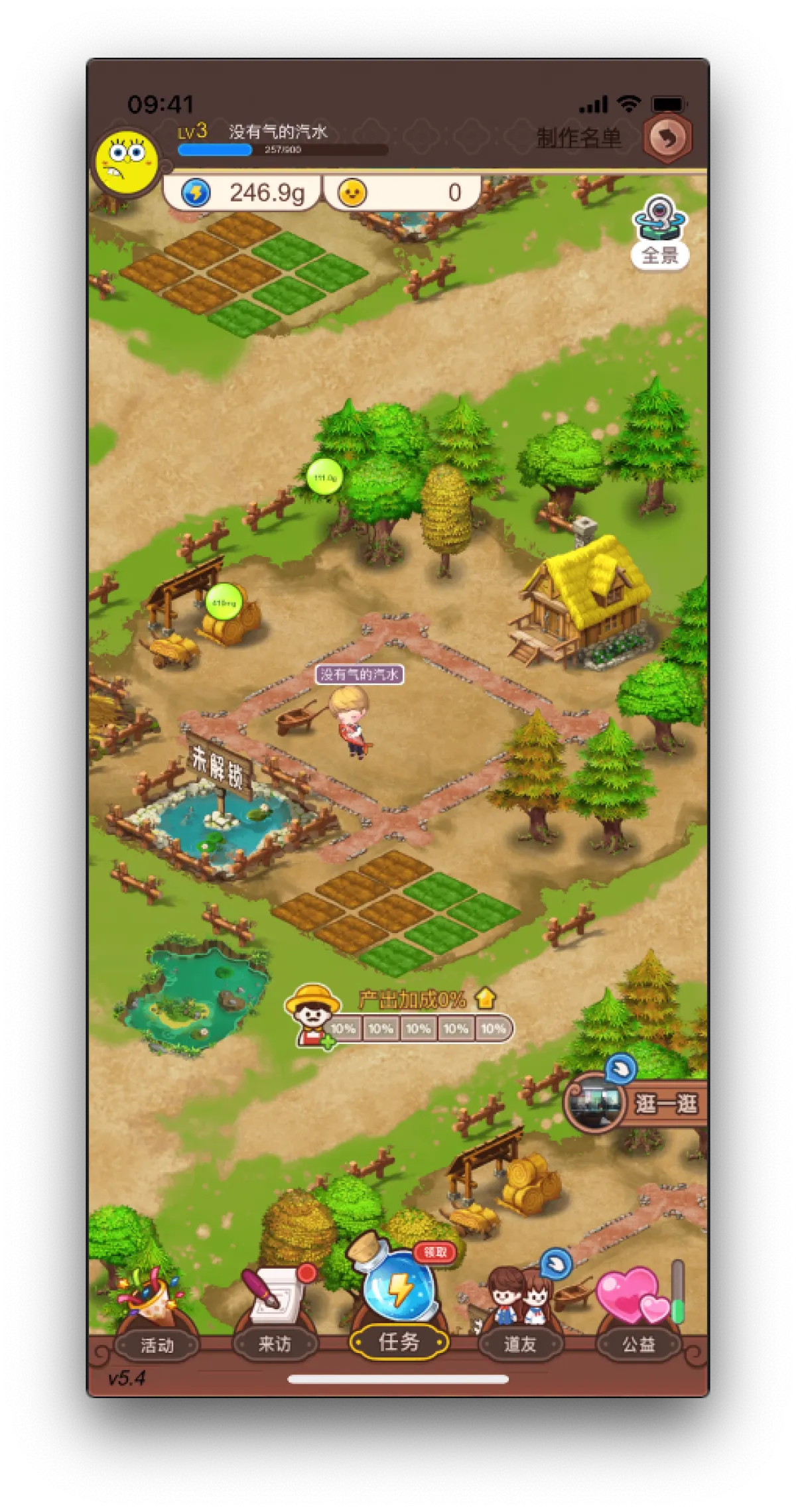
On the far left of the Messages page there’s DaoYou Village. Tap it and it’s actually a mini game, kind of like the old QQ Farm where you steal crops. After you connect, you can harvest energy, then come here to plant and steal vegetables. I don’t like this feature because the loading is always too slow—if you tap it by accident, you have to wait for loading to finish before you can exit. But kids often report DaoYou Village issues, which shows they really like it, hhhhhhh
Profile
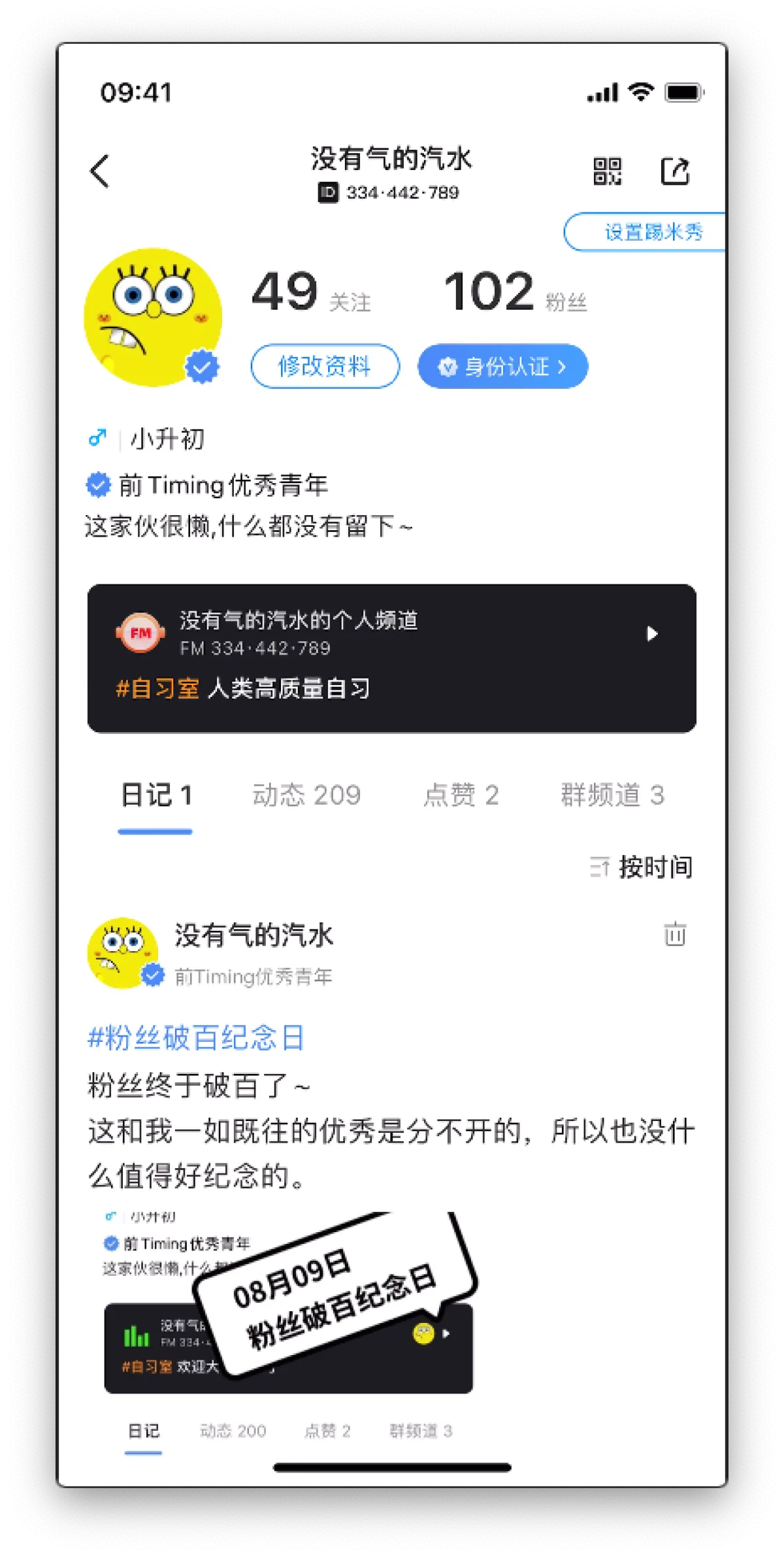
On the Messages page, tap your avatar and you’ll get to your profile. I was heavily involved in this part too. The most nightmarish thing is maintaining this row of numbers (the counts behind Diaries, Updates, Likes, Group Channels). Because each module could have its own API and do real-time paginated queries, but these numbers must all be displayed at once when you enter the page—so querying that much is expensive. We added a cache layer in the middle, but the Updates side has tons of content. If devs working on old or new business update data without clearing the cache, it causes inconsistency. Even though the cache has an expiration time, users often report it to me, and I have to go dig through old business code every time.
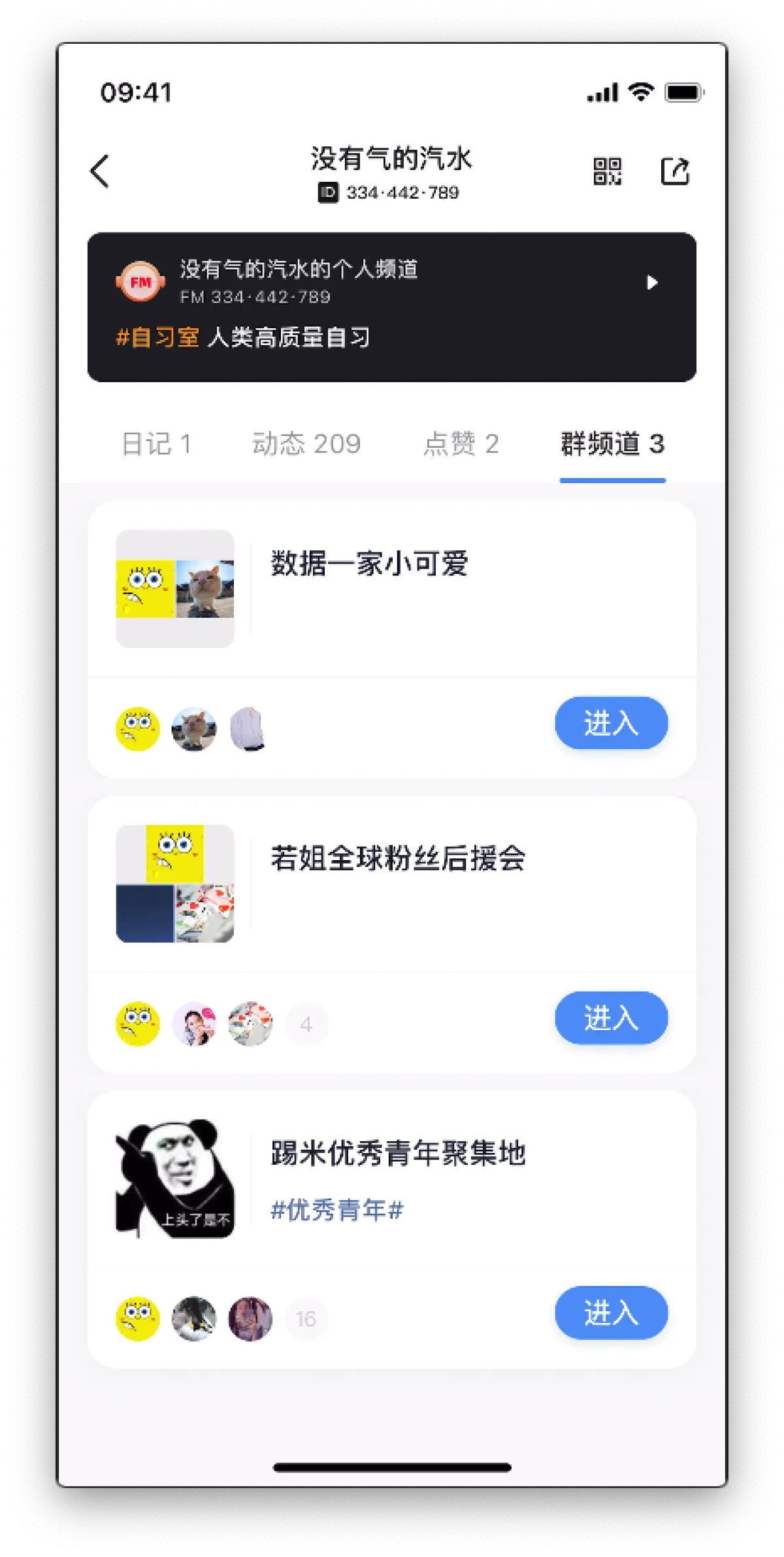
This group channel list was also done by me. Even though it’s a simple query API, the product requirements are weird as hell and there are tons of traps inside. Every time I see it I want to cry.
The three groups inside were created for fun: the first is the data department group, the second is the microservices group, and the third is my fan group, hehe.
LianXian Data
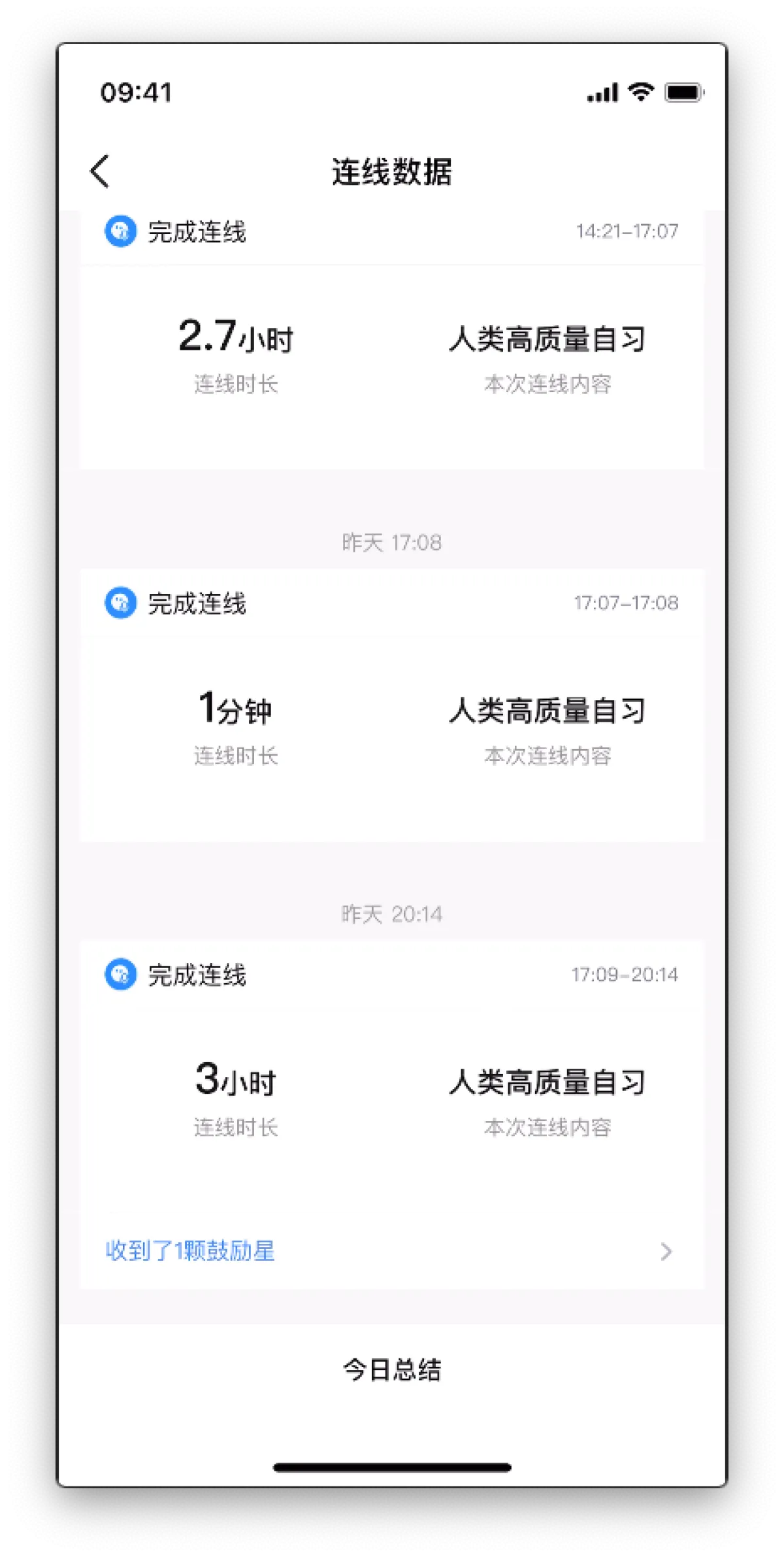
There’s a pretty important channel on the Messages page: LianXian Data. This part was also done by me. It looks like a simple query API that any CRUD boy could write, but it actually involves quite a lot—like updating copy via message push, and multi-end synchronization when ending a connection.
Most heavy Timing users care a lot about this data, because the original motivation for using Timing was having an app to record their study logs. But later the product wanted to hide this channel, hhhhh
PC Experience
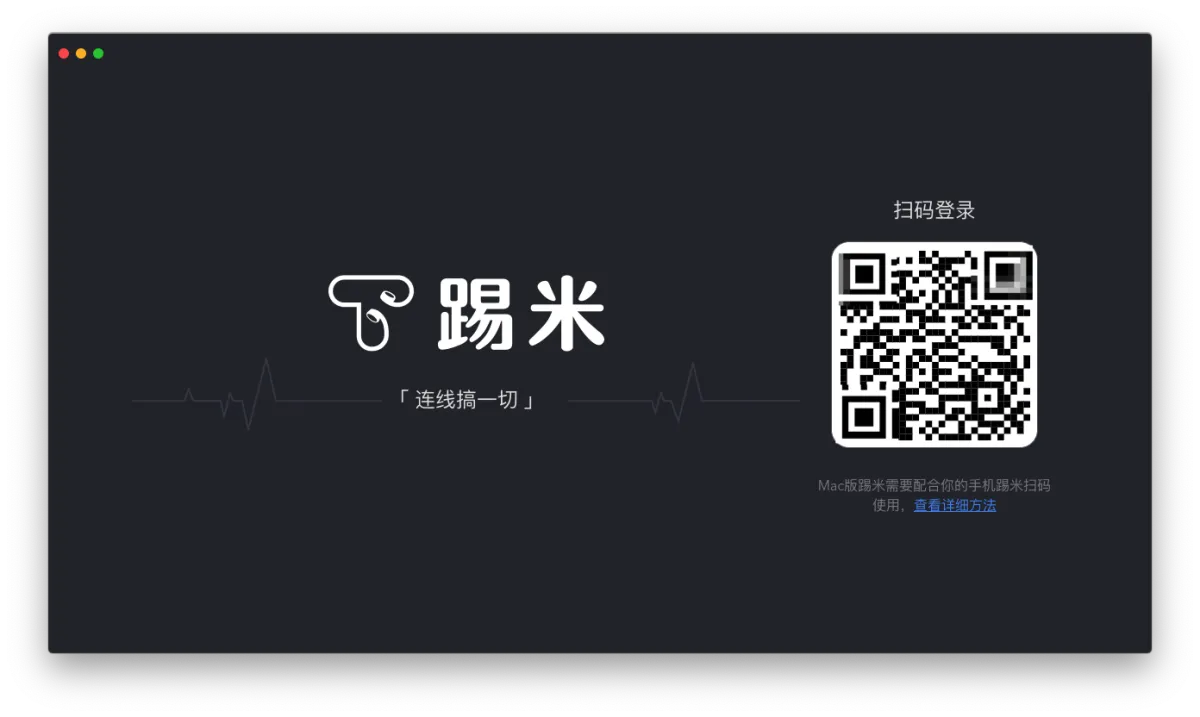
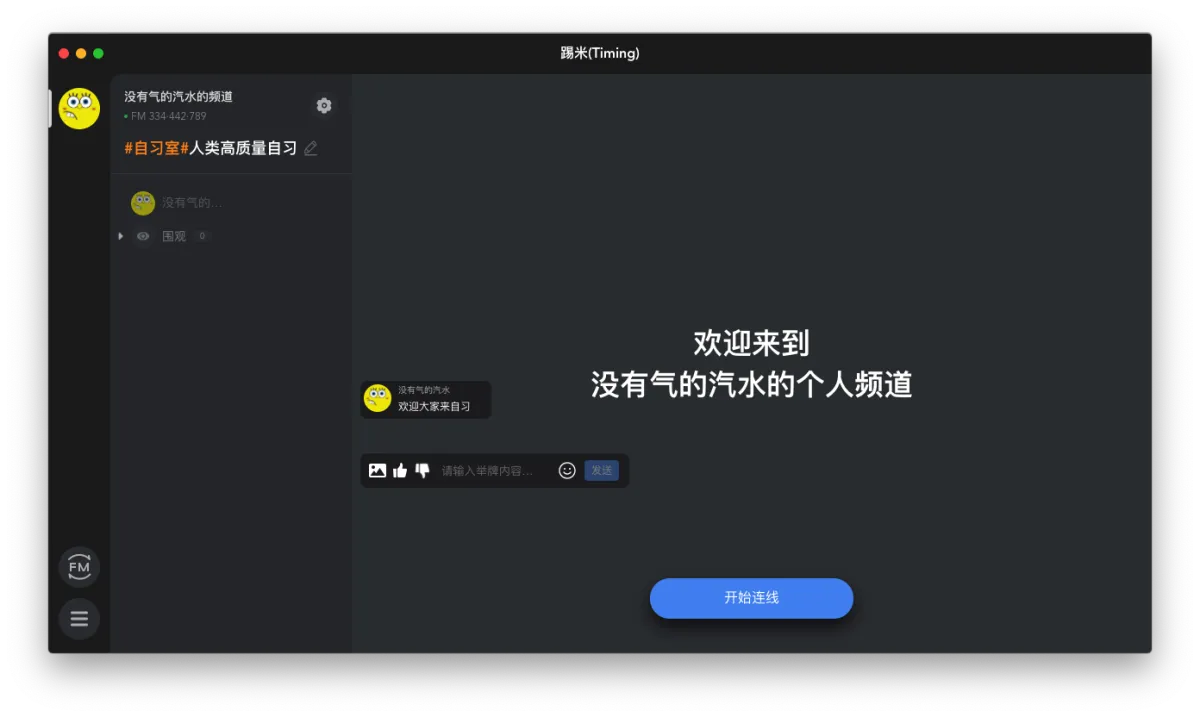
Above is Timing’s desktop version. Right now it has relatively few features—mainly as an auxiliary for live streaming screens—and it can’t be used independently without the app.
Making Friends
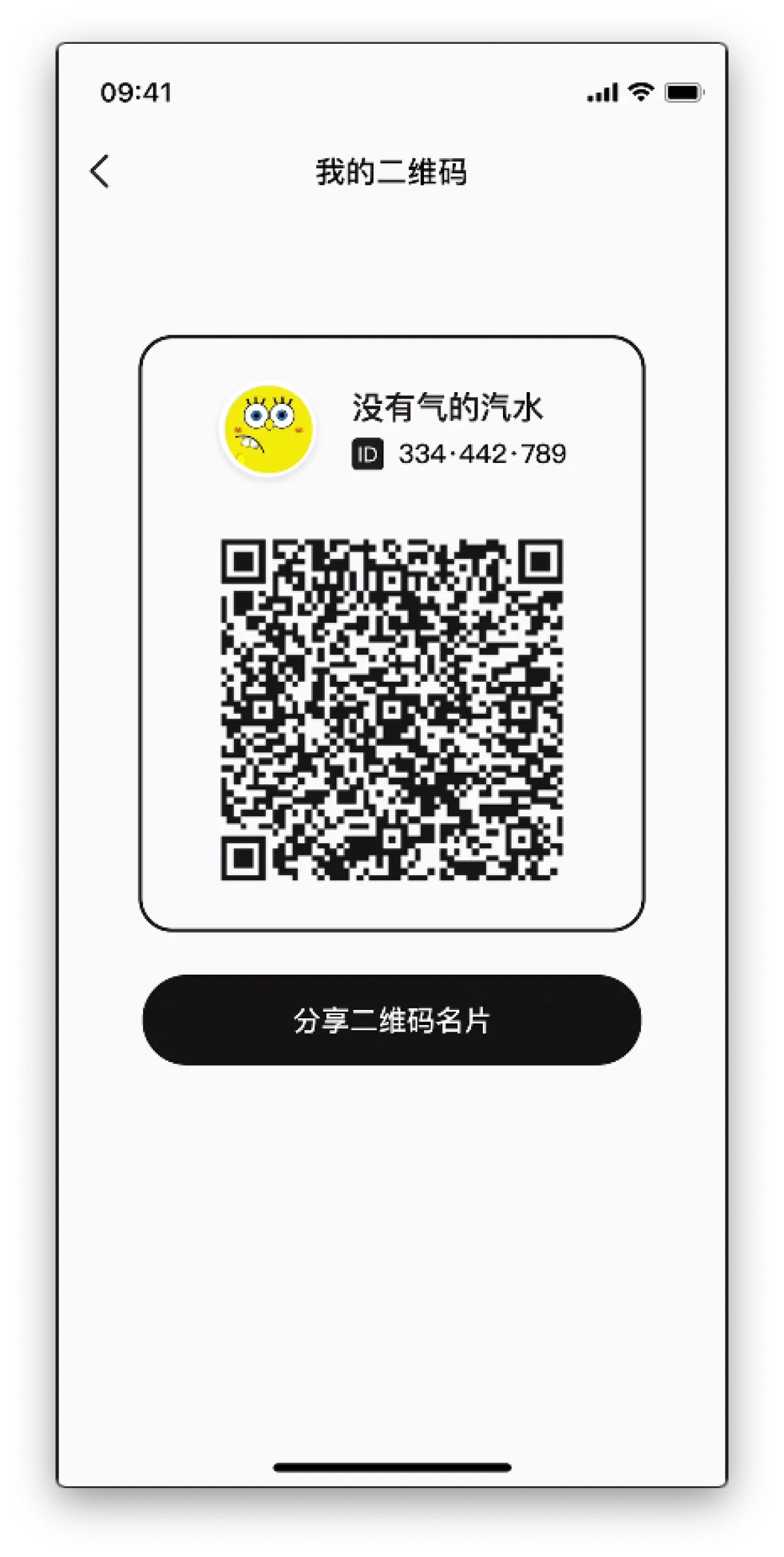
So, do you want to download it and give it a shot? You can scan the code to add me as a DaoYou. A former Timing employee being your DaoYou—don’t you want that? hhhhhhhhh
Epilogue
Timing Station, arriving at the terminal. I’m getting off the train, waving goodbye with tears 👋🏻

All articles in this blog, unless otherwise stated, are licensed under @Oreoft . Please indicate the source when reprinting!