
Preface
I’ve looked at .gitignore rules so many times and they feel a lot like regular expressions, but I forget them every time. In daily work it’s usually auto-generated by IDEA and I barely ever touch it—defaults are generally fine. But when I do need it, I’ve already forgotten again and have to go back to my notes. So today I’m整理ing my notes and writing it out once more, both to reinforce my memory and to share.
Introduction
.gitignore is a configuration file provided by Git to improve file tracking management. It lists file patterns to ignore. Git uses these pattern rules to decide whether a file should be added to version control. Generally, what gets ignored are log files, temporary files, build artifacts, etc.
Note that ignore is a hidden file. On Windows you may need to enable showing hidden files; on macOS you can see it via ls -a in the terminal (IDEA shows hidden files by default).
Usually IDEA auto-generates it after git init. If you need to create it manually, on macOS I recommend using touch .gitignore, and on Windows name it .gitignore. (two dots, one at the beginning and one at the end—it will automatically become a hidden file).
General Conventions
- Comments in
gitignoreuse#. You can write them like this to tell yourself (and others) what type of files you’re ignoring or why.
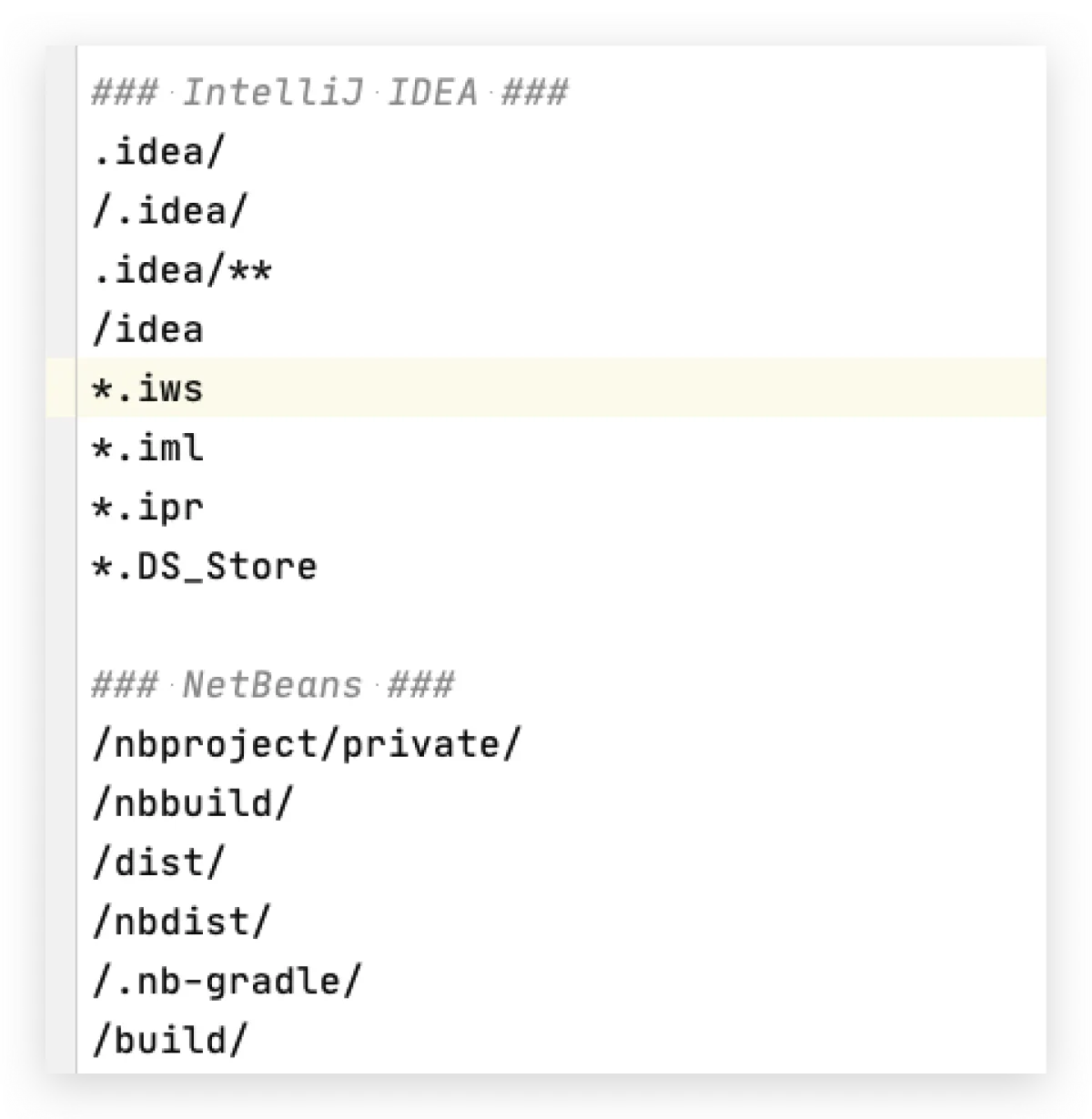
- Anything written in
.gitignoreis meant to be ignored and not tracked (with exceptions below). - Exception: if it starts with
!, it means it must be tracked and is not constrained by other rules. /means “from the root directory of this project”.- If it does not start with
/, it means this file or directory will be ignored no matter where it appears—as long as it shows up anywhere in the project, it won’t be tracked. - Ending with
/means you’re ignoring a directory (without a trailing/, it defaults to a file).
Matching Rules
- Starting with a slash
/indicates a directory path (anchored from the root) - An asterisk
*matches multiple characters - A question mark
?matches a single character - Square brackets
[]contain a match list for a single character -
An exclamation mark
!means “do not ignore” (track) the matched file or directory - Double asterisks
**match multi-level paths; a single*can only match one level (this rule is for the beginning; if it’s at the end, a single*can also match)
Small Exercises
Those were the rules—now a few real examples and you’ll get it instantly.
-
# Means: anywhere in the project, any folder named .idea and everything inside it is not tracked by Git .idea/ -
# Any file in the project that contains the three characters ".DS" will be filtered out and not tracked .Ds* -
# The target folder under the root directory is not filtered out /target/ -
# The target folder one level under the root directory is not filtered out (note: */ means one level under root) */target/ -
# Anywhere, .txt files under the tmp folder are not filtered out tmp/*.txt -
# The maven-wrapper.jar under .mvn/wrapper/ is tracked by Git
!.mvn/wrapper/maven-wrapper.jar
As you can see, a lot of these rules are basically repeats. If “track” and “ignore” rules conflict, the “track” rule has higher priority, for example:
# Means: nothing under .mvn is tracked, but .mvn/wrapper/maven-wrapper.jar is tracked by Git
.mvn/
!.mvn/wrapper/maven-wrapper.jar
And there are lots of equivalent ways to write the same thing. For example, **/.idea/* and .idea/ are actually equivalent. Just write it however you like—keep it elegant, keep it simple.
How It Takes Effect
After you modify .gitignore, it won’t affect files that were already being tracked by Git. So you should generate .gitignore when creating the project and manage it from the start. But if you change .gitignore and want it to apply to existing tracked files, you need to remove those files from version control and then add them back. Here are the commands (make sure your working tree is clean and there’s nothing pending to commit):
# Remove all files from version control (you must add --cached)
git rm -r --cached .

# Add all files back to version control
git add .

# Commit the change
git commit -m "chore(git): reset gitignore"
Global Configuration
A .gitignore file exists per project to list patterns to ignore. But Git also lets you set a global .gitignore that all projects follow. You can think of it as a parent .gitignore that every project’s .gitignore inherits from. This way, if you’re a Java developer, you can set a common Java template as a global default. Here’s how:
- Create a
.gitignorefile anywhere (but it’s recommended to put it in a meaningful directory like~) and write your common patterns into it (the command below creates it in~). - Run this in the terminal:
git config --global core.excludesfile ~/.gitignore
All articles in this blog, unless otherwise stated, are licensed under @Oreoft . Please indicate the source when reprinting!