
Preface
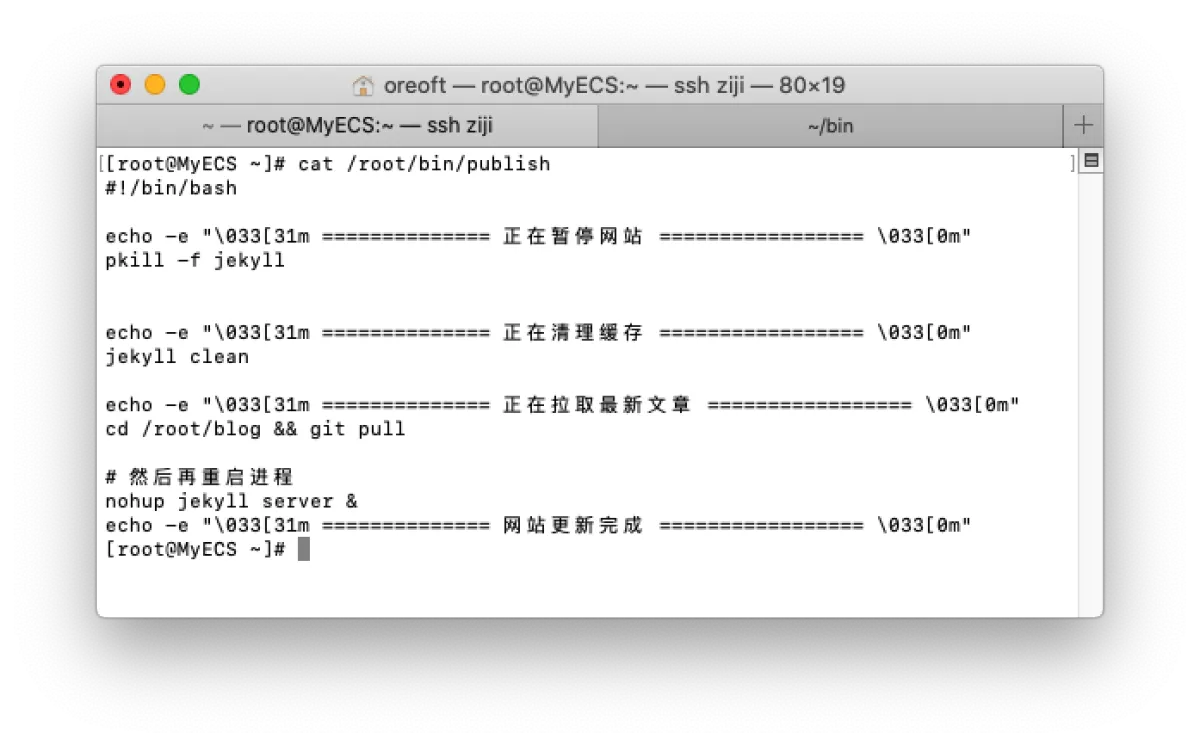
Back then, every time I updated a blog post, I’d write it, push it to a Gitee repo, then SSH into my server and git pull the code. Sometimes if I changed the config, I’d also need to restart the Jekyll service. Because of that, I even wrote a shell script so I could SSH from my local shell and execute the remote script directly.
Recently I learned about the concept of Webhooks. It kind of feels like inversion of control: the frontend doesn’t actively send requests; everything is pushed by the backend. The server initiates the request and then handles the client callback. Now both GitHub and Gitee support Webhooks, and after I set it up I realized it’s insanely useful. Basically, as long as I push the code, the blog updates automatically. Sometimes I casually write some notes, and because I’m lazy I always push a bunch at once—so yeah, I really love this feature.
Configuration
Let’s use Gitee Webhook as an example (GitHub is basically the same). First, get familiar with the flow:
You push code to Gitee -> Gitee receives the push and calls your server API -> your server receives the callback and runs the local deployment process.
Let’s do it step by step. We need to work backwards from the execution flow above. For the configuration flow, we need:
- Write the deployment script
- Write an API endpoint for Gitee to call back (don’t worry, there’s a ready-made tool)
- Configure the webhook on Gitee
- Push your code
Write the deployment script
For this part, I’m using Jekyll. Jekyll supports hot deployment, so I only need to pull the latest code from the remote repo, and Jekyll will automatically watch file changes and render in real time. But since I might tweak formatting and config every time, and my site can tolerate being unavailable for a few seconds, I restart the service each time. So I just reused my publish script from above.
#!/bin/bash

echo -e "\033[31m ============== 正在暂停网站 ================= \033[0m"
pkill -f jekyll

echo -e "\033[31m ============== 正在清理缓存 ================= \033[0m"
jekyll clean

echo -e "\033[31m ============== 正在拉取最新文章 ================= \033[0m"
cd /root/blog && git pull

# 然后再重启进程
nohup jekyll server &
echo -e "\033[31m ============== 网站更新完成 ================= \033[0m"

# 使用github-webhookk必须使用exit退出
exit 0
Configure the API endpoint that Gitee calls
Of course, you can also spin up a service in Python or Golang for Gitee to call back, and the callback logic is simply executing the script above.
Here I’m using an open-source project. It’s also written in Golang. You just start the service with your script path, and it exposes an endpoint for Gitee to call. Every time it’s called, it executes your script. Using open-source tools really saves a ton of work.
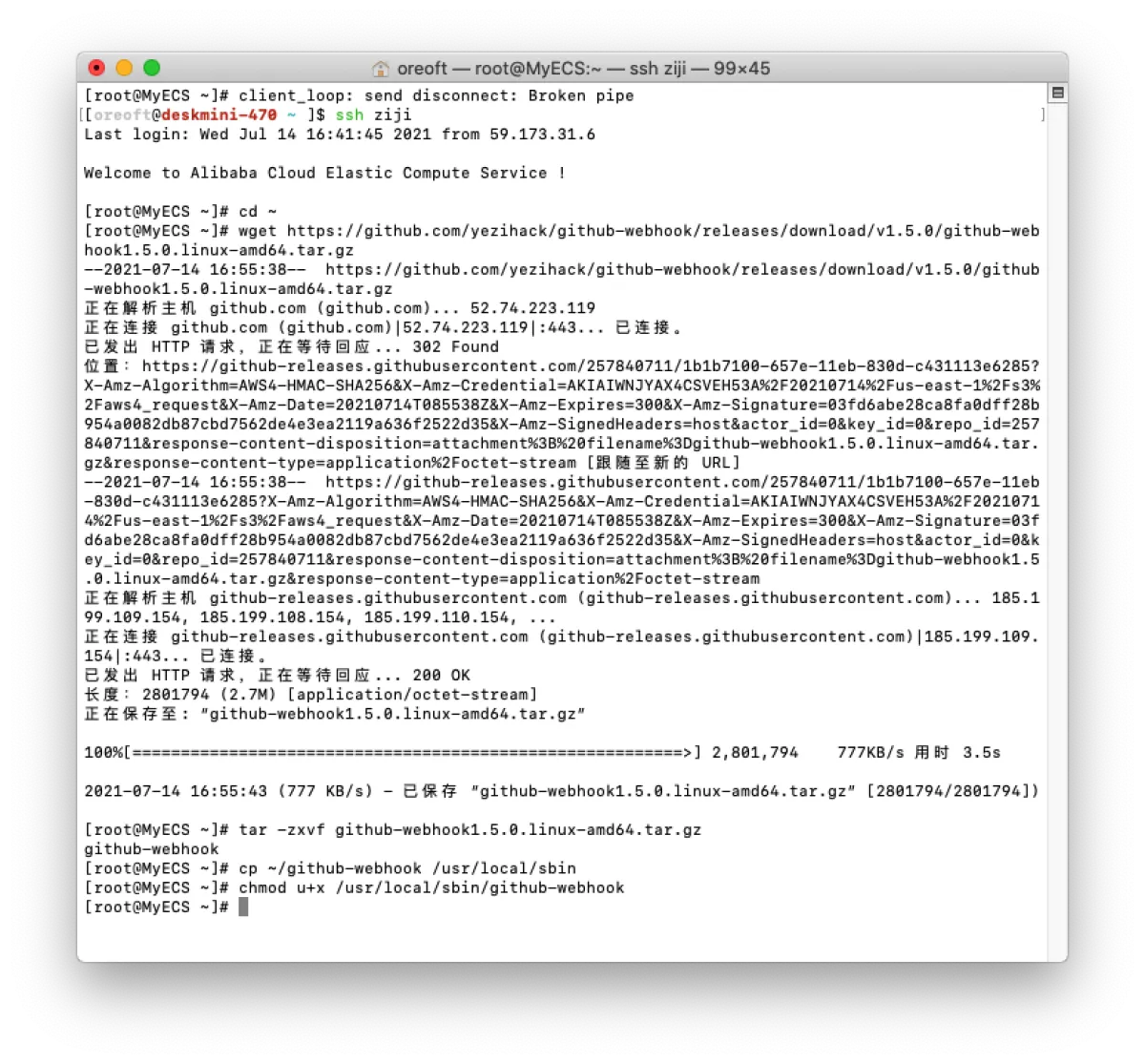
The installation steps in README.md are already very detailed, so I’ll just show what I did. Also note: even though this project is named github-webhook, it’s essentially just a Linux service runner, so it works with Gitee too.
- Download and install
// 执行
cd ~
wget https://github.com/yezihack/github-webhook/releases/download/v1.5.0/github-webhook1.5.0.linux-amd64.tar.gz
tar -zxvf github-webhook1.5.0.linux-amd64.tar.gz
cp ~/github-webhook /usr/local/sbin
chmod u+x /usr/local/sbin/github-webhook
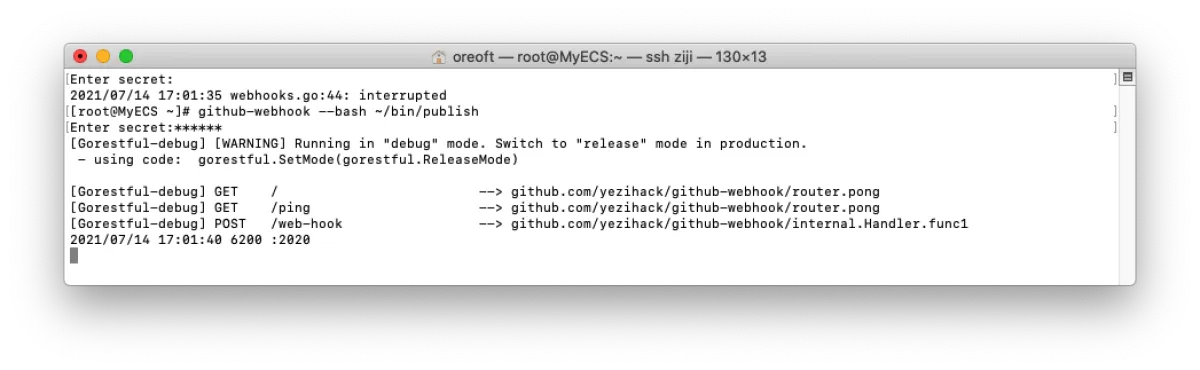
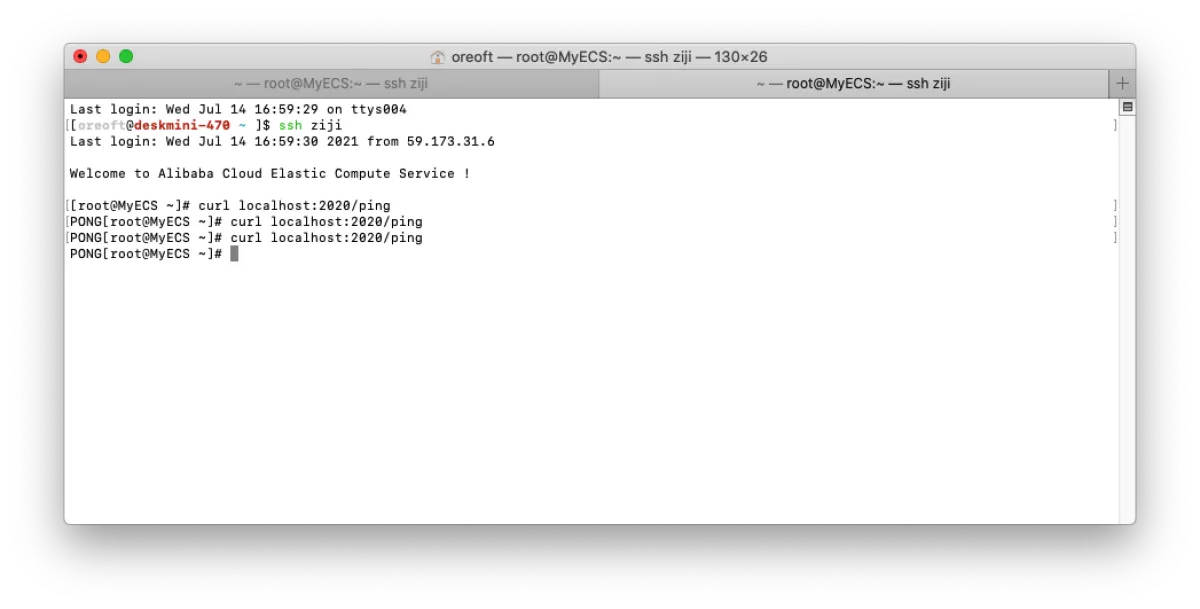
- Then start the service and test it. You can see the service is running. A few things to note:
- After starting, it asks you to enter a
secret. This prevents others from spamming your endpoint. You can set your own secret, and Gitee will also ask you to enter it—so only Gitee can call it. - The default port is
2020. You can specify it at startup via--port. Most importantly, your firewall and the Alibaba Cloud security group must allow this port, otherwise Gitee won’t be able to call back successfully. - You can see the routes printed by Gin. The path is
public-ip:port/web-hook, andpingis for testing.
- After starting, it asks you to enter a
-
Start the service—what we did above was just a startup test. Now let’s configure it properly.
- Since my Linux firewall is disabled and I let Alibaba Cloud handle it, we need to configure the security group on Alibaba Cloud to open the port.

-
Use
nohup github-webhook --bash ~/bin/publish --secret mysecret -q &to start it in the background—same idea asjava -jar. (Note: the path after--bashshould be replaced with your own script.)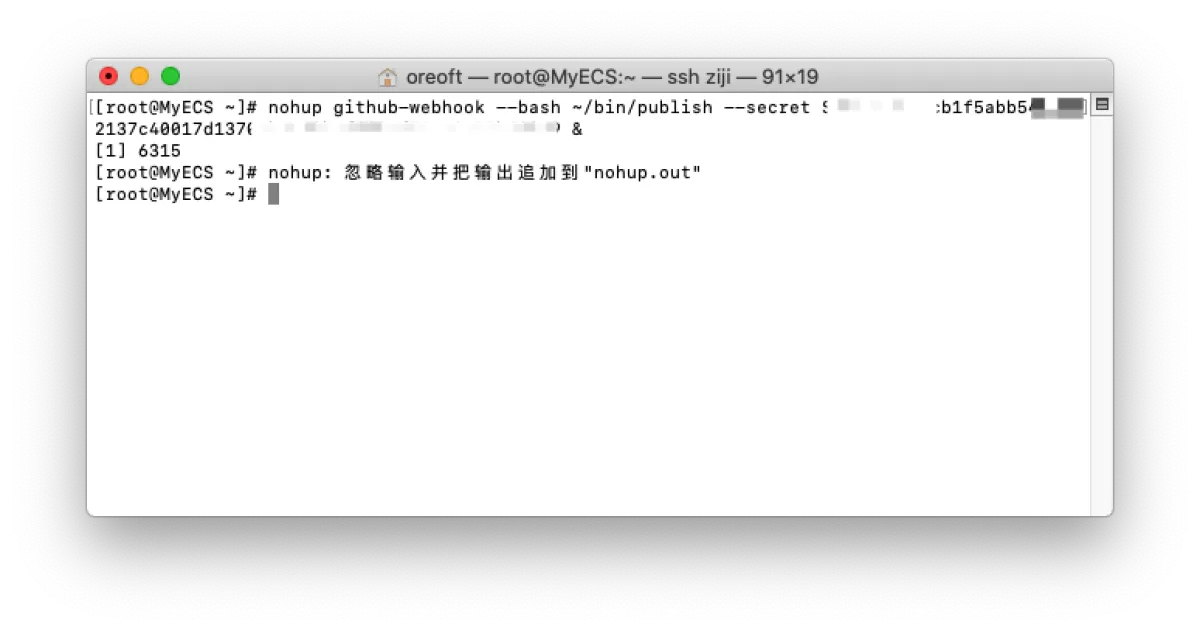
The secret has been masked 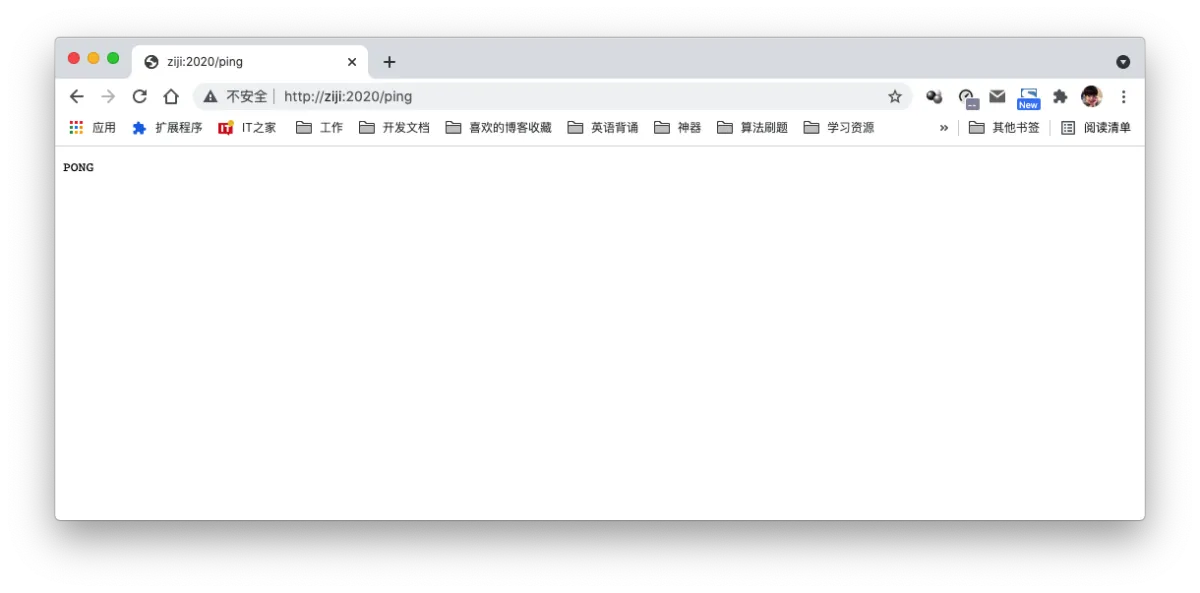
Then configure it on Gitee
-
Go to your project’s management page in Gitee—there’s a
WebHookssection. If you don’t want to search, here’s the path, but you may need to replace it:https://gitee.com/{your-username}/{your-project-name}/hooks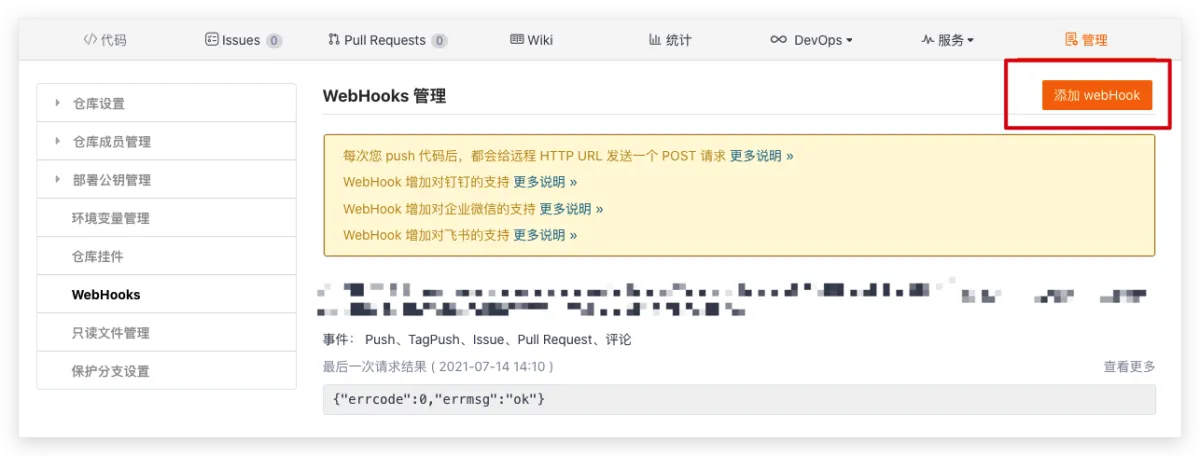
-
Then just enter your URL and secret here. (For the secret, choose “Signature Secret” and enter the parameter you used when starting the service.) For event callbacks, only select
Push—that way, whenever you push code, it will execute the script.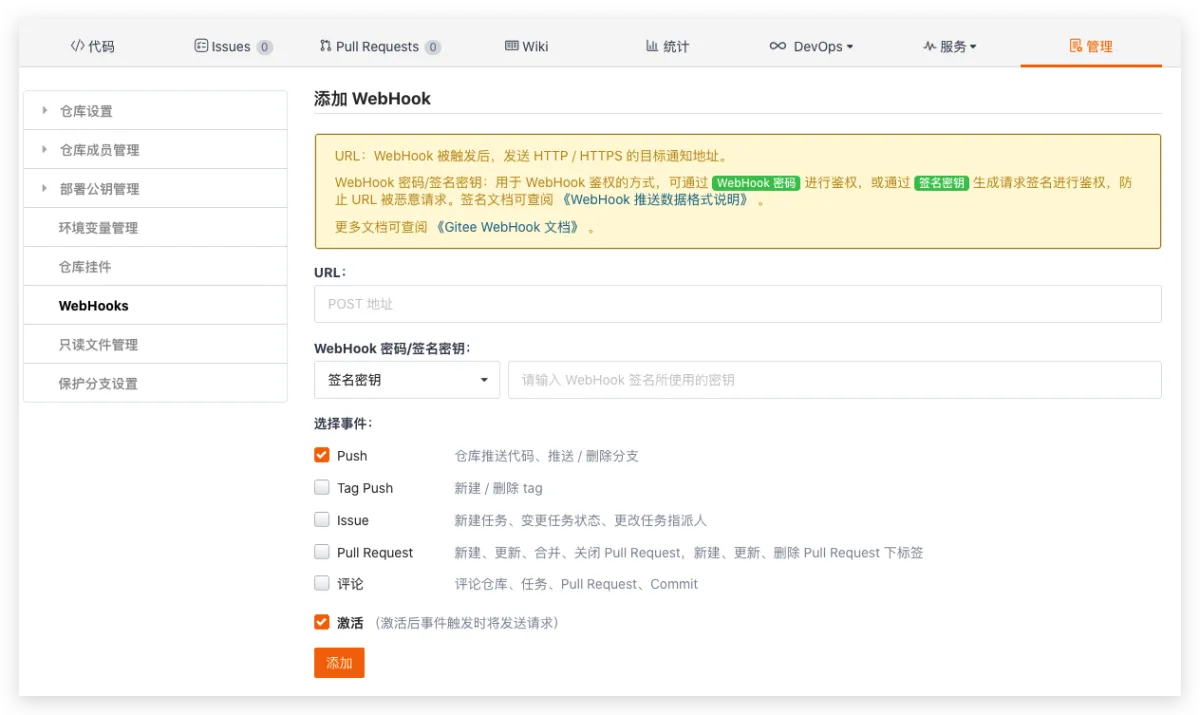
Push your code
Now I’ll push the code for this article and see what happens.
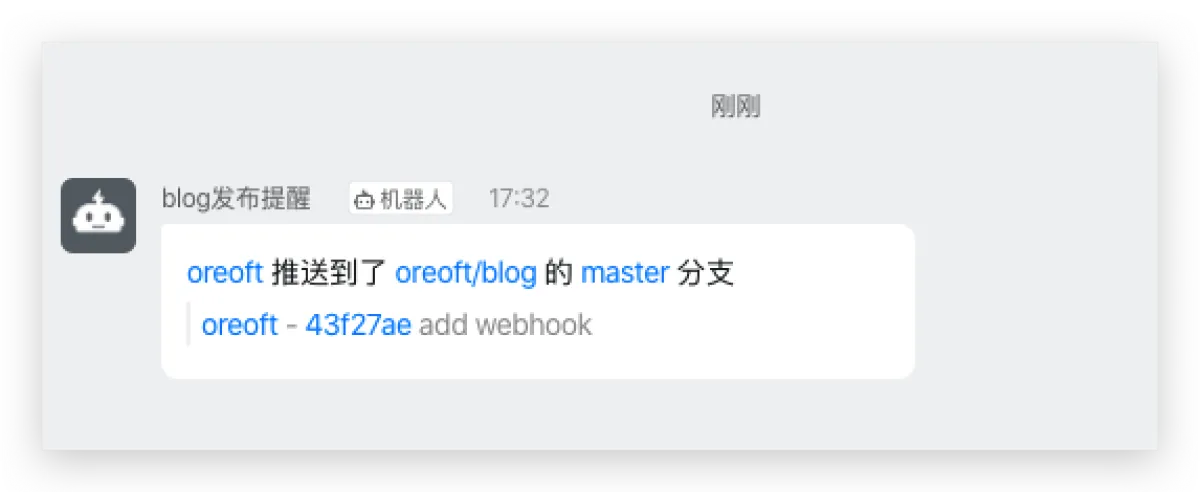
- First, I also configured a DingTalk bot for webhook notifications, and it reminded me.
-
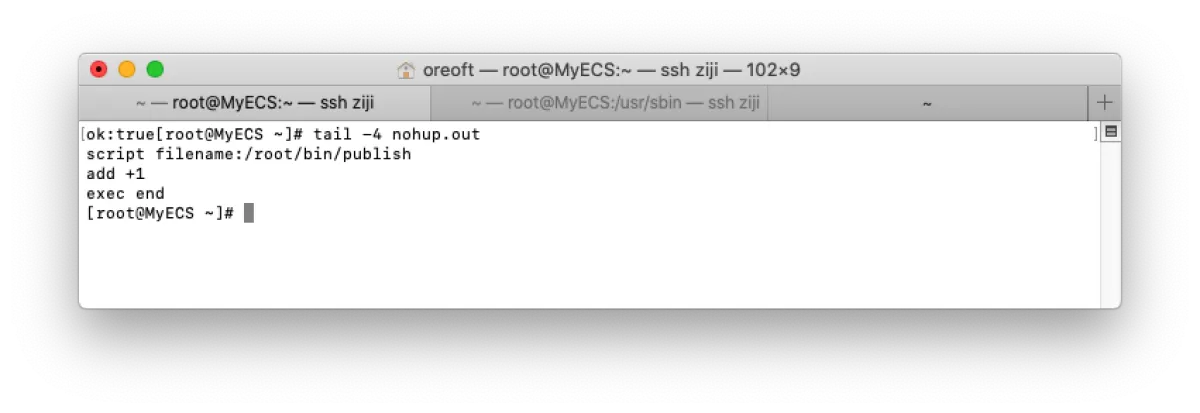
Then we check the output logs and see it executed successfully. And of course—if you’re reading this post, then it definitely worked.
Afterword
From now on, once I finish writing notes I can just push them and they’ll deploy automatically. So convenient. Love it, love it.
All articles in this blog, unless otherwise stated, are licensed under @Oreoft . Please indicate the source when reprinting!