
Preface
In the previous post I briefly summarized functional interfaces. In this one, I’m going to introduce a library that’s recently gotten me hooked: the Java functional programming library — vavr. One thing to note: functional interfaces are the foundation of vavr, so the minimum supported version is Java 8. Using vavr can effectively reduce code volume and make your code feel more elegant. On one hand, it makes up for the incompleteness and lack of friendliness in Java 8’s built-in functional APIs; on the other hand, it saves you from reinventing the wheel.
When I first heard about vavr, it felt weird — what kind of name is that? Then I saw its official website and went silent. I started suspecting the founding team paid for some “UC Shock Department” naming consultation. Turns out, vavr is just “java” spelled backwards. Truly “disrupting” Java…..
Next I’ll introduce some simple features of vavr. To avoid turning this into a translation of the official docs, I’ll extract the key points and add some demos. I won’t dive into source-level details — the focus is on usage. If you’ve read this far and still don’t know what vavr is useful for, here are the three important “disruptions” I think this library brings:
- vavr provides enhanced functional interfaces (more powerful and convenient than the JDK’s built-ins).
- It provides lots of features (methods) built on top of functional interfaces.
- It provides a Scala-like collections library (immutable collections that fit functional programming).
Also, the code for this post has been uploaded to Github
Maven import
vavr is continuously updated, but 1.0 still hasn’t been released. The main branch is still on 0.10.x. As of writing, the latest version is 0.10.4. If you want the newest version, you can check here.
<dependency>
    <groupId>io.vavr</groupId>
    <artifactId>vavr</artifactId>
    <version>0.10.4</version>
</dependency>
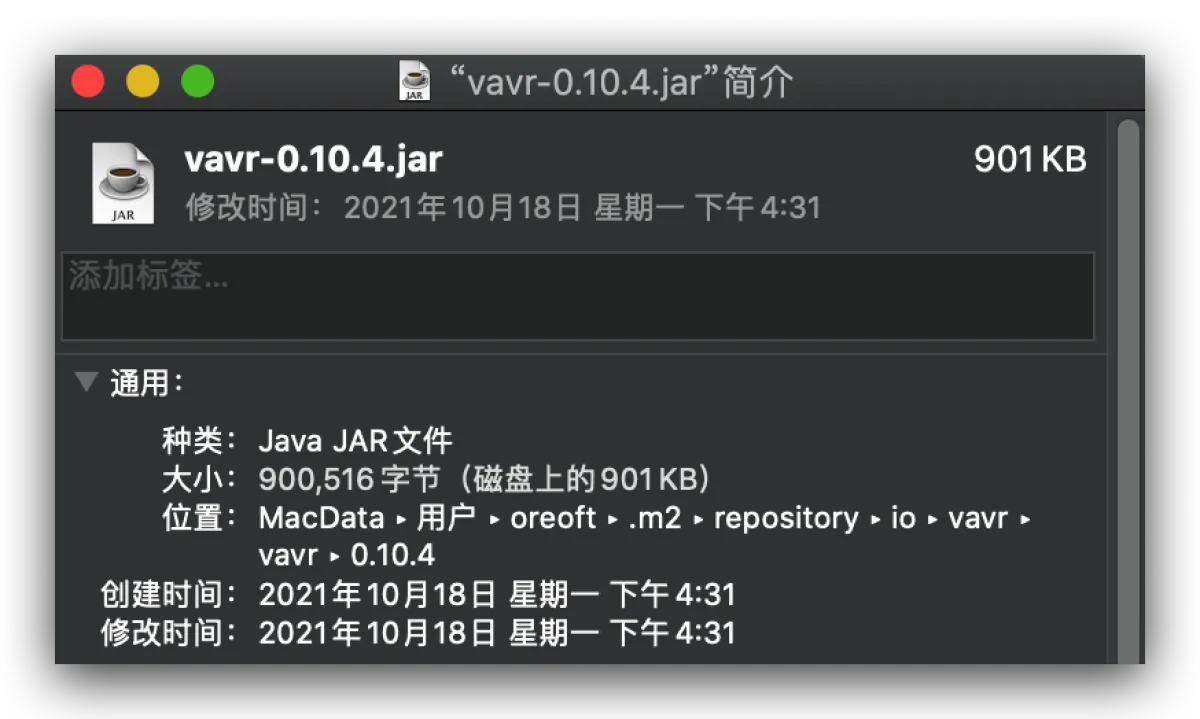
vavr doesn’t use any third-party dependencies — all the code is handwritten — which makes it really small, under 1MB.
Enhancements to the Function interfaces
I introduced the JDK’s built-in functional interfaces in the previous post. Honestly, whether in terms of requirements or capabilities, they’re a bit weak. Remember Function? Its abstract method is apply, and it transforms one type into another. But what if I want to take two different types and transform them into a third type? If you’ve looked through the java.util.function package, you’ll say “there’s BiFunction.” Then what about three? Four? Do we have to extend it ourselves?
Function(0….8) interfaces
vavr provides functions with more parameters. For example, the Function family includes Function0 through Function8, meaning functions can accept up to 8 parameters. Here’s a concatenation example:
  @Test
  public void multiFunctionTest() {
    Function4<String, String, Boolean, Integer, String> func =
        (country, name, isMan, score) -> String.format("%s-%s-%s-%d", country, name, isMan ? "男" : "女", score);
    System.out.println(func.apply("中国", "小明", true, 10));
  }
// 中国-小明-男-10
More functional features
vavr also enhances functions beyond what the JDK provides with andThen() and compose(). vavr’s interfaces include real closure-like functional programming features such as currying, lifting, memoization, etc. I’ll go through them one by one.
Composition
The JDK actually has this too — it’s the concept of function composition in math: the y of f(x) can be the x of g(x), i.e. g(f(x)).
There are two methods that can do this: andThen() and compose(). A demo makes it obvious:
@Test
public void andThenTest() {
  Function4<String, String, Boolean, Integer, String> func1 =
      (country, name, isMan, score) -> String.format("%s-%s-%s-%d", country, name, isMan ? "男" : "女", score);
  // andThen takes func1's return value and then applies func2
  Function4<String, String, Boolean, Integer, String> func2 = func1
      .andThen(str -> String.join(":", StrUtil.split(str, '-')));
  System.out.println(func2.apply("中国", "小明", true, 10));
}
// 中国:小明:男:10
Similarly there’s compose, but this method only exists on Function1. Essentially it just swaps the execution order — both achieve function composition.
@Test
public void composeTest() {
  Function1<Long, String> func1 = num -> num + "%";
  // Execute the apply inside compose first, then feed the result into func1.apply
  Function1<Double, String> func2 = func1.compose((Double num) -> Math.round(num));
  System.out.println(func2.apply(12.25));
}
// 12%
PartialApply
Partial application means: suppose a Function has 5 parameters. If you pass 2 parameters into apply(), the compiler won’t complain — but apply won’t execute your function normally either. Instead, it generates a new function whose parameter list has only 3 parameters. Those 3 parameters come from the original 5, with the first 2 fixed to the values you provided. Show code:
@Test
public void partialApplyTest() {
  Function4<String, String, Boolean, Integer, String> func1 =
      (country, name, isMan, score) -> String.format("%s-%s-%s-%d", country, name, isMan ? "男" : "女", score);

  Function3<String, Boolean, Integer, String> func2 = func1.apply("中国");
  System.out.println(func2.apply("小明", true, 10));

  Function2<Boolean, Integer, String> func3 = func1.apply("中国", "小明");
  System.out.println(func3.apply(true, 10));

  Function1<Integer, String> func4 = func1.apply("中国", "小明", true);
  System.out.println(func4.apply(10));

  System.out.println(func1.apply("中国", "小明", true, 10));
}
// 中国-小明-男-10
// 中国-小明-男-10
// 中国-小明-男-10
// 中国-小明-男-10
Currying
Currying is a technique that transforms a function that takes multiple parameters into a function that takes a single parameter (the first parameter of the original function) and returns a new function that takes the remaining parameters and returns the result. You just call curried() on the function to get a curried function. After that, each apply() can only pass one value, and the return value is still a curried function. See the code below.
@Test
public void curriedTest() {
  Function4<String, String, Boolean, Integer, String> func1 =
      (country, name, isMan, score) -> String.format("%s-%s-%s-%d", country, name, isMan ? "男" : "女", score);

  Function1<String, Function1<Boolean, Function1<Integer, String>>> func2 = func1.curried().apply("中国");
  Function1<Boolean, Function1<Integer, String>> func3 = func2.apply("小明");
  Function1<Integer, String> func4 = func3.apply(true);
  String result = func4.apply(10);

  System.out.println(result);
}
// 中国-小明-男-10
This way, any of the functions above can be extended, reuse goes way up, and it’s convenient to call.
Memoization
As the name suggests: cache a function’s result, and the next time you call it, return the result from the first computation directly. Usage is simple: just call memoized().
Emmm… not super useful in practice. If I want to demo it, I can only use something like a random number — real project scenarios don’t feel that common.
@Test
public void memorizeTest() {
  Function0<Double> hashCache = Function0.of(Math::random).memoized();

  double randomValue1 = hashCache.apply();
  System.out.println(randomValue1);
  double randomValue2 = hashCache.apply();
  System.out.println(randomValue2);

}
// 0.6590067689384973
// 0.6590067689384973
New features built on functional interfaces
Pattern matching
Good news: Java 14 already supports pattern matching. What? Your company still hasn’t upgraded to 14? Oh, neither has mine…. But with vavr, you can experience Scala-like pattern matching. Java’s switch only works on constants and has tons of limitations. Even though JDK 7 added String, it compares using equals() under the hood — which means if you pass in null, you get an NPE instead of hitting default. Pattern matching not only avoids these issues, it can also work on the return value of another function, and it can save a lot of code.
- Basic syntax demo
Put the variable you want to match into Match(...). After .of(...) you start case matching. Inside $() you put the expected match value, and after that you put the value to return when it matches. Note that pattern matching breaks automatically. If $() is empty, it’s like the default in a switch.
@Test
public void showTest() {
  int input = 2;
  String result = Match(input).of(
      Case($(1), "one"),
      Case($(2), "two"),
      Case($(3), "three"),
      Case($(), "?"));
  System.out.println(result);
}
// two
- Advanced matching syntax demo
$() also has an overload that takes a predicate function. vavr has its own Predicate functional interface with lots of methods. For example, isIn() in the code block below is a method from Predicate. Its return value is a predicate function, and it can match multiple values.
- $(): A wildcard pattern similar to the default case in a switch statement. It handles the situation where no match is found.
- $(value): An equality pattern, where a value is simply compared to the input.
- $(predicate): A conditional pattern, where the predicate function is applied to the input and the resulting boolean is used to decide.
@Test
public void isInTest() {
  int input = 1;
  String result = Match(input).of(
      Case($(isIn(0, 1)), "zero or one"),
      Case($(2), "two"),
      Case($(3), "three"),
      Case($(), "?"));
  System.out.println(result);
}
// zero or one
@Test
public void anyOfTest() {
  Integer year = 1990;
  String result = Match(year).of(
      Case($(anyOf(isIn(1990, 1991, 1992), is(1986))), "Age match"),
      Case($(), "No age match"));
  System.out.println(result);
}
// Age match
@Test
public void customTest() {
  int i = 5;
  List<Integer> container = Lists.newArrayList(1, 2, 3, 4);

  String result = Match(i).of(
    // You can replace this with a method reference; for clarity I used a lambda
      Case($(e -> container.contains(e)), "Even Single Digit"),
      Case($(), "Out of range"));
  System.out.println(result);
}
// Out of range
- Side effects demo
From the examples above, each case returns a value. Sometimes you match something but don’t want to return anything — you just want to do something via side effects. The code below looks a bit twisty, so I’ll explain briefly: the second parameter of Case originally was the return value. If you want side effects, you must pass a Supplier (don’t ask me why — that’s how it’s designed), so you must use () ->. What should it return? Here we call run(). run() takes a Runnable and returns a Void. This Void can be ignored. Note that this Void is provided by vavr, not the JDK void keyword. You just wrap the side-effect code into a Runnable. Runnable is java.lang.Runnable — no need for me to explain that one.
@Test
public void sideEffectsTest() {
  int i = 4;
  Match(i).of(
      Case($(isIn(2, 4, 6, 8)), () -> run(() -> System.out.println("这是第一类"))),
      Case($(isIn(1, 3, 5, 7, 9)), () -> run(() -> System.out.println("这是第二类"))),
      Case($(), o -> run(() -> System.out.println("没有找到"))));
}
Try
Try is similar to the JDK’s try-catch. Code executed inside Try won’t throw exceptions outward — both exceptions and normal return values are handled by vavr, and then returned through Try. The basic usage is Try.of(). You pass a supplier into of, with the fixed form () ->, and the return value is whatever your function produces.
- Basic demo
@Test
public void tryTest() {
  Try<Integer> result = Try.of(() -> 1 / 0);
  // Whether it succeeded
  System.out.println(result.isSuccess());
  // The cause; if you call this when there is no exception, it throws UOE
  System.out.println(result.getCause());
  // Get the return value; returns null if there was an exception
  System.out.println(result.getOrNull());
  // Get the return value; returns the provided default if there was an exception
  System.out.println(result.getOrElse(0));
}
// false
// java.lang.ArithmeticException: / by zero
// null
// 0
It also comes with many methods — kind of like the JDK’s Optional, also like a “container,” except it contains potentially failing behavior. It lets you handle follow-up logic or fallback strategies. For simple handling, I usually use Try because it’s really convenient.
For example, when doing JSON.parseObject(), I usually wrap it in a try-catch to be more robust — who knows what string upstream sends. But try-catch looks ugly. Wrapping it with Try feels much nicer.
  @Test
  public void trySeniorTest() {
    List<Integer> list = Try.of(() -> JSON.parseArray("json", Integer.class))
        .getOrElse(Collections.emptyList());
    System.out.println(list);
  }
// []
Immutable collection classes
Tuple
As we all know, Java doesn’t have tuples — but tuples are really handy sometimes. vavr implements tuples via generics. You can create tuples using Tuple’s static factory methods, and with IDEA’s type inference or Java 10’s var inference, the efficiency is insane. Usage is also similar to Scala.
A tuple (Tuple) is composed of different elements, and each element can store a different type of data. It’s kind of like a List with multiple generic types. For example,
List<Integer>can only holdInteger. A tuple likeTuple<Integer, String>means it can hold anIntegerand aString. Usually you need to specify the arity, because you need to know which position corresponds to which type.
- Basic usage
Initialize with Tuple.of. Just put the elements into of, IDEA will infer which TupleN it is, and to access elements you just use _N, e.g. element 1 is _1.
@Test
public void tupleTest() {
  Tuple2<Integer, String> t2 = Tuple.of(1, "1");
  System.out.println(t2._1);
  System.out.println(t2._2);
}
- Other usage
Tuples are immutable. You can modify or append, but any change returns a new tuple. Updating is easy: call update + position. Appending is easy: call append().
@Test
public void tupleSeniorTest() {
  Tuple2<Integer, String> t2 = Tuple.of(1, "1");
  System.out.println(t2);

  Tuple2<Integer, String> t2s = t2.update1(2);
  System.out.println(t2s);

  Tuple3<Integer, String, Double> t3 = t2.append(1.0);
  System.out.println(t3);
}
I really like tuples because sometimes I’m lazy — I don’t want to create a POJO for everything, and I also don’t want maps flying around everywhere. Tuples are convenient and clear; they’re a trade-off between the two. Especially when combined with pattern matching, the elegance just takes off. But!!! Please note: vavr’s Tuple does not support Jackson or JSON serialization. I’ve already stepped on this landmine for you — don’t use it for HTTP responses or RPC communication.
List/Set/Map
A very important feature of functional programming is immutability. The JDK’s Collections can make a collection immutable, but…. show code:
@Test
public void collectionsTest() {
  List<Integer> list = Lists.newArrayList(1, 2, 3);
  System.out.println(list);
  List<Integer> unmodifiableList = Collections.unmodifiableList(list);
  System.out.println(unmodifiableList);

  list.add(1);
  System.out.println(list);
  System.out.println(unmodifiableList);

  unmodifiableList.add(1);
}
// [1, 2, 3]
// [1, 2, 3]
// [1, 2, 3, 1]
// [1, 2, 3, 1]
//
// java.lang.UnsupportedOperationException
From the code above, you can see that Collections’ immutable list is just a shallow wrapper around the original list. Modifying the original list still changes this so-called “immutable” list.
- vavr’s list
vavr’s list is created with List.of(). After creation it’s immutable, but you can add or remove elements — and as you’ve probably guessed, every change produces a new immutable list.
@Test
public void collectionsTest() {
  io.vavr.collection.List<Integer> list = io.vavr.collection.List.of(1, 2);
  // Add an element
  io.vavr.collection.List<Integer> appendList = list.append(3);
  // Drop an element
  io.vavr.collection.List<Integer> dropList = list.drop(1);

  // Convert to a mutable Java list
  List<Integer> javaList = list.asJava();

}
Also, vavr’s list can use stream operators directly — no need to call stream() to convert into a Stream and then use operators. Not saying it’s exactly the same as Scala — it’s basically identical. It also provides more functional APIs, such as:
take(Integer)take the first n valuestail()take the collection excluding the head elementzipWithIndex()lets you get the index while iterating (no need forfori)find(Predicate)find a value based on a condition; in the Java standard library you’d needfilter + findFirst…..
Other functional programming features
Option
Alright, I’m not pretending anymore: this Option is the same as the JDK’s Optional. The inspiration probably came from Guava’s Optional. But vavr’s Option is an interface with two implementations: Some and None. The former represents “has value,” the latter represents “no value.” Usage is Option.of().
@Test
public void multiFunctionTest() {
  Integer num = null;
  Option<Integer> opt = Option.of(num);

  // Same as Optional
  Integer result = opt.getOrElse(0);
  System.out.println(result);

  // Returns true if it's None
  boolean isEmpty = opt.isEmpty();
  System.out.println(isEmpty);

  // Convert to Java Optional
  Optional<Integer> optional = opt.toJavaOptional();
}
// 0
// true
There are many methods so I didn’t include them all. Most are the same as Optional, and some are common vavr APIs rather than Option-specific.
Lazy
Lazy evaluation is also a feature in functional programming, especially heavily used in Scala. And after the first computation, the value is cached. It helps a lot with saving memory and improving performance.
In Scala this is done via keywords, but how does vavr do it in Java? Similar to Option, it wraps the variable in a “container” and loads it when you access the value.
@Test
public void lazyTest() {
  // Generate a random number and put it into a Lazy container
  Lazy<Double> lazy = Lazy.of(Math::random);

  // Check whether it has been evaluated
  System.out.println(lazy.isEvaluated());

  // Actually get the value
  System.out.println(lazy.get());

  // Check again whether it's evaluated
  System.out.println(lazy.isEvaluated());

  // Get it again
  System.out.println(lazy.get());
}
// false
// 0.896267693320266
// true
// 0.896267693320266
Epilogue
There are still some features I didn’t cover, like Either, Future, Promise, Validation, etc. On one hand, after reviewing this post I realized it’s already too long; on the other hand, the scenarios where I use them in projects are relatively rare. If you’re interested, I can write an advanced vavr post, because I think each feature here deserves its own article. I started writing in the afternoon, and the further I wrote the more I realized it was already late at night. Some of the later feature introductions are honestly me getting lazy and sharing way less than I originally planned 😂. I’ll leave a hole to fill next time.
If you’re genuinely interested, I recommend checking out resilience4j. It’s a rate-limiting/circuit-breaking/fallback middleware written with vavr, meant to replace Hystrix. The code quality is really high. I think it’s currently the best material for learning functional programming — the only downside is it’s hard to chew through, because functional programming is great to write but not very friendly to readers/viewers.
References
All articles in this blog, unless otherwise stated, are licensed under @Oreoft . Please indicate the source when reprinting!